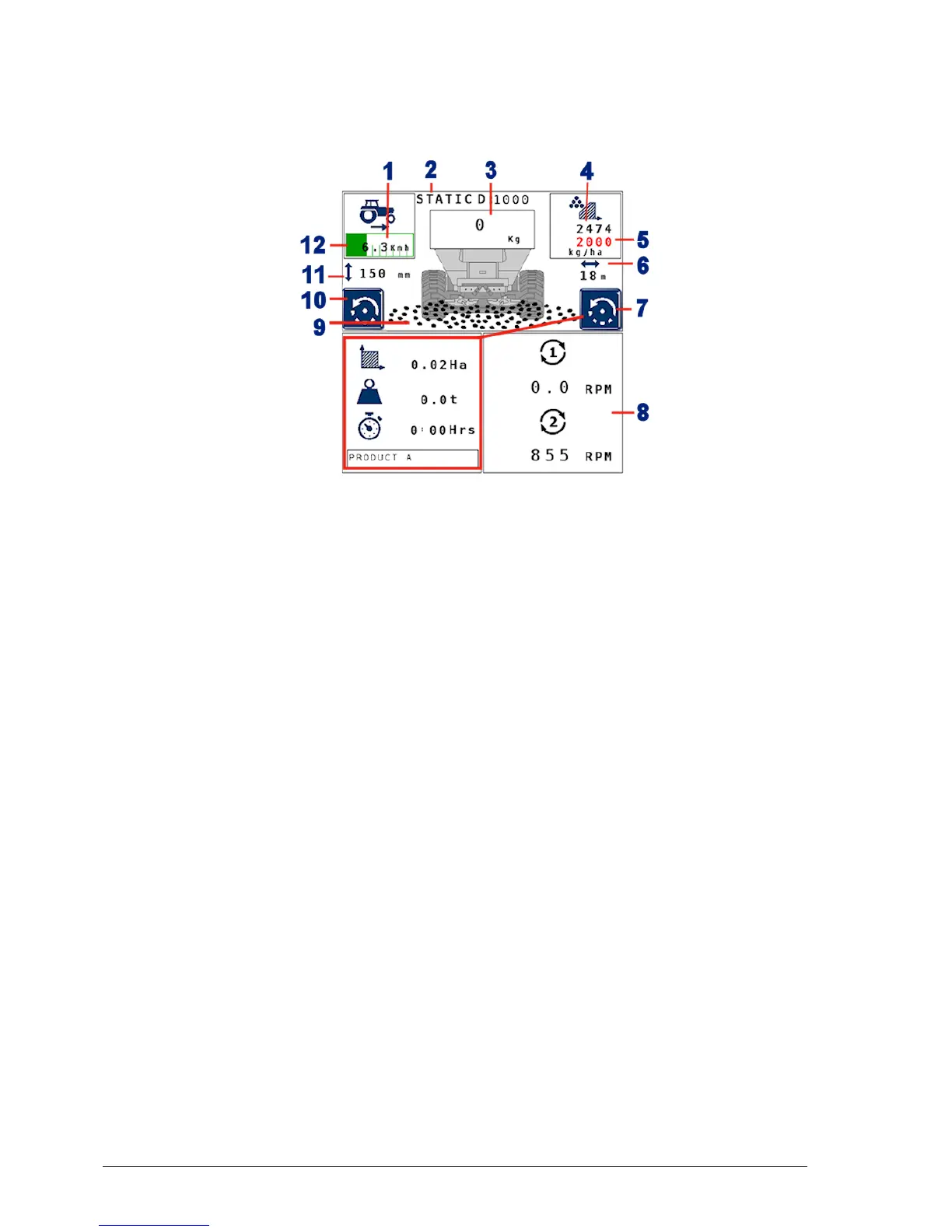
3.3. Athene primary screens
20
Main screen fields
1
Forward speed.
2
Calibration mode (see Product calibration modes, page 45).
3
Product remaining (actual weight measurement from load
cells for dynamic calibration, a theoretical calculation
otherwise).
4
Live, current application rate.
5
Target application rate.
6
Working width (see Setting up working width, page 32).
7
Job information. Touch to toggle between job information
and spinner speed control (see Variable screen display, page
21).
8
Spinner speed.
9
Work status. Red crosses are shown when the spreader is not
operating.
10
Touch to toggle the bottom left of the display between gate
height and auxiliary function. This button is only present if
additional hydraulic functions have been enabled via Factory
menu / Machine Options / Gate Control and Aux



 To Next Page