10
Install the Switch on a sturdy, level surface that can support its weight,
or in an EIA standard-size equipment rack. For information on rack
installation, see the next section, Rack Mounting.
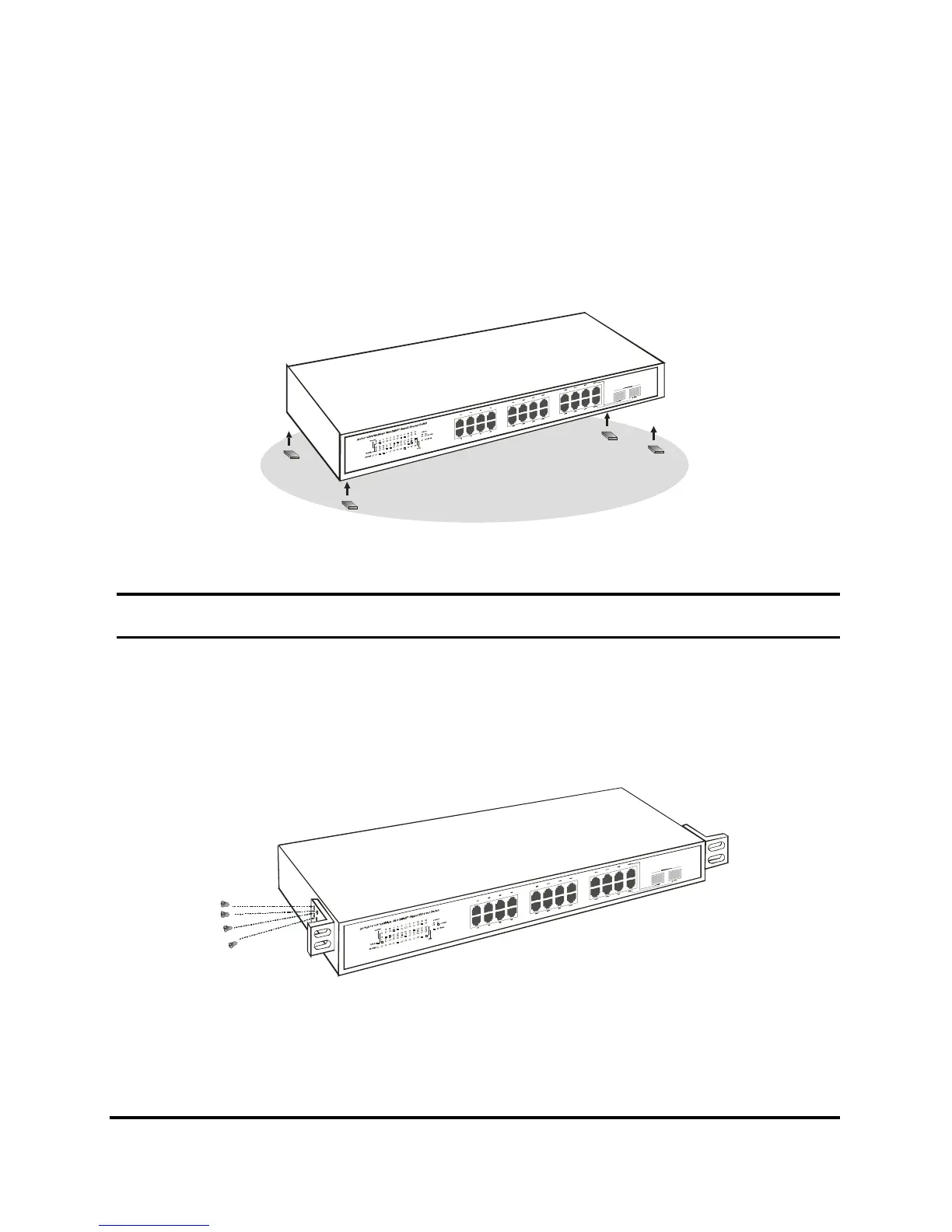
When installing the Switch on a level surface, attach the rubber feet to
the bottom of each device. The rubber feet cushion the hub and
protect the hub case from scratching.
Figure 1. Attach the adhesive rubber pads to the bottom
Rack Mounting
The switch can be mounted in an EIA standard-size, 19-inch rack,
which can be placed in a wiring closet with other equipment. Attach
the mounting brackets at the switch’s front panel (one on each side),
and secure them with the provided screws.
Figure 2. Combine the Switch with the provided screws











 To Next Page