47
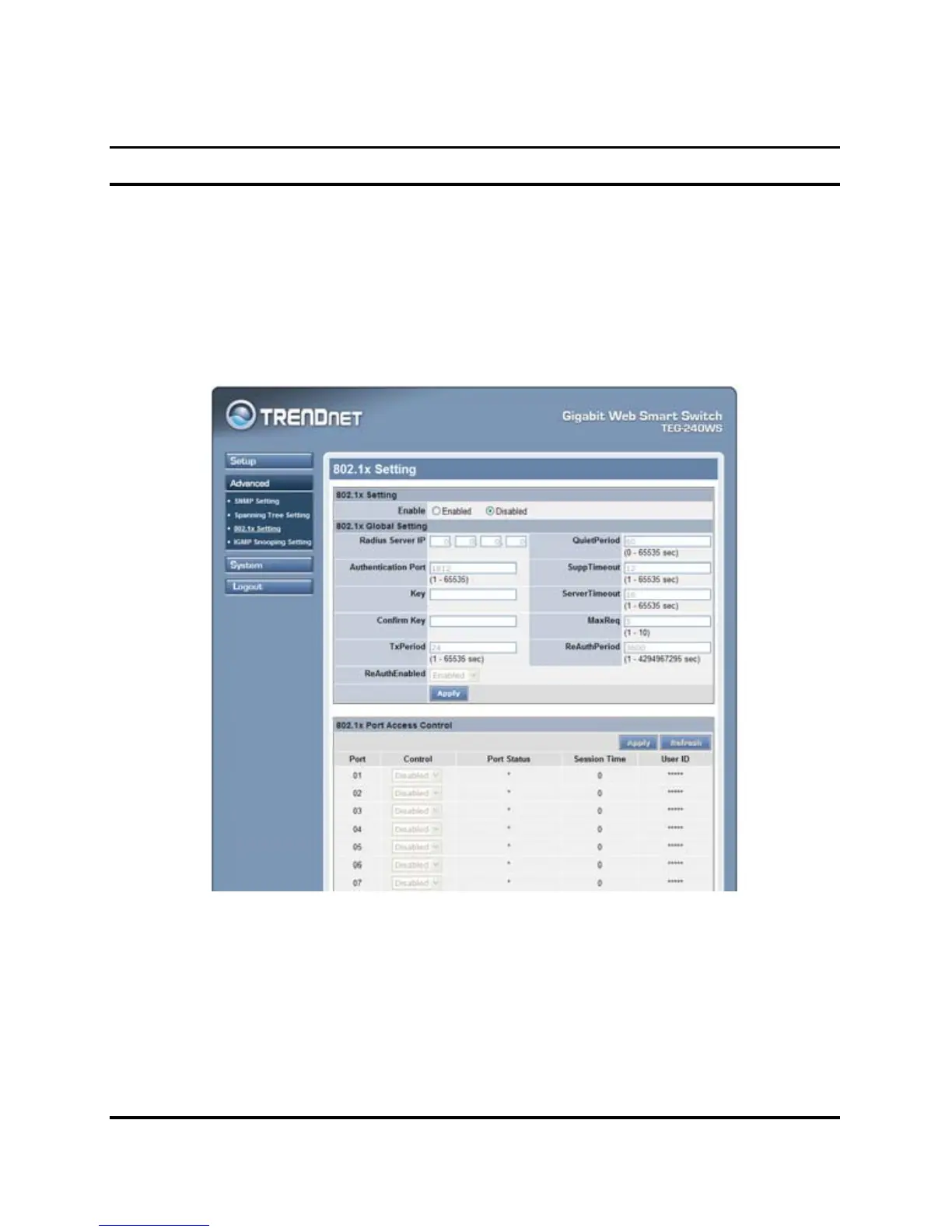
802.1x Setting
The IEEE 802.1x provides a security standard for network access
control. 802.1x holds a network port disconnected until authentication
is completed. Depending on the results, the port is either made
available to the user, or the user is denied access to the network.
802.1X uses the Extensible Authentication Protocol (EAP) for passing
authentication messages.
Figure 22. 802.1x Setting
Enable: Enable or Disable the 802.11x function on the Web Smart
Switch.
Radius Server IP: Enter the IP address of the Radius Server.











 To Next Page