36
Note:
1. Untag port VLAN member can exist in different VLAN groups simultaneously when
Asymmetric VLAN function enabled.
2. You must create VLAN and add VLAN member first that just can set PVID setting.
3. You must change Untag Port PVID to another existent VLAN ID that just can
remove Untag port member from VLAN group
Tag VLAN Setting
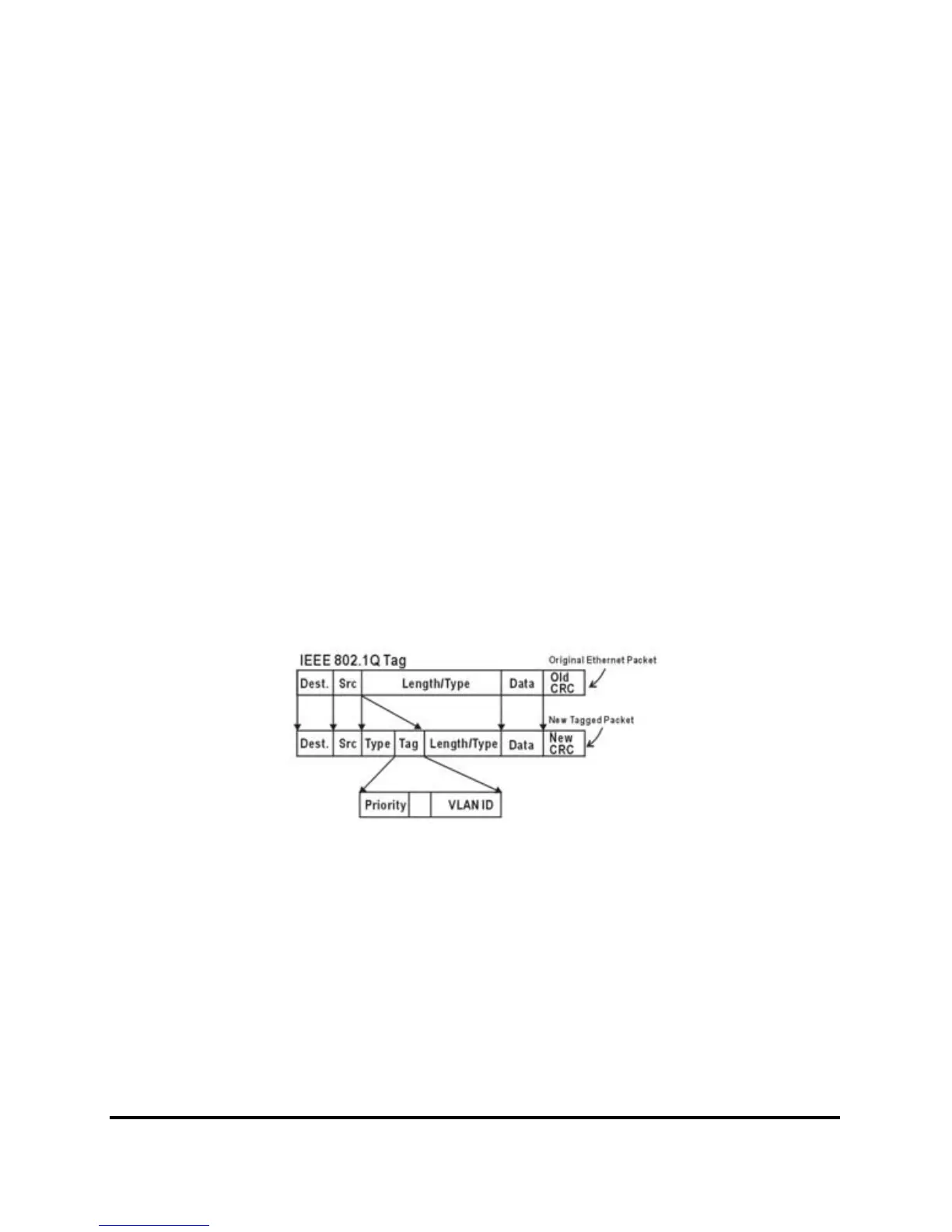
The IEEE802.1Q protocol defines a new format of the frame; it adds a
tag header in the original Ethernet frame, as follows:
IEEE802.1Q Tag VLAN is divided by VLAN ID (VID). On receiving
a frame, the switch checks the VID in the tag header of the frame to
decide which VLAN it belongs to. If the receiving frame doesn’t
contain the tag header, the switch will assign a tag to the frame, using
the PVID of the port as its VID.
Figure 34.











 To Next Page