37
Example 3:
Create two VLAN groups for Tag ports multi-need server application setting and two
VLAN clients cannot negotiate to each other. (Asymmetric VLAN function disabled)
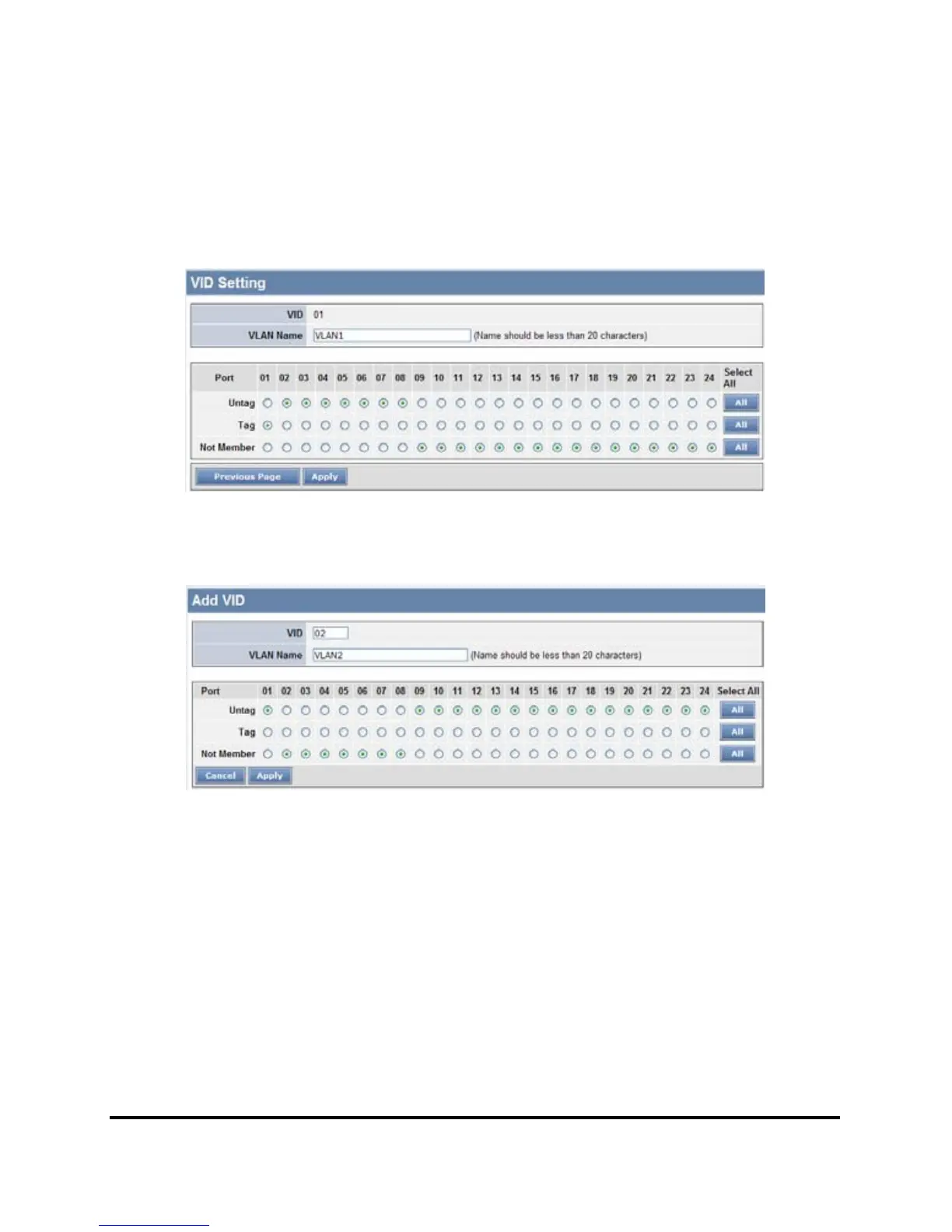
Step1: Set VLAN1 port 1 to “Tag” and port 9~24 to “Not Member”, then apply setting.
Figure 35.
Step 2: Create VID 02 and set port 1 to “Tag” port and port 9~24 to “Untag” ports, then
apply setting.
Figure 36.
Note: The multi-need server must be support IEEE 802.1Q VLAN, the sever uplink
port is port1.











 To Next Page