38
Example 4:
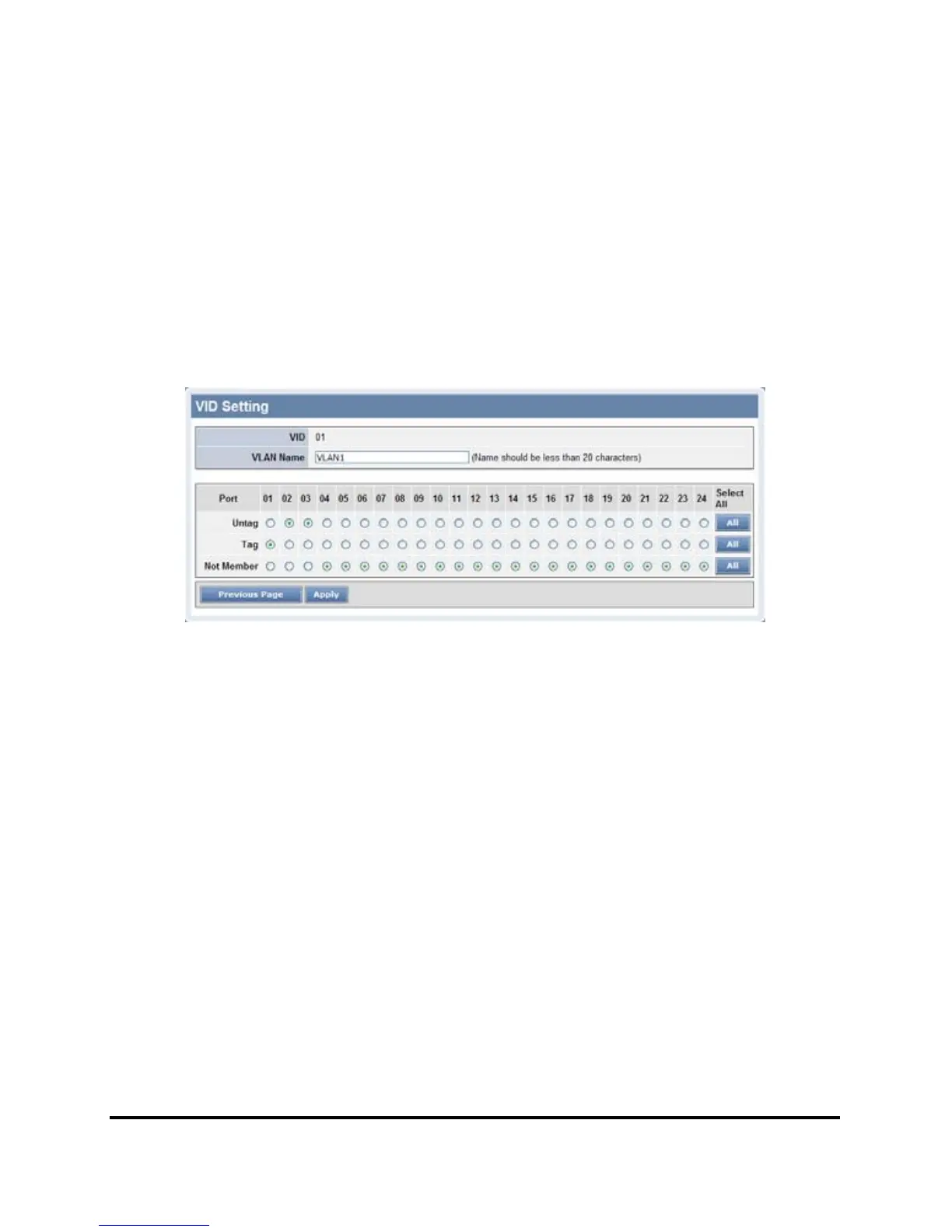
Setting Tag VLAN on two switches. Switch 1’s VLAN 1 (2 ~ 3 ports)
have access to the Switch 2’s VLAN 1 (2 ~ 3 ports).
The settings of VLAN group for two devices are same.
Step1: Set Switch1’s VLAN1 port 1and 4~24 to “Not Member”, then apply setting.
Figure 37.
Step2: Set Switch2’s VLAN1 member as Switch1.
Step3: Uplink two switches via Port 24.











 To Next Page