56
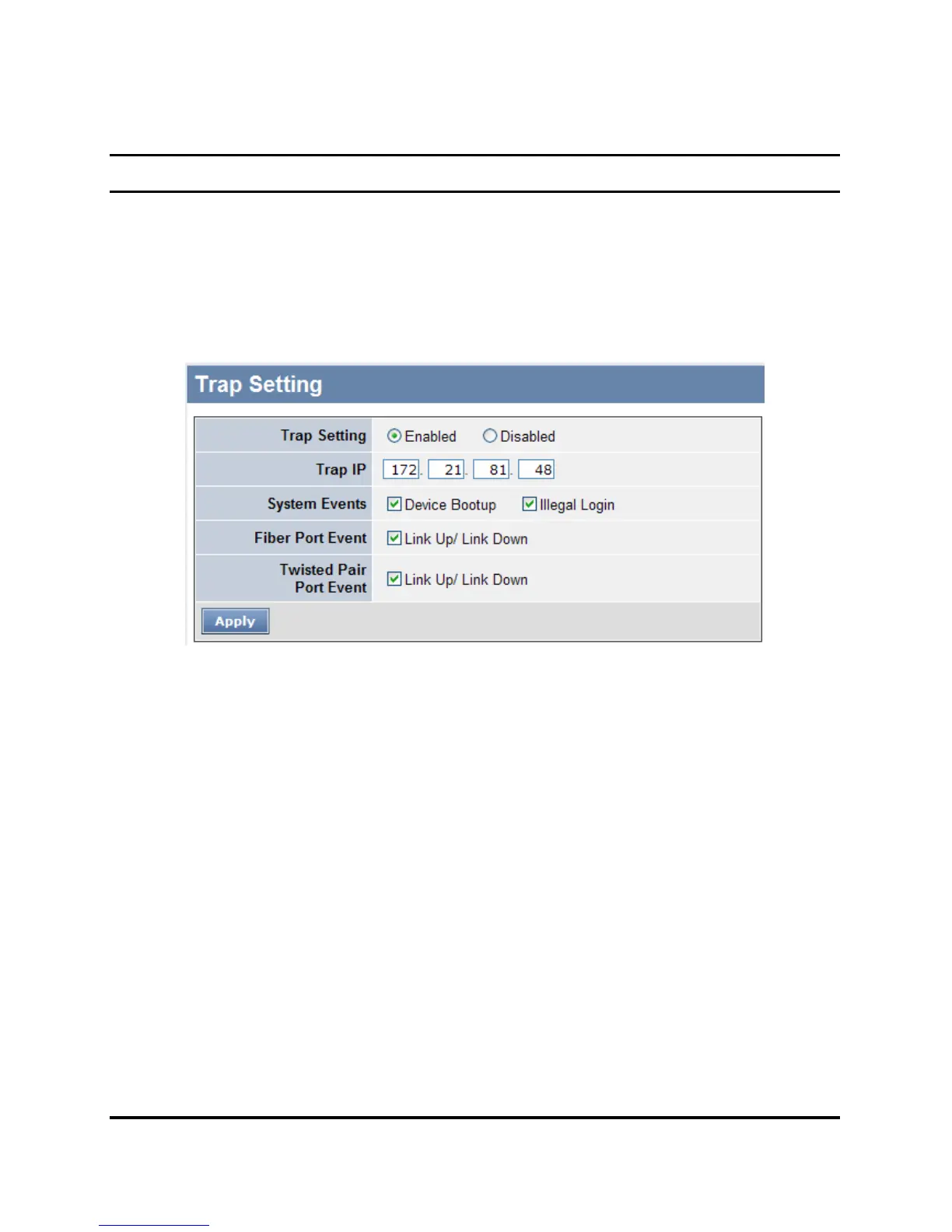
Trap Setting
By configuring the Trap Setting, it allows Web Management Utility to
monitor specified events on the Web-Smart Switch. By default, Trap
Setting is Disabled. When the Trap Setting is Enabled, enter the
Destination IP address of the managing PC that will receive trap
information.
Figure 29. Trap Setting
System Events: Monitoring the system’s trap.
Device Bootup: a trap when booting up the system.
Illegal Login: a trap when there is using a wrong password login,
and it will record from where the IP to be login.
Fiber Port Event: Monitoring the Fiber port status.
Link Up/Link Down: a trap when there is linking status happens in
mini-GBIC connection.
Twisted Pair Port Event: Monitoring the twisted pair port status.
Link Up/Link Down: a trap when there is linking status happens in
1000BASE-T connection.











 To Next Page