45
Spanning Tree Setting
The Web Smart Switch supports IEEE 802.1D Spanning Tree
Protocol (STP) implementation is designed to prevent network loops
that could cause a broadcast storm. When the physical links forming a
loop provide redundancy, only a single path will be forwarding frames.
If the link fails, STP activates a redundant link automatically.
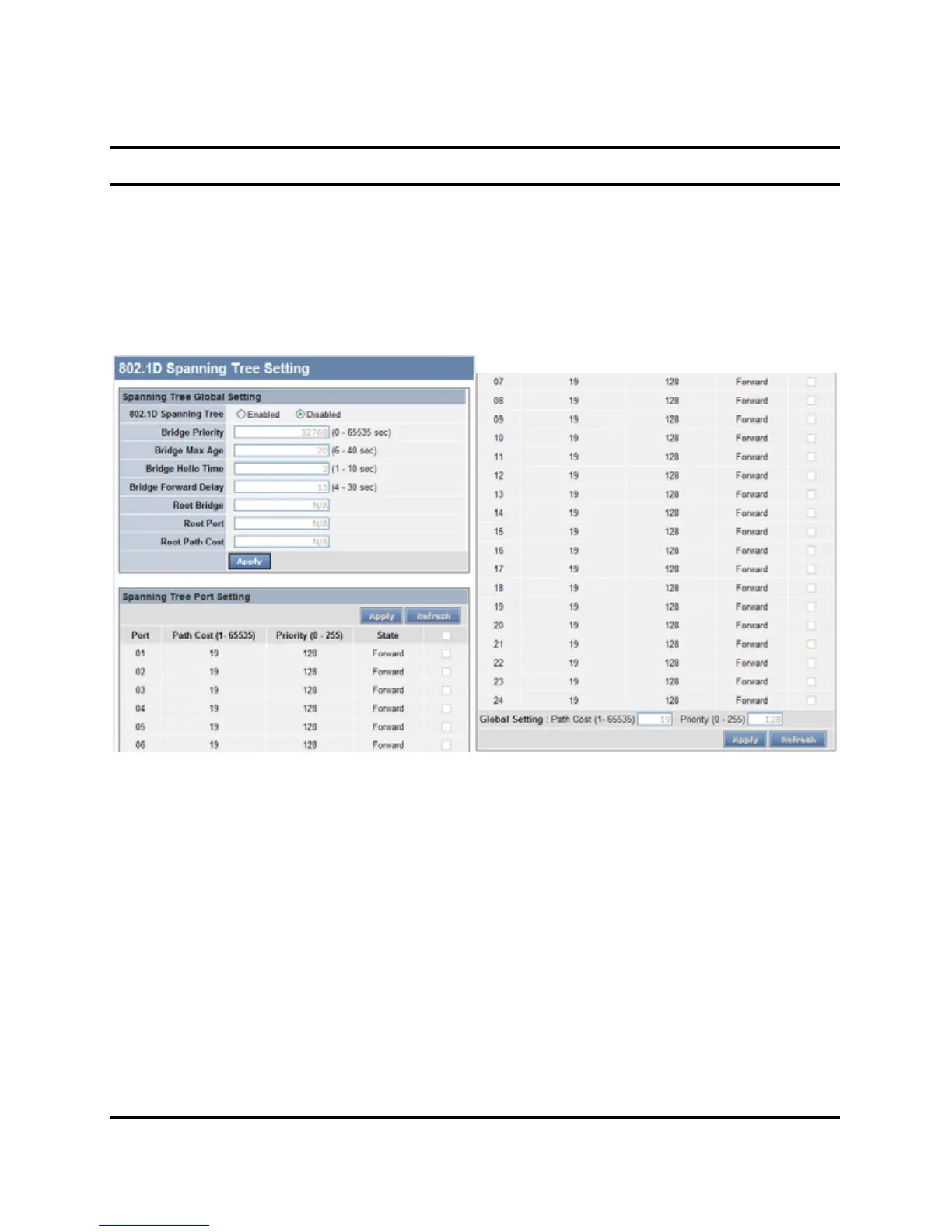
Figure 21. Spanning Tree Setting
802.11D Spanning Tree: Enable or Disable the 802.11D Spanning
function on the Web Smart Switch.
Bridge Priority: This value between 0 and 65535 specifies the
priority for forwarding packets: the lower the value, the higher the
priority. The default is 32768.











 To Next Page