11
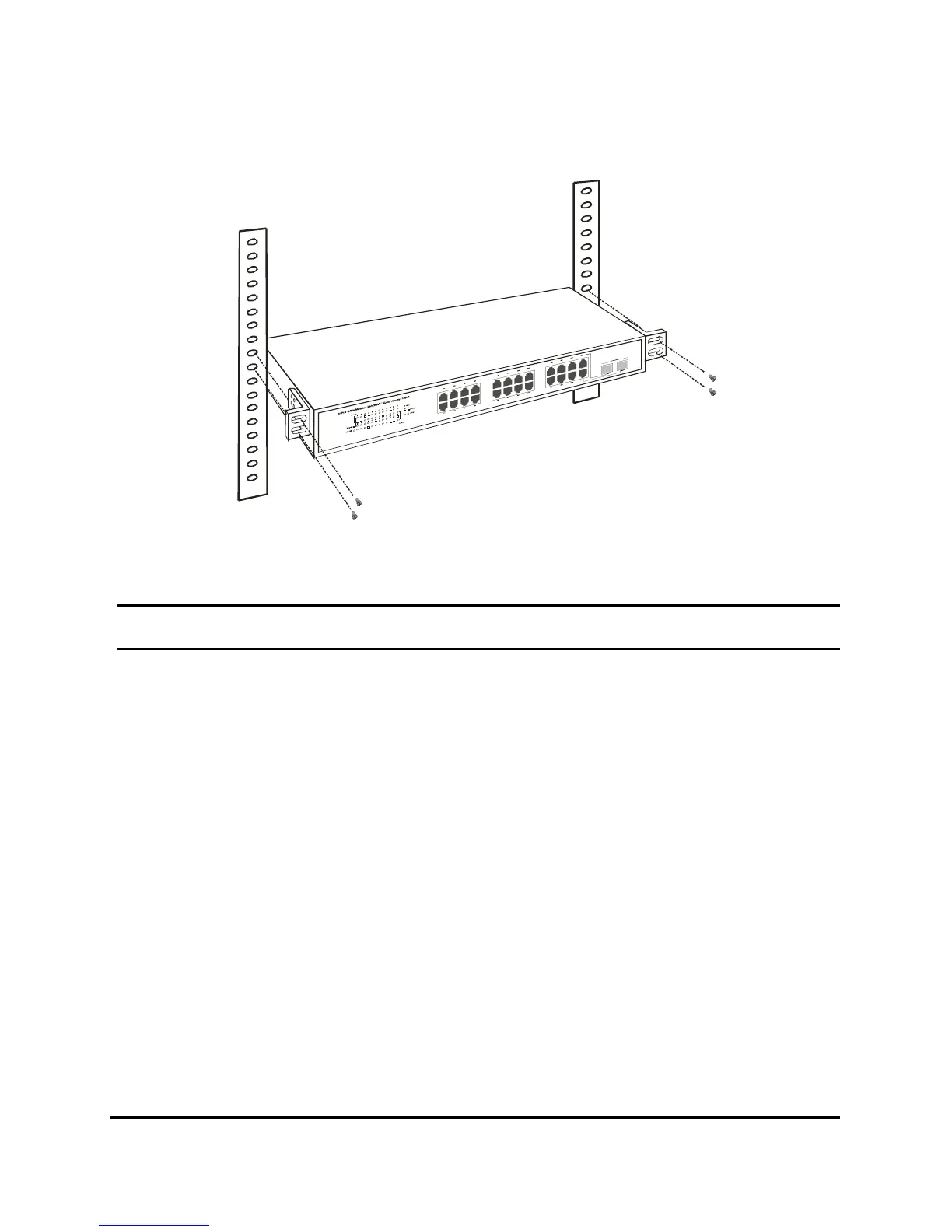
Then, use screws provided with the equipment rack to mount each
switch in the rack.
Figure 3. Mount the Switch in the rack
Connecting Network Cable
The Switch supports 1000Mbps Gigabit Ethernet that runs in Auto-
negotiation mode and 10Mbps Ethernet or 100Mbps Fast Ethernet that
runs both in half and full duplex mode and 1000Mbps Gigabit
Ethernet runs in full duplex mode using four pairs of Category 5
cable.
These 1000BASE-T ports are Auto-MDI type port. The Switch can
auto transform to MDI-II or MDI-X type, so you can just make an
easy connection that without worrying if you are using a standard or
crossover twisted-pair cable.
There are additional 2 ports combo mini-GBIC slot for optional mini-
GBIC module.











 To Next Page