11
Chapter 2 : Connecting an Antenna or Cable to Your TV/VCR
Connecting a Cable System
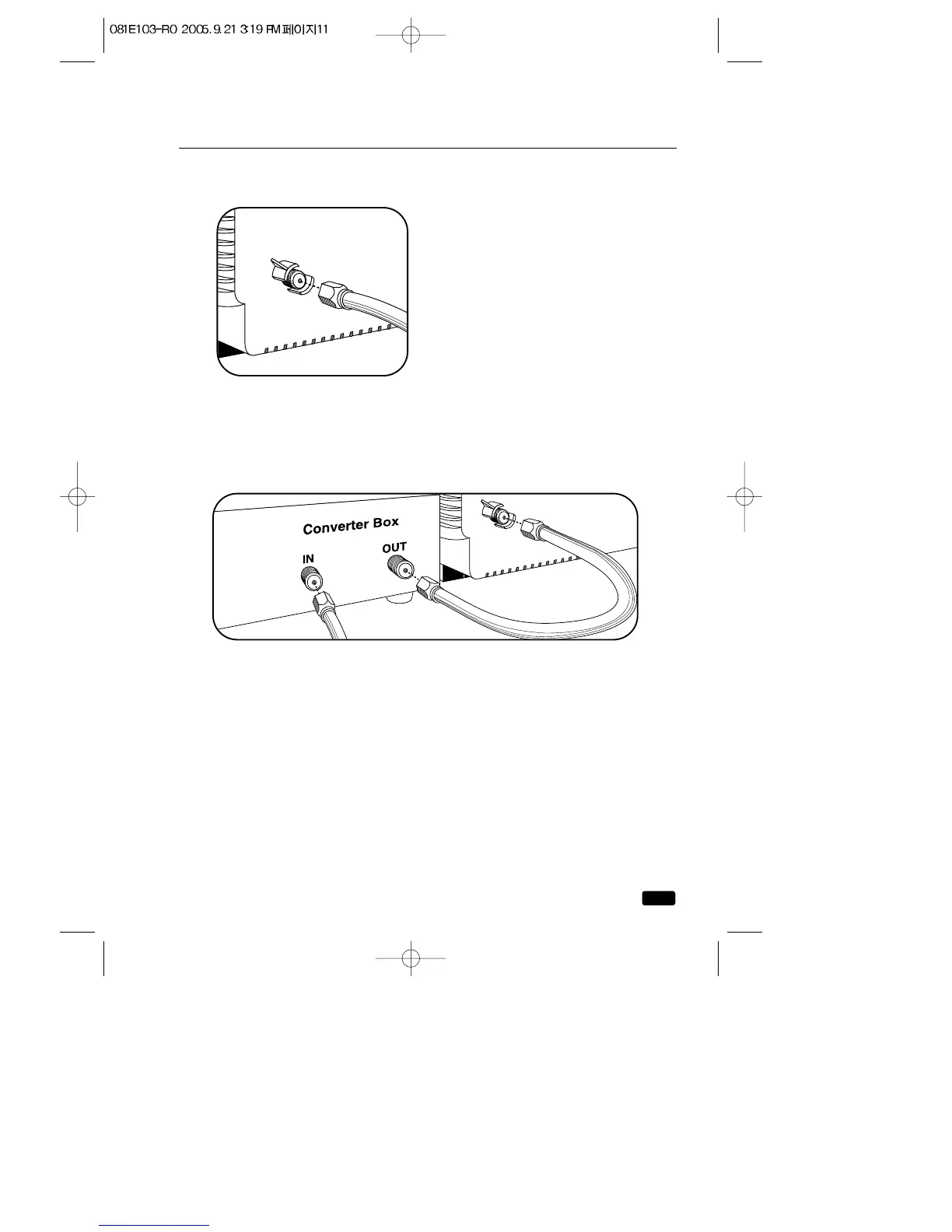
If your cable system requires you to use a converter box for all
channels, connect the incoming cable to the IN terminal on the con-
verter box. Connect another cable between the OUT terminal on the
converter box and the antenna terminal on the TV. You will need to keep
your TV tuned to channel 3 or 4 and change channels using the convert-
er box.
If your cable set-up is not described
below, please contact your cable com-
pany for more information.
If your cable system does not require
the use of a cable box, simply press
or screw the incoming cable onto the
antenna terminal on the back your TV.



 To Next Page