30
Chapter 6 : Additional TV Features
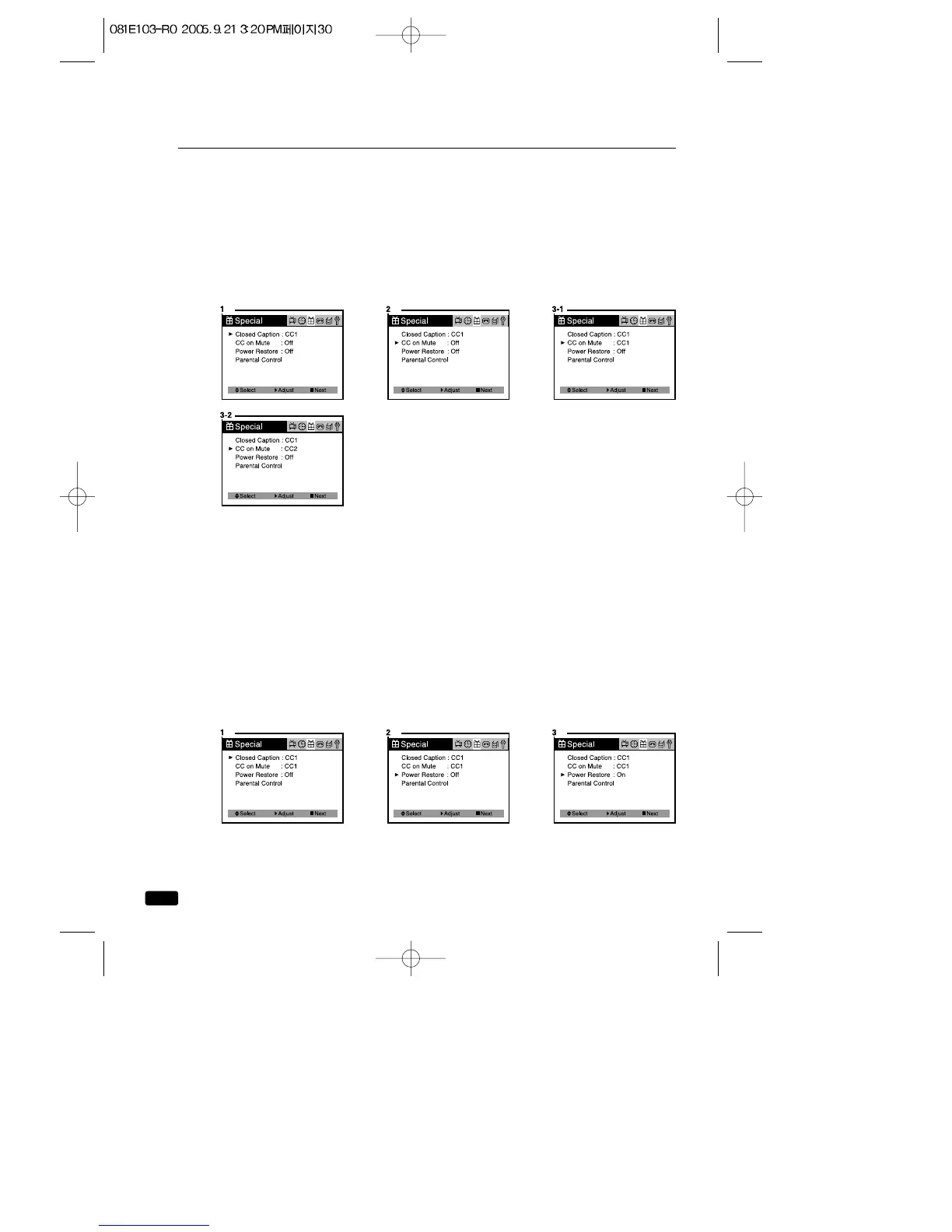
CC on Mute
When the sound is muted, user can select the caption display. It will dis-
play the caption content instead of sound mute.
1.With the TV turned on, press the MENU button until “Special”menu
will be displayed.
2.Use the ▲CH▼ buttons to select “CC on Mute”item.
3.Use the VOL▶ button to select “CC1”or “CC2”.
Power Restore
User can select the On/Off status when the power cord is put into the
wall outlet. If user has a cable box with AC outlet, then user can connect
the TV/VCR power cord to the AC outlet and control the TV/VCR with-
out TV/VCR remote control. This function is rarely used for home use,
so special care is needed while using.
1.With the TV/VCR turned on, press the MENU button until “Special”
menu will be displayed.
2.Use the ▲CH▼ buttons select “Power Restore”item.
3.Use the VOL▶ button to select “On”or “Off”.



 To Next Page