27
Chapter 5 : Using Timer Functions
Setting the Off Time
If you enter a time in the “Off Time” setting, your TV/VCR will automati-
cally turn off at that time.
Follow these instruction to set the “Off Time”
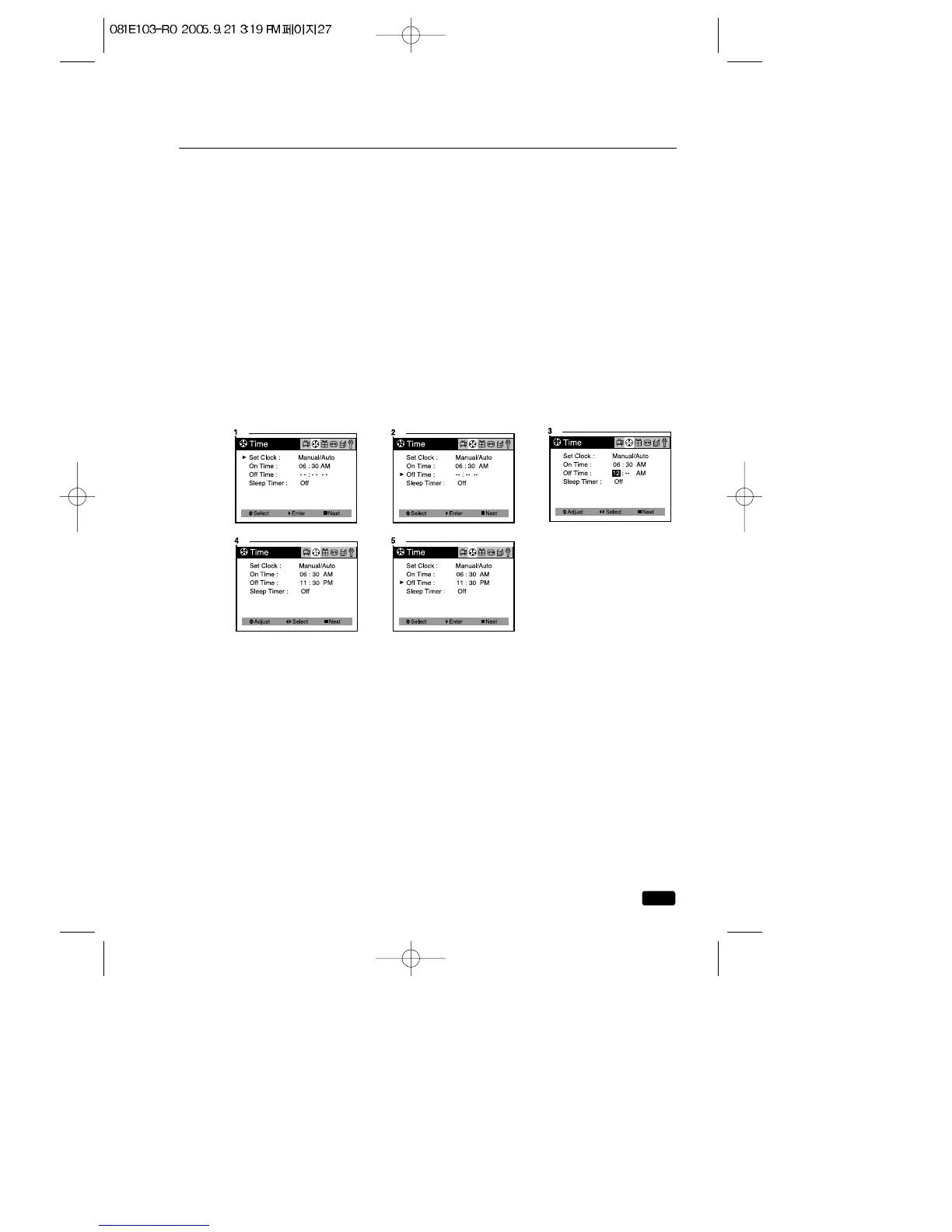
1.With the TV turned on, press the MENU button until “Time” menu will
be displayed.
2.Use the ▲CH▼ buttons to select “Off Time” item.
3.Press the VOL▶ button to display “Off Time” in RED.
4.Press the ◀VOL▶ buttons to select the time and minute, press the
▲CH▼buttons to time setting.
If you hold down either ▲CH or CH▼button, the corresponding num-
bers will change more quickly.
5.When the clock is set correctly, press the ◀VOL▶ buttons to select
“Off Time” and use the ▲CH▼buttons to select another “Time” func-
tion, or press the ■ MENU button to exit.
Canceling the On Time or Off Time
If you would like to cancel the On Time or Off Time, press the CANCEL
button on the remote control. The On Time or Off time will not function
correctly unless the clock has been set.



 To Next Page