39
Chapter 7 : Additional VCR Features
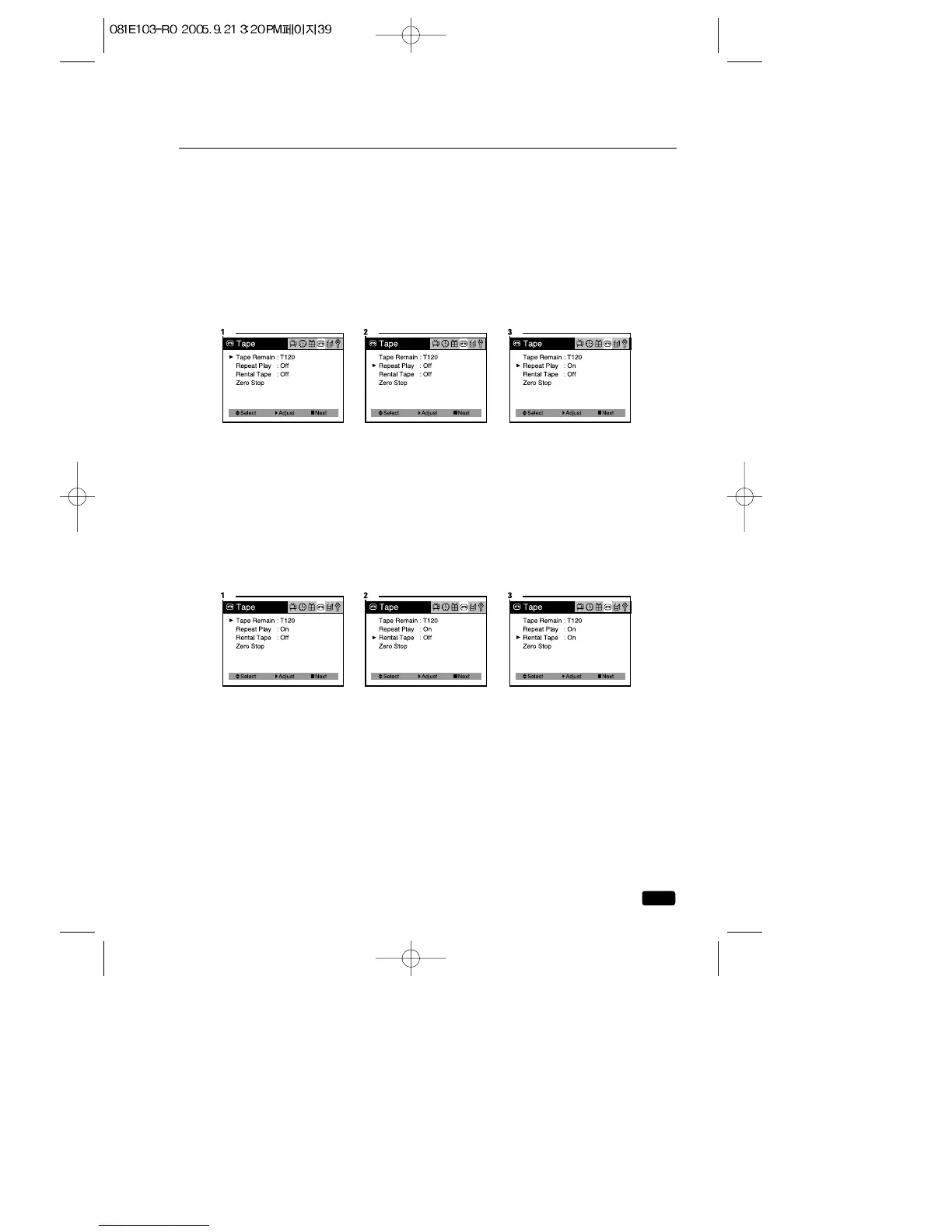
Auto Repeat PlayBack
You can set your TV/VCR to play a tape continuously. When you turn
this feature on and start playing a tape, it will play to the end of the tape,
then rewind to the beginning and start playing again. This will continue
until you turn Auto Repeat Off.
1.Press the MENU button until “Tape” menu will be displayed.
2.Use the ▲CH▼ buttons to select “Repeat Play” item.
3.Press the VOL▶ button to select “On”.
4.Press the MENU button until menu OSD will be disappeared.
Rental Play
Your TV/VCR has a special video setting that improves the quality of
worn video tapes, especially rental tapes. To use feature :
1.Press the MENU button until “Tape” menu will be displayed.
2.Use the ▲CH▼ buttons to select “Rental play” item.
3.Press the VOL▶ button to select “On”.
4.Press the MENU button until menu OSD will be disappeared.



 To Next Page