24
Chapter 5 : Using Timer Functions
CHAPTER 5
Using Timer Functions
Your TV/VCR has a built in-clock, and you can set the TV to turn on and
off at times that you select. You can also set your TV to turn off after
counting down a certain amount of time.
Setting the Clock Automatically
Your TV/VCR can automatically set its internal clock using a signal from
a local PBS station. If you complete the following procedure, and your
local PBS station is sending a time signal, then your TV/VCR will always
show the correct time.
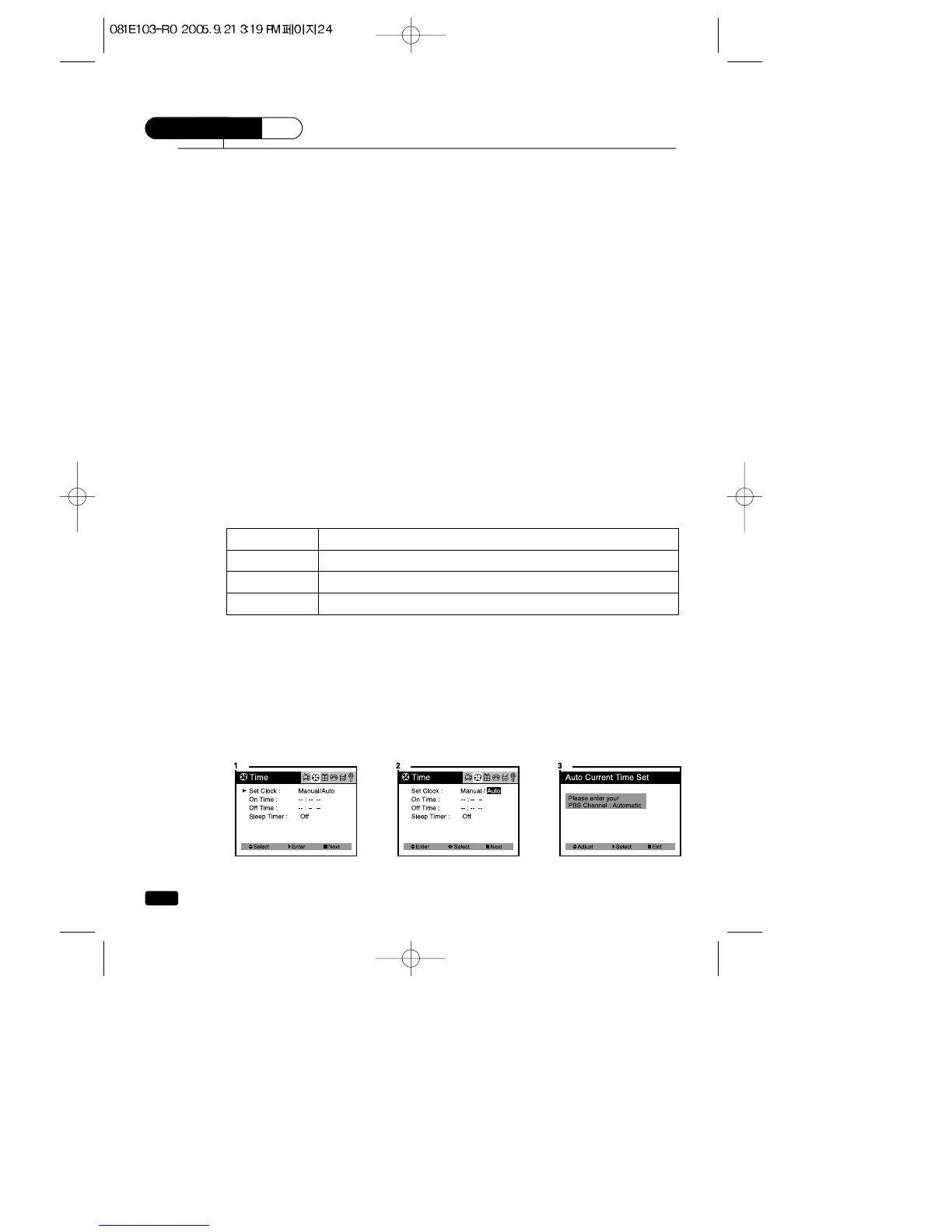
1.With the TV turned on, press the MENU button until “Time” menu is
displayed.
2.The “Set Clock” item will be selected. Press the VOL▶button twice,
then “Auto” will be displayed in RED.
3.
Press the ▲CH▼buttons to display the “Auto Current Time Set” mode.
4.Use the ▲CH▼ buttons to set the PBS channel. If you don’t know the
channel of the local PBS station, to set “Automatic”
5.Use the VOL▶ button to select “Time Zone”.
6.Press the ▲CH▼ buttons to select that corresponds to the time
zone where you live. If you don’t know the time zone where you live, to
set ‘Automatic”.
Press the ▲CH▼buttons to change the Time Zone.
Automatic Atlantic Eastern Central Mountain Pacific
Alaska Hawaii Automatic
7.Use the VOL▶ button to select ‘DST” (Daylight Savings Time).
8.Press the ▲CH▼ buttons to select DST “Automatic” “ON” “OFF”.
(See the table blow)
9.Press the ■ MENU button to exit.
10. To activate the Automatic Clock setting, press the POWER button
to turn off your TV/VCR.
Leave the TV/VCR off for 4-5 minutes. When you turn the TV/VCR
back on, the automatic clock should be set.
Choose To
Automatic Select to set the daylight savings time automatically
ON Select if your area uses daylight savings time
OFF Select if your area does not use daylight savings time



 To Next Page