28
Chapter 5 : Using Timer Functions
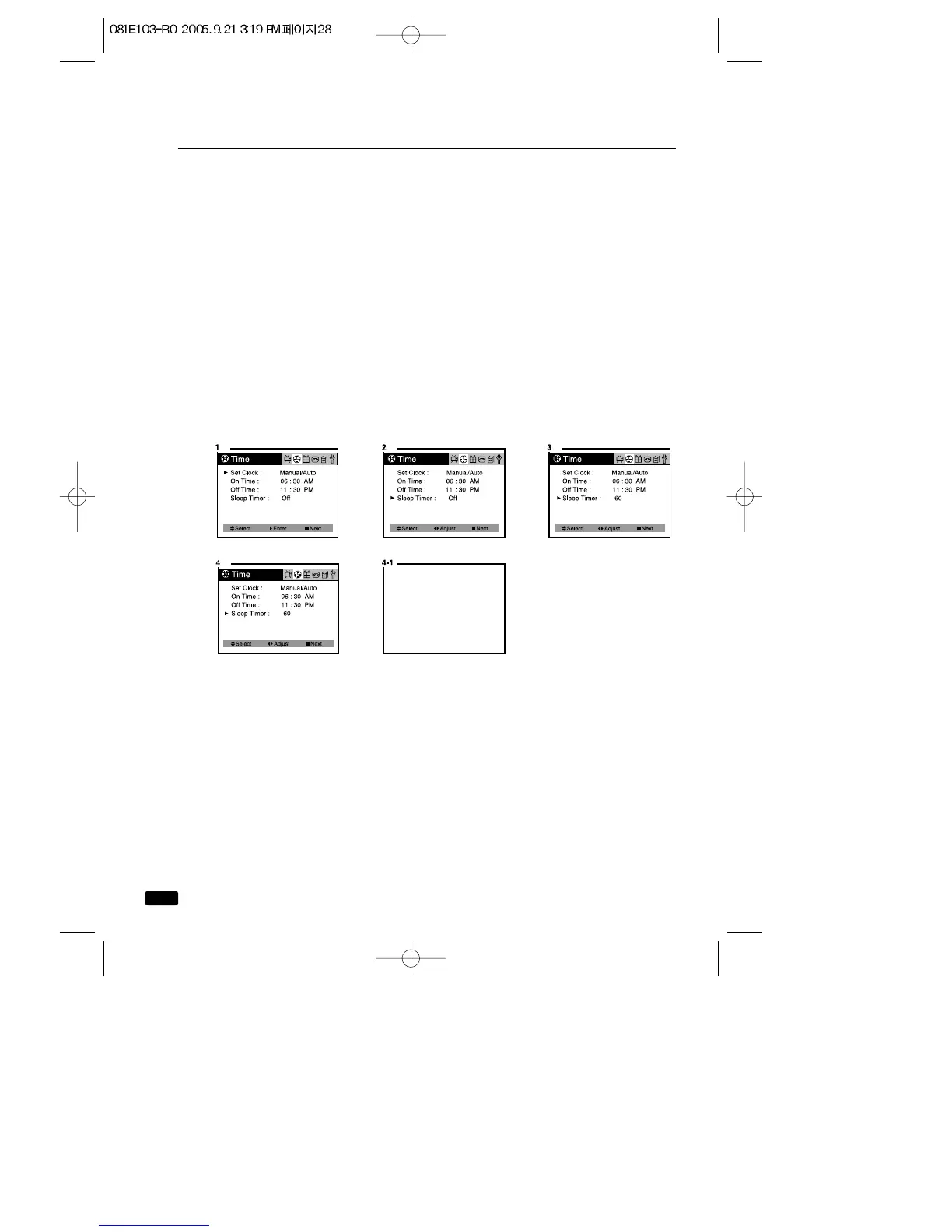
Setting the Sleep Timer
The sleep timer allows you to set an amount of time from 15 minutes to
120 minutes.
TV/VCR count down the amount of time you set, then turn itself off.
To set the sleep timer:
1.With the TV turned on, press the MENU button until “Time”menu will
be displayed.
2.Use the ▲CH▼ buttons to select “Sleep Timer”item.
3.Press the ◀VOL▶ buttons to set the sleep time. Each time you
press the ◀VOL▶buttons, you step between the available sleep
times : 15min, 30min, 45min, 60min, 90min, or 120min.
4.When the clock is set correctly, press the ▲CH▼buttons to select
another “Time” function, or press the ■ MENU button to exit
To cancel the Sleep Timer, turn the TV/VCR off, or set the sleep time to
“off” using one of the methods described above.



 To Next Page