35
Chapter 7 : Additional VCR Features
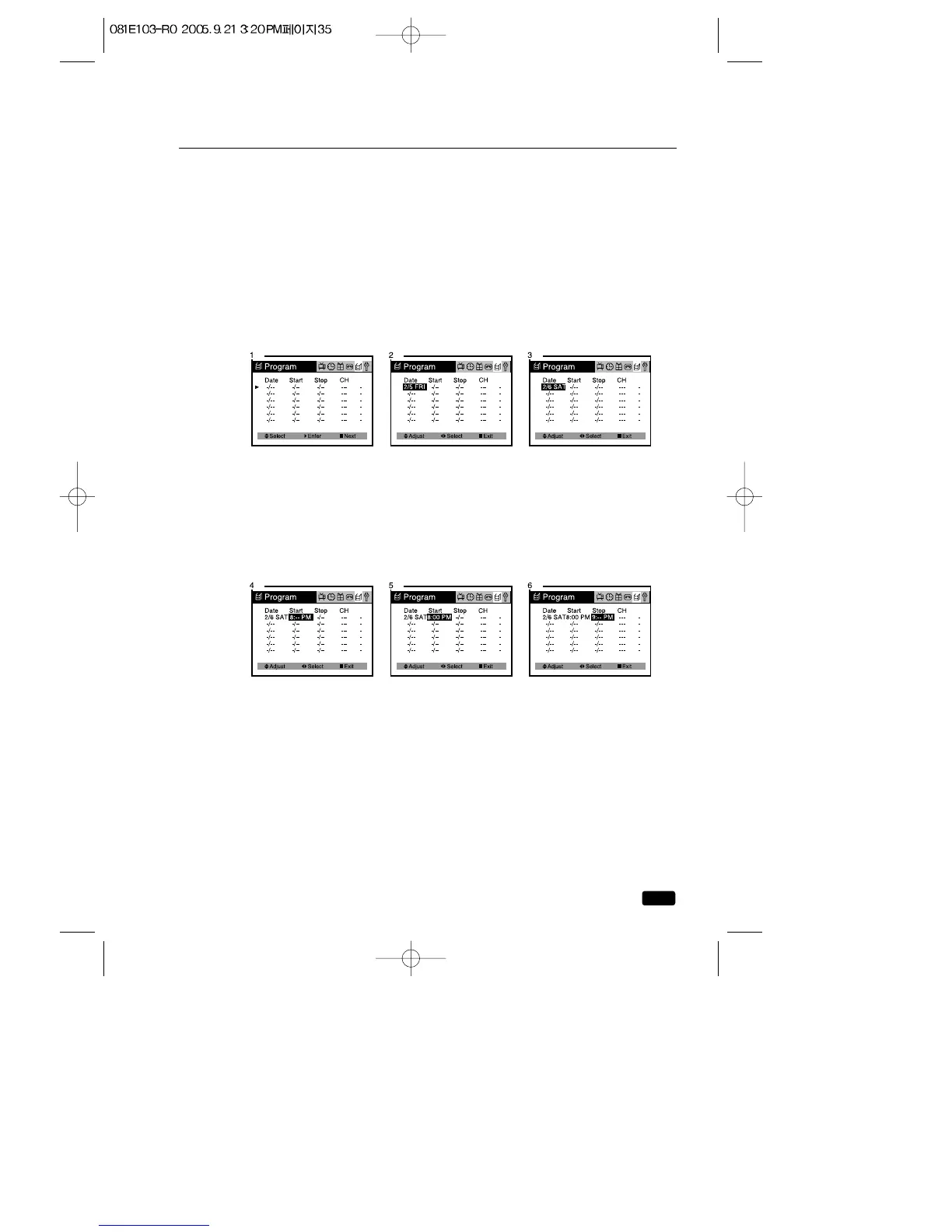
Setting the Program Recording
Here’s an example of how to record a program broadcast on channel
26 from 8:00 PM to 9:00 PM Friday, 6th of February 1999, in EP
mode.
1.With the TV/VCR turned on, press the MENU button until
“Program” menu will be displayed.
2.
Press the VOL▶ button, then the today’s date(Feb.05) appears in Red.
3.Press the ▲CH▼ buttons to set daily and weekly recording.
Press the ▲CH▼buttons to setting changes as follows:
2/5(today) → 6 - - 28 → 1(next month) → 2 - - 4(next month) → Every
SUN → Every MON - - Every SAT → MON~FRI → SUN~SAT → 5(today).
4.Press the VOL▶ button, then set the hour of the recording Start
time to “8” with the ▲CH▼buttons.
5.Press the VOL▶ button, then set the minute of the recording Start
time to “00” with the ▲CH▼buttons.
6.Press the VOL▶ button, then set the hour of the recording Stop
time to “9” with the ▲CH▼buttons.
7.Press the VOL▶ button, then set the minute of the recording Stop
time to “00” with the ▲CH▼ buttons.
8.Press the VOL▶ button, then set the channel to “26” with the ▲CH▼
buttons.
9.Press the VOL▶ button, then set the recording speed to “EP” with
the ▲CH▼ buttons.
You select the tape speed “AT” mode, default mode is set to “SP”.
If the tape remain not to be enough, change the recording tape
speed automatically “EP”.



 To Next Page