31
Chapter 6 : Additional TV Features
Parental Control Settings
This item help parents to set the standard for the programs which their
children are going to watch.
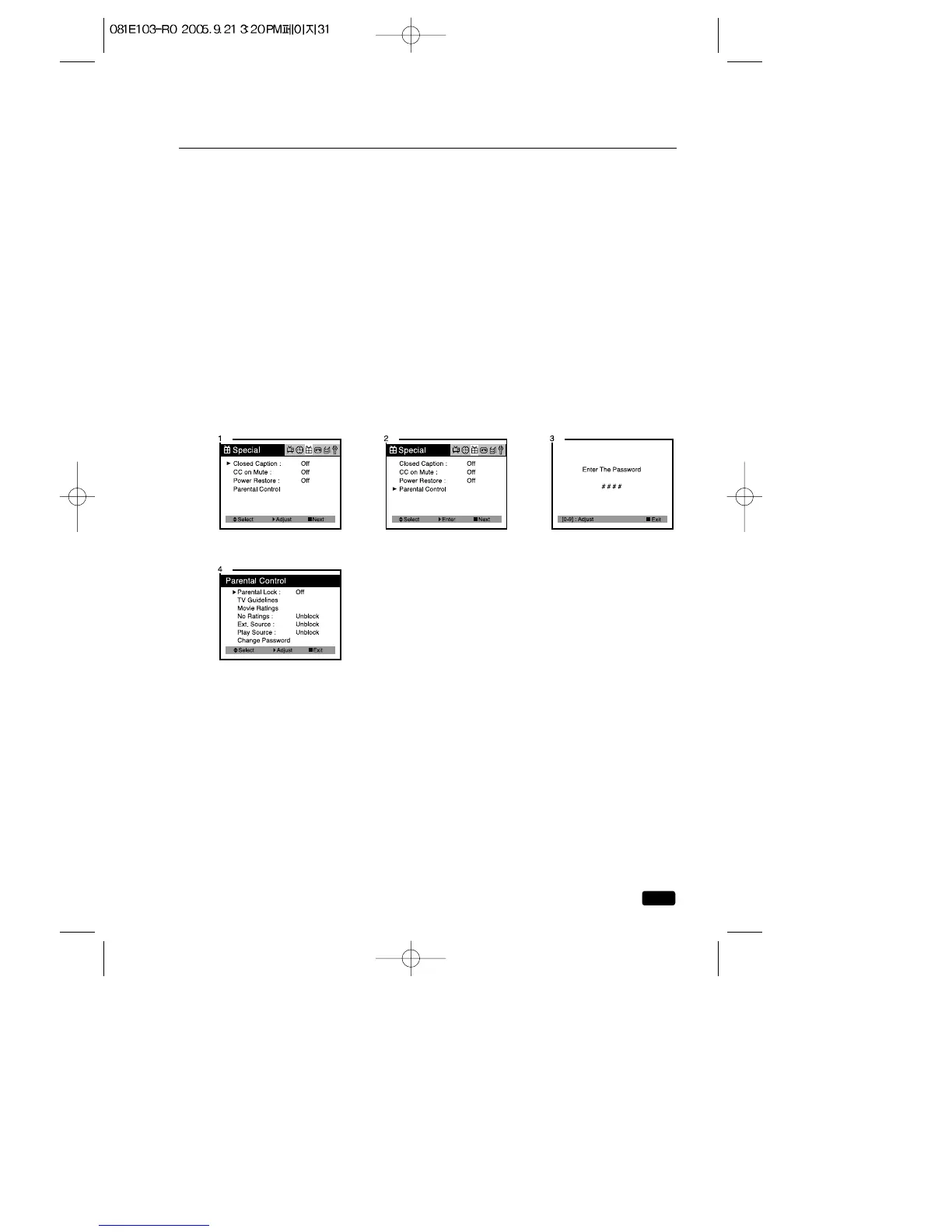
1.With the TV/VCR turned on, press the MENU button until “Special”
menu will be displayed.
2.Use the ▲CH▼ buttons to select “Parental Control”item.
3.Use the VOL▶ button to enter into “Parental Control”settings.
Set a 4-number password using the number keypad.
4.Use the ▲CH▼ buttons to select Parental Control settings you wish
to adjust.
Descriptions of the Parental Control settings are on the next page.
5.Use the ◀VOL▶ buttons to adjust the Parental Control settings.
6.Use the MENU button to return to the preview menu.



 To Next Page