13
Chapter 3 : Operating Your TV
CHAPTER 3
Operating Your TV
Once you have connected your TV/VCR to an antenna or cable system,
plugged the TV in, and put batteries in the remote, you are ready to use
the TV. The first thing you should do is program your TV/VCR so it
memorizes all of available channels.
Turning Your TV/VCR On
1. To turn your TV/VCR, press the POWER button on
the remote control. You can also use the POWER
button on the front panel. Make sure your TV is
plugged in before you try to turn it on.
Programming Your TV/VCR's Channel Memory
Your TV/VCR's memory determines the channels that are available
using the ▲CH▼ buttons. If a channel is not in memory, you can tune to it
with the number buttons, but not with the ▲CH▼buttons. Follow these
steps to program your TV/VCR's memory:
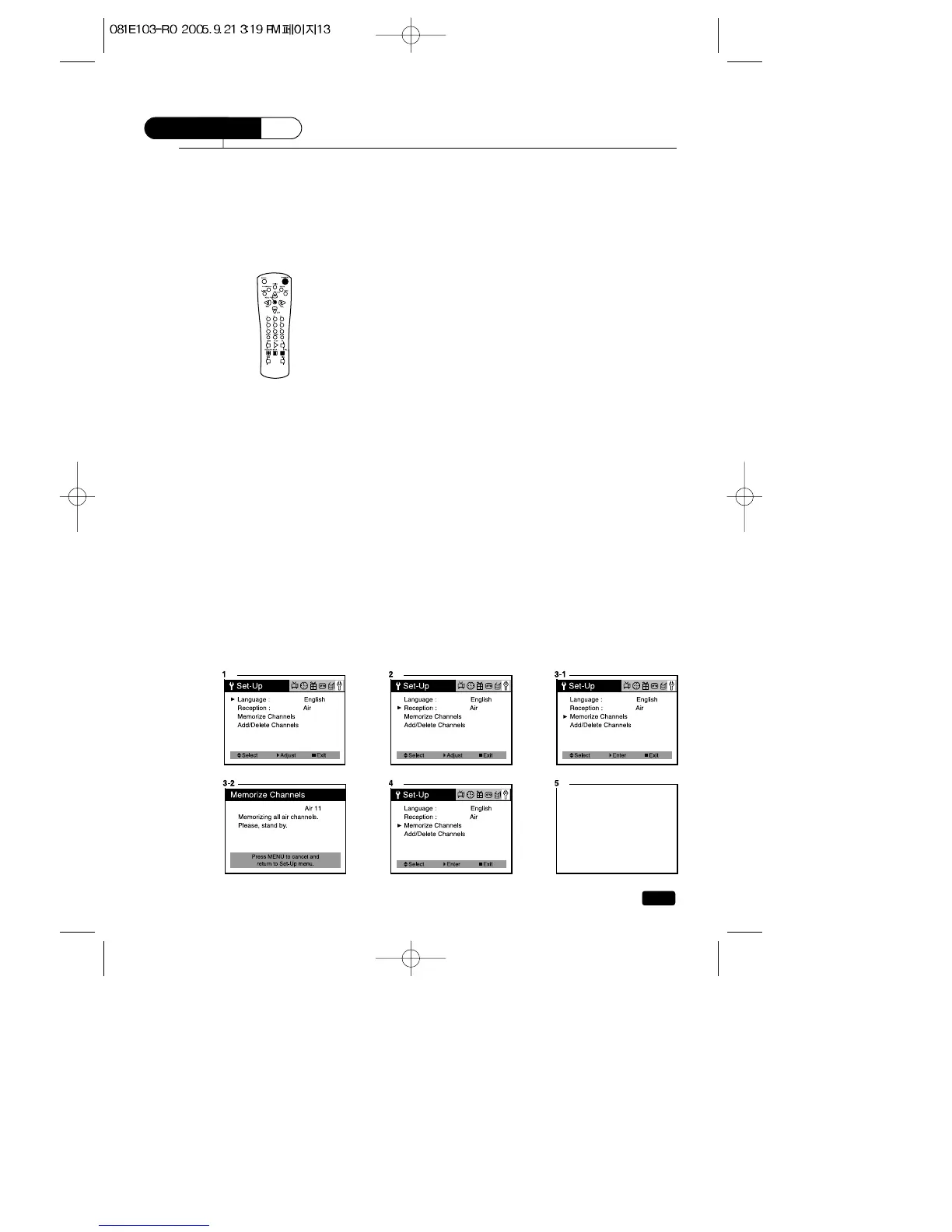
1.
With the TV on, press the MENU button until “Set-Up”menu will be displayed.
2.Use the ▲CH▼ buttons to select “Reception”, then use the VOL▶
button to select ‘Air’or ‘Cable’. If you connected an antenna to your
TV/VCR, select ‘Air’; If you connected a cable system, select ‘Cable’.
3.Use the ▲CH▼ buttons to select “Memorize Channels”, then use the
VOL▶ button to enter the “Memorize Channels”process.
4.Press the MENU button to return to Set-Up menu.
5.Press the MENU button to return to normal TV viewing.
Your TV/VCR's channel memory will not be affected by a power outage.
You will not need to re-program the memory unless you change the type
of cable or antenna connected to your TV/VCR.



 To Next Page