26
Chapter 5 : Using Timer Functions
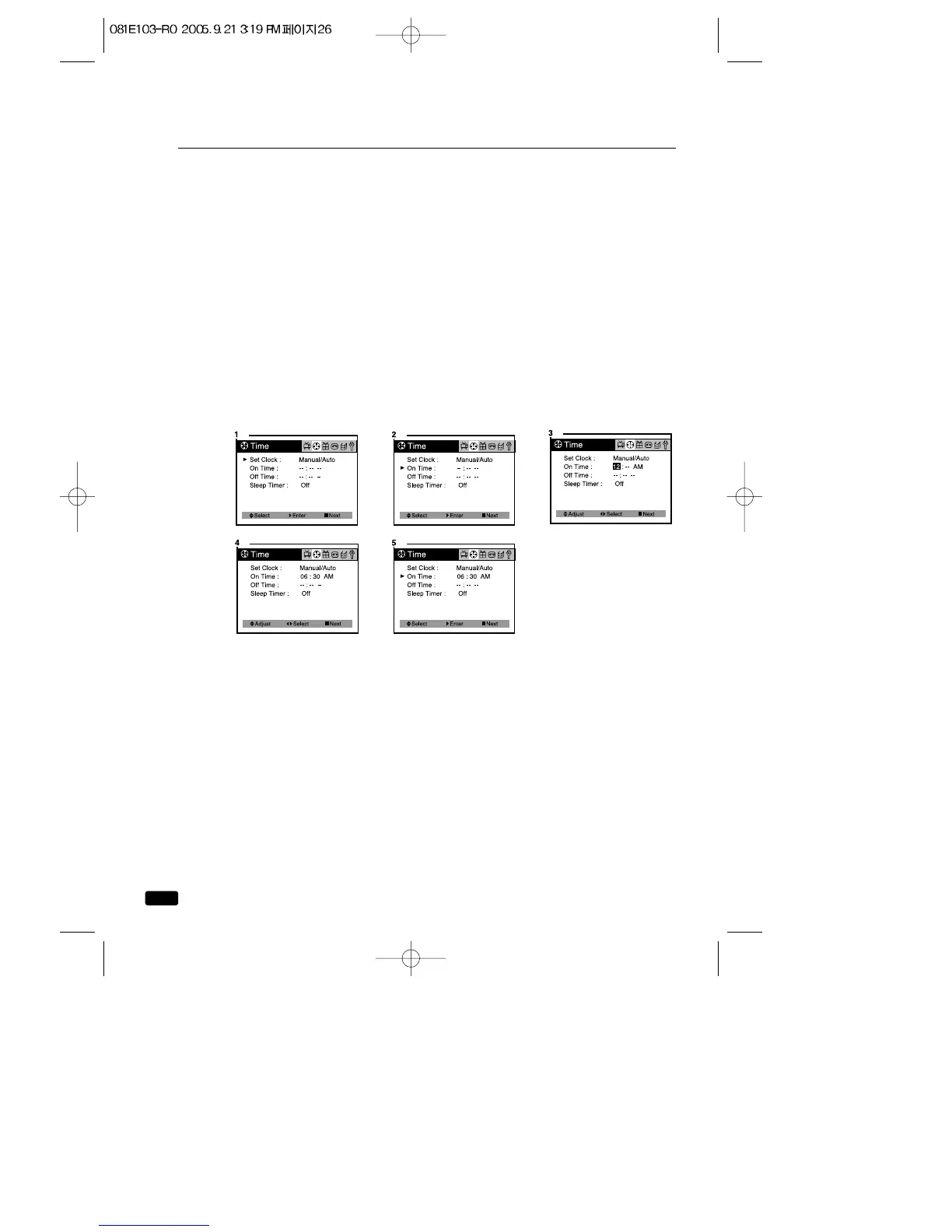
Setting the On Time
If you enter a time in the “On Time” setting, your TV/VCR will automati-
cally turn on at that time.
Follow these instruction to set the “On Time”
1.With the TV turned on, press the MENU button until “Time” menu is
displayed.
2.Use the ▲CH▼ buttons to select “On Time” item.
3.Press the VOL ▶button to display “On Time” in RED.
4.Press the ◀VOL▶ buttons to select the time and minute, press the
▲CH▼buttons to time setting.
If you hold down either ▲CH or CH▼button, the corresponding num-
bers will change more quickly.
5.When the clock is set correctly, press the ◀VOL▶ buttons to select
“On Time” and use the ▲CH▼buttons to select another “Time” func-
tion, or press the ■ MENU button to exit.



 To Next Page