87
Installation
♦ Select the CD drive by double click on him.
♦ When the window open find and double click on the file
"setup.exe"
♦ This will launch the installer, follow the on screen instructions.
Using XPCS
Configuring the program
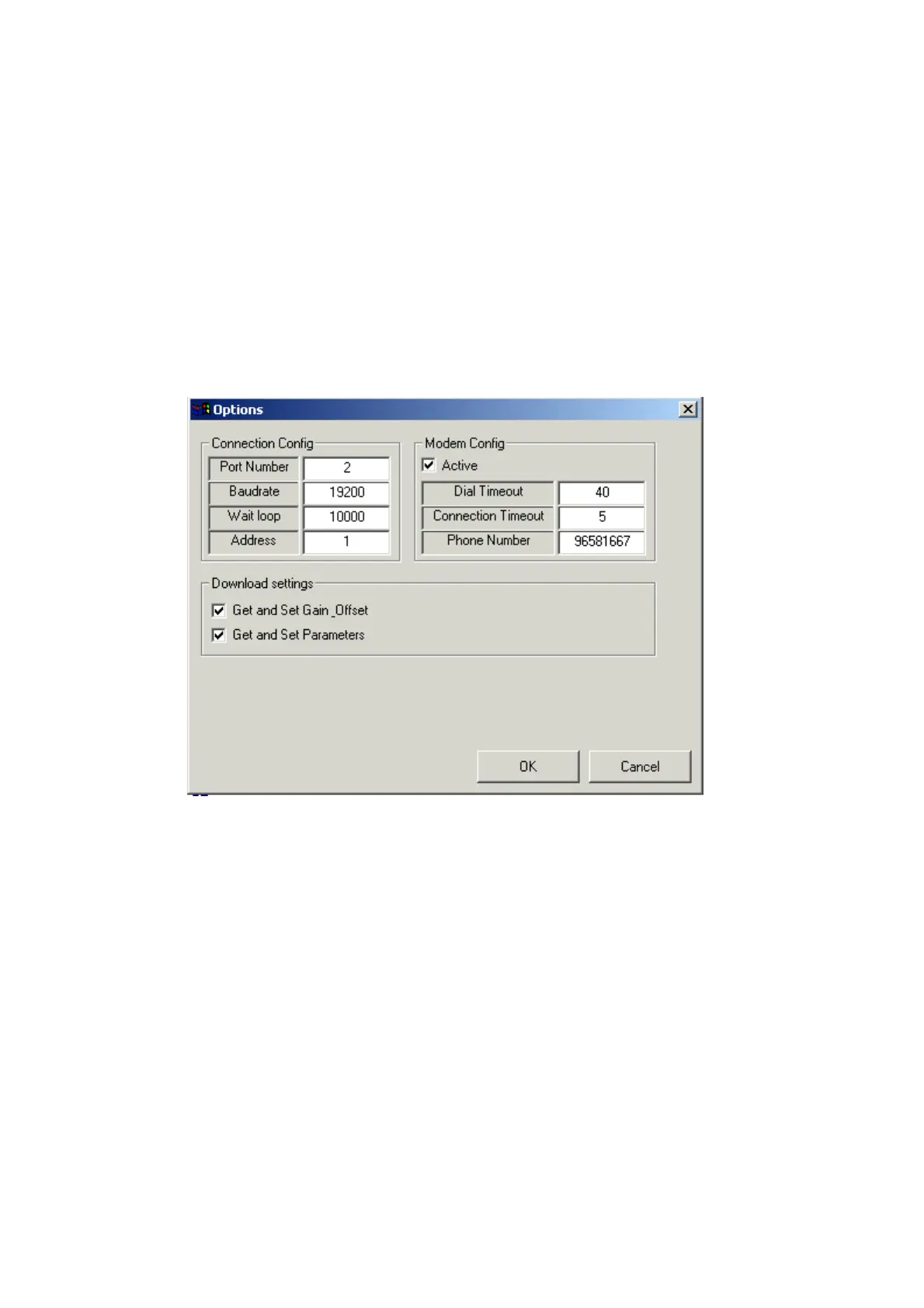
On 'XPCS' main window, press on 'Options' button. 'Options window will be
displaed.
Configuring communication settings
In 'Port Number' text box type serial port number connected to the PCS Target
platform, or modem port number to remotely connection.
In 'Baudrate' text box type the PCS Target platform baud rate. Usually the
value is: 19200.
'Wait loop' it is a communication time error counter. To fix communication
problems with remote targets via modem, try to insert greater value.
In 'Address' text box, insert the PCS Target address.


 To Next Page
 Loading...