Chapter 10. Communication parameters setting
10. Communication parameters setting
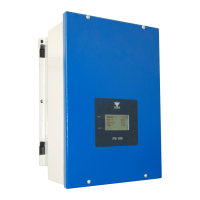
The PS100 inverter is equipped with the RS-485 communication interface and the Ethernet port. This allows
the inverter to be controlled by a computer or an external controller. Basic features and the possibilities are:
RS-485:
• communication speed: 2400, 4800, 9600, 19200, 38400, 57600, 115200 bit/s,
• 8 data bits, lack of parity control; 1 or 2 stop bits,
• transfer protocol: MODBUS mode RTU,
• checking of transfer validity by CRC,
• ModBus address (default 1),
• support of MODBUS commands: command 3 - “read the register” - allows to read individual
registers from the inverter or block of up to 123 registers. Command 6 - “register write” -
allow to write to individual register in the inverter. Command 16 - “n register write” - allow to
write block of up to 123 register to inverter.
Ethernet:
• transmission protocol: MODBUS,
• default port of communication: 502,
• ModBus address (default 1),
• support of MODBUS commands: command 3 - “read the register” - allows to read individual
registers from the converter or block of up to 123 registers. Command 6 - “register write” -
allow to write to individual register in the converter. Command 16 - “n register write” - allow
to write block of up to 123 register to inverter.
All operations are based on the MODBUS RTU / TCP protocol commands 3 and 6 and they are described in
publications on MODBUS protocol.
Addressing is done by querying the 4xxyy parameter, where xx - group number, yy - parameter number. For
example, if you want to read parameter 0.3 - the frequency of the network, you should inquire about the
address 40003. Modification of the parameter using command 6 is only possible after unlocking access to
password protected groups – see chapter 7.2 Operating the control panel using buttons on page 33
Network cable requirements:
The cable length and quality affect the quality of the signal. Observe the following cable
requirements.
Cable type: 100BaseTx
Cable category: minimum CAT5e
Plug type: RJ45 of Cat5, Cat5e or higher
Shielding: SF/UTP, S/UTP, SF/FTP or S/FTP
Number of insulated conductor pairs and insulated conductor cross-section: at least 2 x 2 x 0.22mm²
Maximum cable length between two nodes when using patch cables: 50 m (164 ft)
Maximum cable length between two nodes when using installation cables: 100 m (328 ft)
UV-resistant for outdoor use.
PS100 – User manual 43


 To Next Page