http://www.TYAN.com
112
Appendix: Fan and Temp Sensors
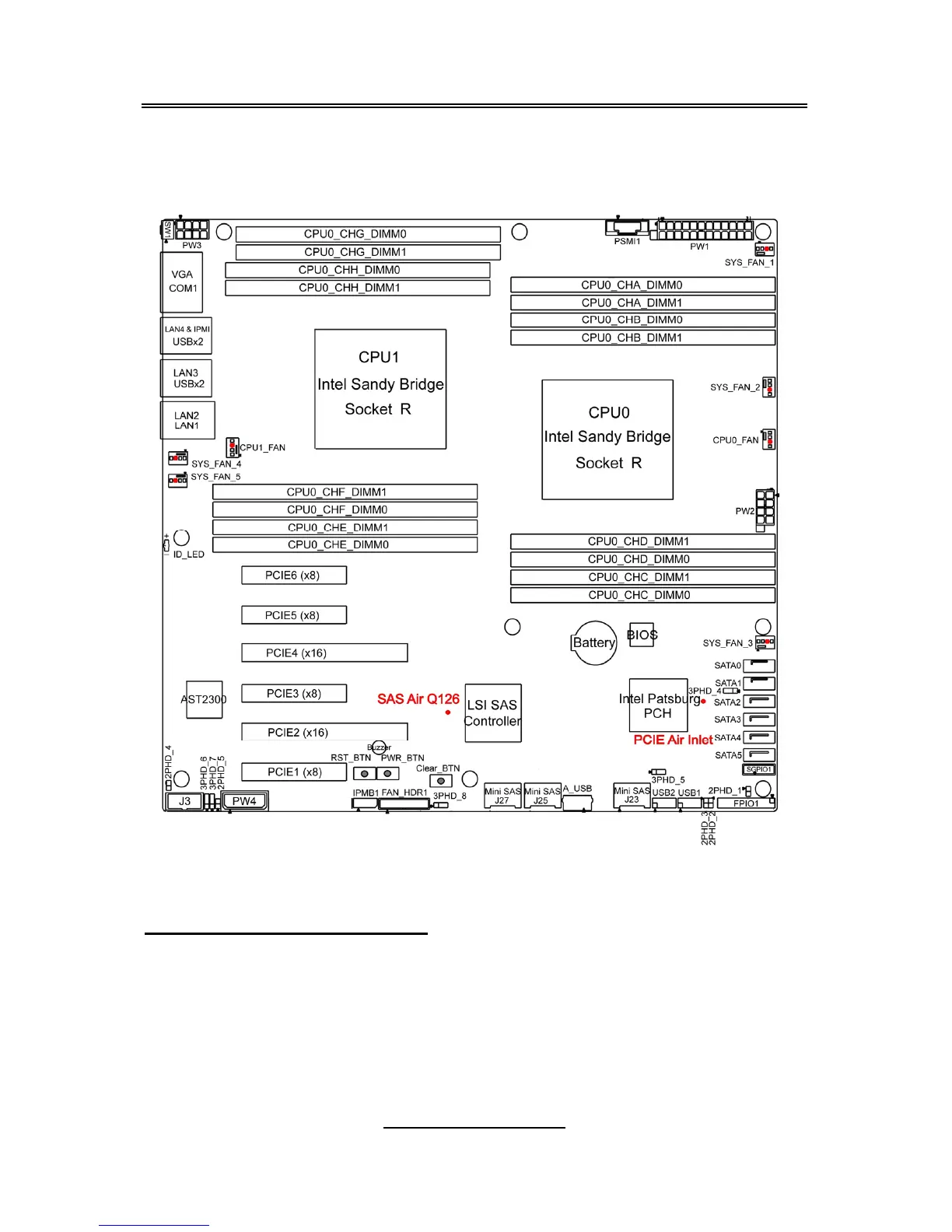
This section aims to help readers identify the locations of some specific FAN
and Temp Sensors on the motherboard. A table of BIOS Temp sensor name
explanation is also included for readers’ reference.
NOTE: The red dot indicates the sensor.
Fan and Temp Sensor Location:
1. Fan Sensor: It is located in the third pin of the fan connector, which
detects the fan speed (rpm)
2. Temp Sensor: SAS Air Q126 and PCI-E_Air_Inlet. They detect the
system temperature around.
NOTE: The system temperature is measured in a scale defined by Intel,
not in Fahrenheit or Celsius.



 To Next Page