http://www.TYAN.com
54
2.12- Installing the Power Supply
There are four power connectors on your S7050. It is required that you have an
EPS12V power supply has one 24-pin and two 8-pin connectors.
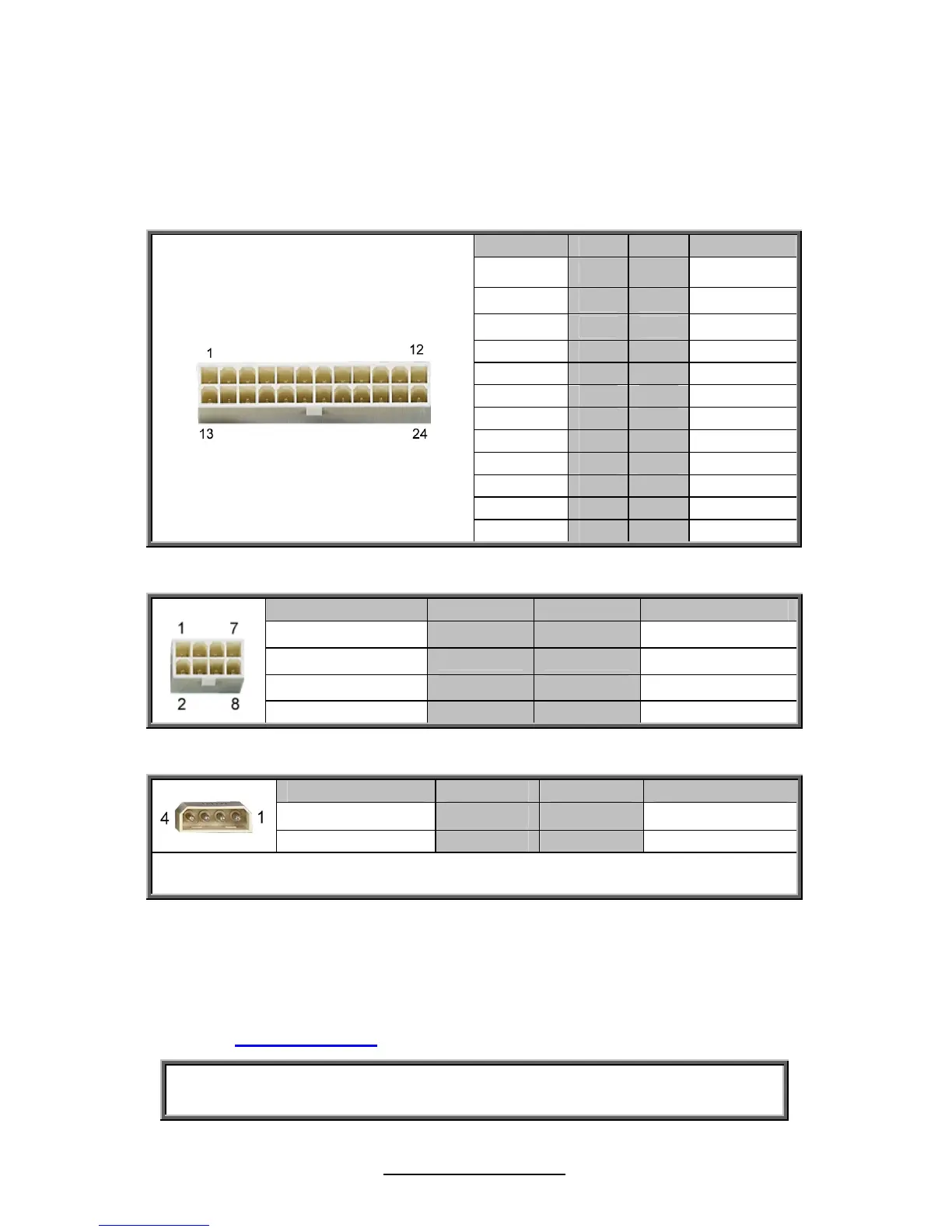
PW1: 24-Pin 12V main PWR Connector (Input)
Signal Pin Pin Signal
+3.3V
1 2
+3.3V
GND
3 4
+5V
GND
5 6
+5V
GND
7 8
PWR OK
5VSB
9 10
+12V
+12V
11 12
+3.3V
+3.3V
13 14
-12V
GND
15 16
PS_ON#
GND
17 18
GND
GND
19 20
Reserve
+5V
21 22
+5V
+5V
23 24
GND
PW2/PW3: 8-Pin PWR Connector
Signal Pin Pin Signal
GND
1 2
GND
GND
3 4
GND
+12V
5 6
+12V
+12V
7 8
+12V
PW4: 4-Pin PWR Connector
Signal Pin Pin Signal
+12V
1 2
GND
GND
3 4
+5V
NOTE: The PW4 is reserved for PCIE slot 12V supplement if the PCIE card and the
MB FAN's 12V power consumption exceed the maximum 12V out of PSU's PW1.
Apply power to the motherboard:
1. Connect to the EPS12V 24 pin Power Connector
2. Connect to the EPS12V 8 pin Power Connector
3. Connect power cable to Power Supply and power outlet.
Look to the www.TYAN.com website for further information.
NOTE: YOU MUST unplug the power supply before plugging the power
cables to motherboard connectors.



 To Next Page