http://www.TYAN.com
45
2.8 - Installing the Memory
Before installing memory, ensure that the memory you have is compatible with
the motherboard and processor. Check the TYAN
®
Web site at: www.tyan.com
for details of the type of memory recommended for your motherboard.
Overview
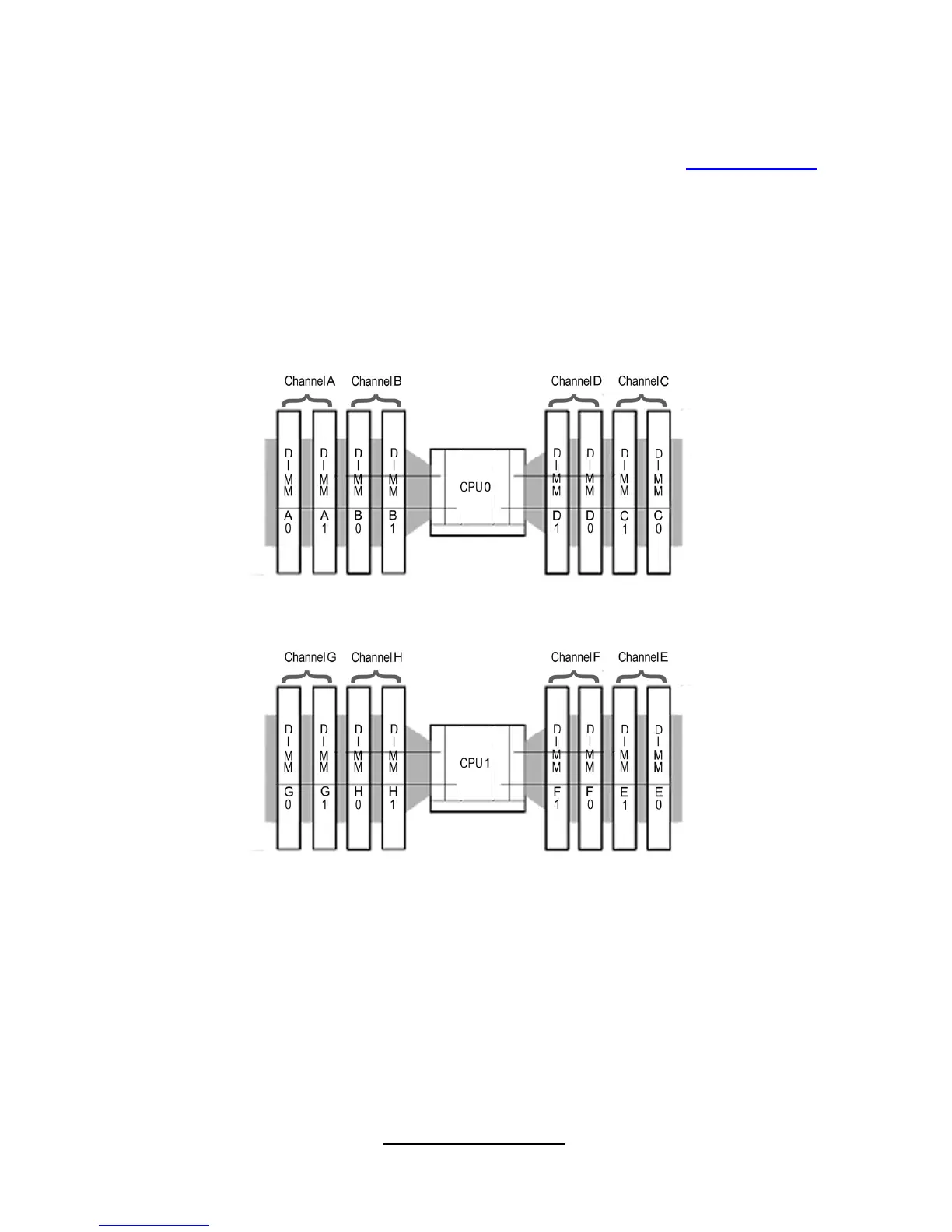
The motherboard comes with four Double Data Rate 3(DDR3)Dual Inline
Memory Modules (DIMM)sockets.
The figure illustrate the location of the DDR3 DIMM socket.
• Sandy Bridge-EP/EX processor supports 4 DDR3 channels
• Unbuffered DDR3 and registered DDR3 DIMMs
• LR DIMM (Load Reduced DIMM) for buffered memory solutions demanding
higher capacity memory subsystems
• Memory DDR3 data transfer rates of 800, 1066, 1333, and 1600 MT/s
• All installed memory will automatically be detected and no jumpers or settings
need changing.
• All memory must be of the same type and density.
• Always populate the memory starting from DIMMA0 first.



 To Next Page