http://www.TYAN.com
39
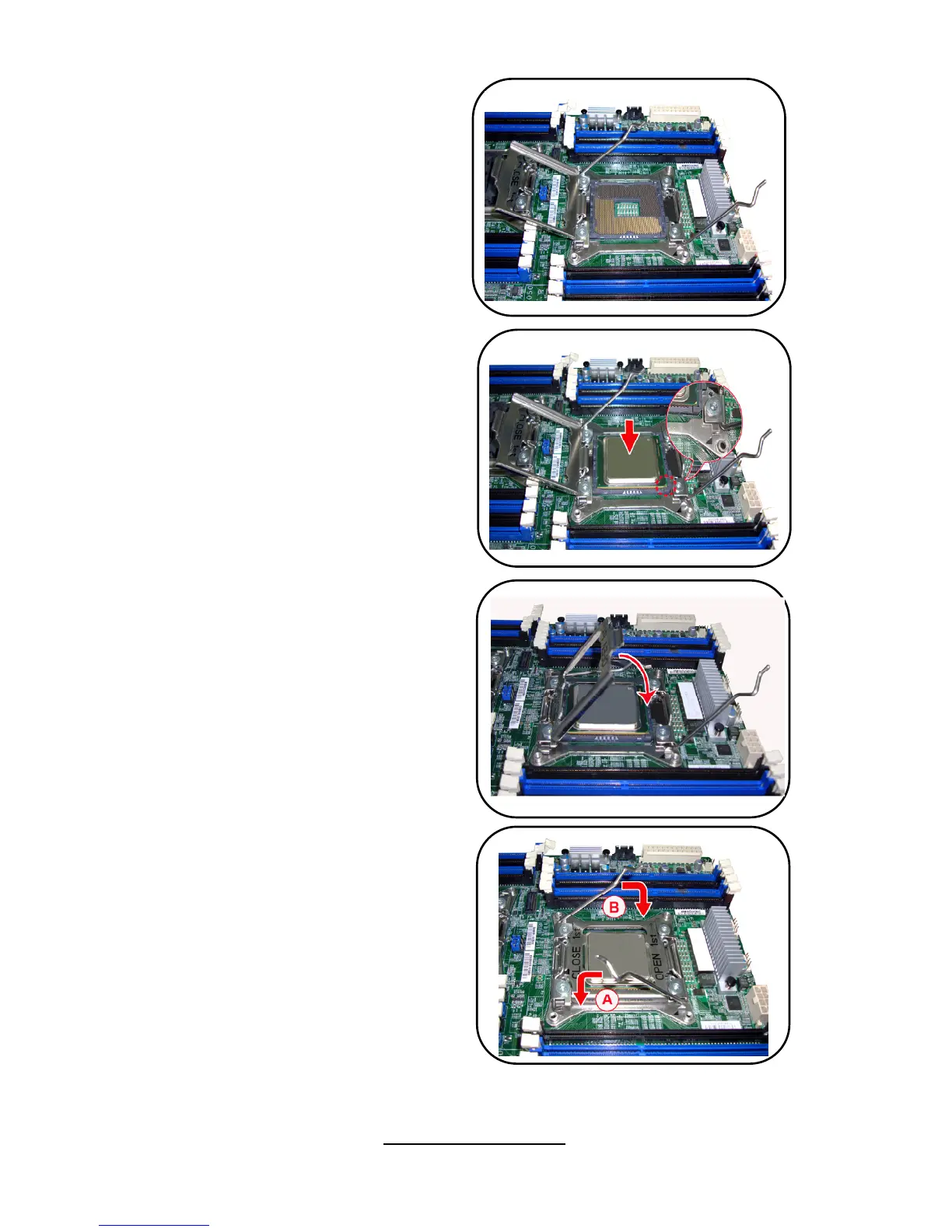
4. Please refer to the image.
5. Position the CPU over the
socket, ensuring that the gold
triangle is on the bottom-left
corner of the socket, and then fit
the socket alignment keys into
the CPU notches.
6. Close the load plate, ensuring
that the front edge of the load
plate slides under the retention
lever.
7. Insert the load lever under the
retention tab.



 To Next Page