Ubee Interactive Using the Downstream Option
Ubee DDW3611 Wireless Cable Modem Gateway Subscriber User Guide • November 2012 23
4.3 Using the Downstream Option
The Downstream screen displays detailed information on the network traffic from the
service provider to the local computer (downstream channels).
To view downstream information:
1. Click Modem from the main menu.
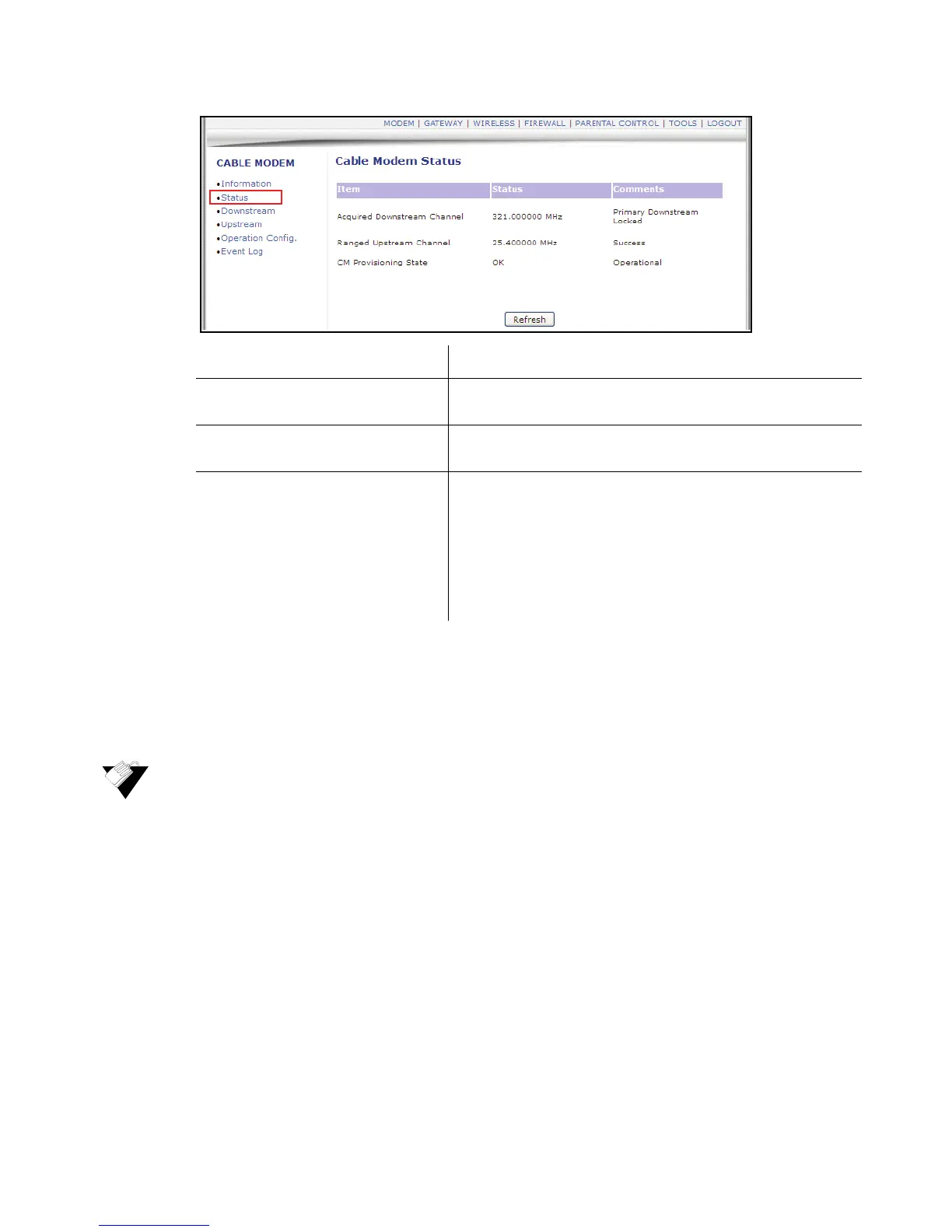
2. Click Downstream from the left side menu. Field descriptions are listed below the
following screen example.
Label Description
Acquired Downstream Channel Displays the Downstream channel tat the cable modem is
trying to lock to and its progress.
Ranged Upstream Channel Displays the Upstream channel the cable modem is trying to
lock to and its progress.
CM Provisioning State Indicates the state of the device, operational or otherwise (for
example, In Progress, Disabled). After the physical
initialization, the cable modem is configured by a DHCP server
from the service provider. Once the cable modem obtains an
IP address, the cable modem is online. The Status column
shows the connection progress. The Comments column
displays the messages indicating connection error information,
if errors occur.


 To Next Page