Ubee Interactive Using the DHCP Option
Ubee DDW3611 Wireless Cable Modem Gateway Subscriber User Guide • November 2012 35
5.3 Using the DHCP Option
The dynamic host configuration protocol (DHCP) option allows you to configure DHCP-
specific behavior on the device.
To configure DHCP settings:
1. Click Gateway from the main menu.
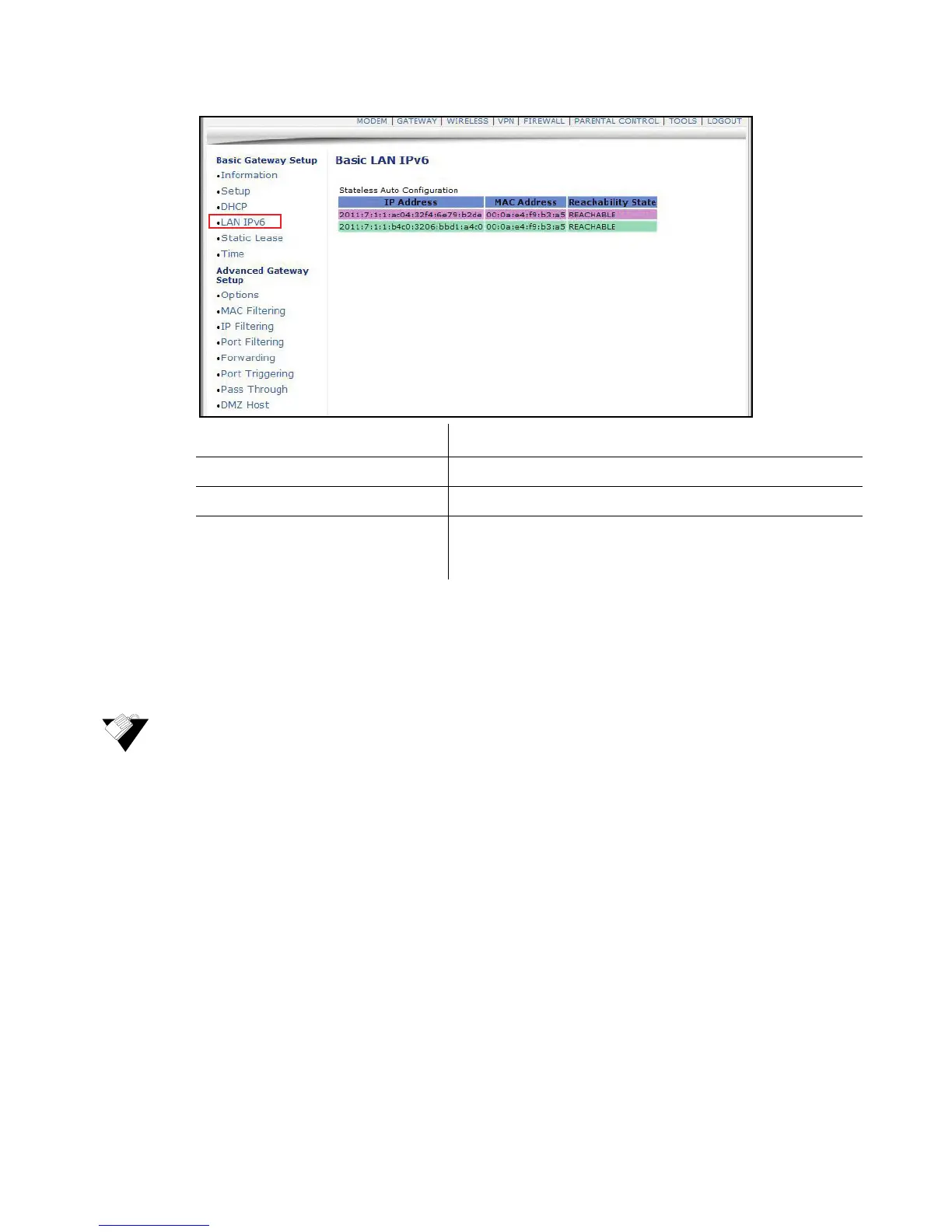
2. Click DHCP from the left side menu. Field descriptions are listed below the screen
example.
Label Description
IP Address Displays the IPv6 address of the connected device.
MAC Address Displays the MAC address of the connected device.
Reachability State Displays the status of the neighboring device. Reachable
indicates the device can be contacted and configuration
information can be obtained from the device.


 To Next Page