13First use of your Ultimaker Original
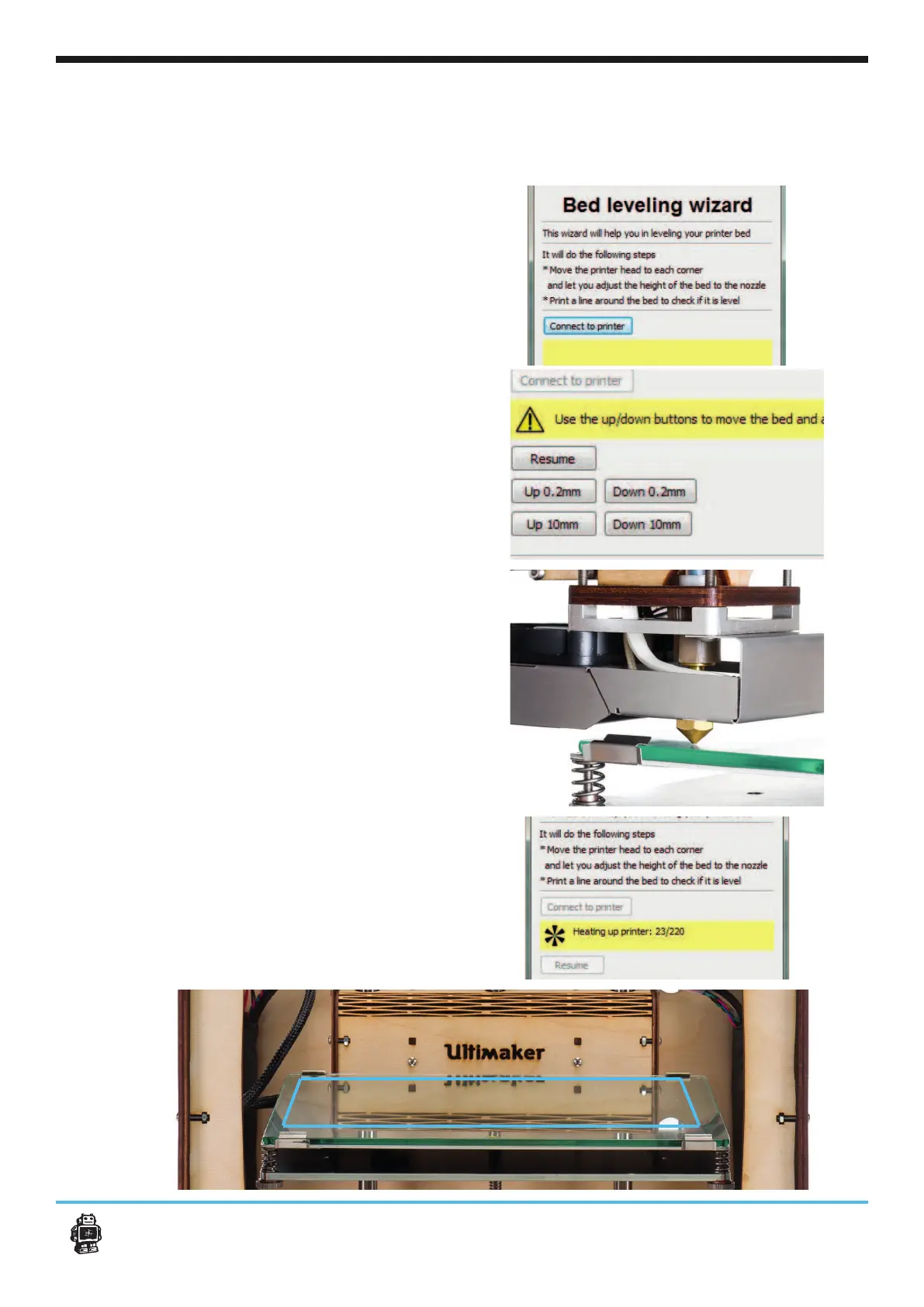
14a. In this step Cura will help you to level your
printbed. Make sure you choose the
[Connect to printer] button to perform this
action.
15a. The printhead should have moved to its ho-
ming position in the front left corner. The print-
bed should have moved up almost or against
Use the buttons Up 0,2mm or Up 10mm to move
Z-switch is triggered. The Up buttons don’t work
if the switch is triggerd.
16a. Press Resume and the bed will move up to
the Z-switch trigger position.
Now use the thumbscrew in the left corner to
17a. -
lect the [Resume] button in cura. This will move
the head to the next corner. Repeat this step for
all corners.
18a. Follow the instructions, when you have
material inserted your Ultimaker Original, you
should select the [Resume] button again and
now your Ultimaker printhead will heat up and
your build plate is level and the material sticks to
the tape.












 To Next Page