EasyManua.ls Logo

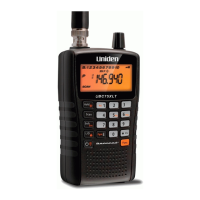
Uniden UBC 245XLT Trunk Tracker II - User Manual

Uniden UBC 245XLT Trunk Tracker II
90 pages
Print Icon
To Next Page IconTo Next Page
Loading...

Table of Contents

Questions and Answers

  • A
    Anthony HaleyAug 16, 2025
    What to do if Uniden UBC 245XLT Trunk Tracker II Scanner won't turn on?
    • T
      Thomas WilsonAug 16, 2025
      If your Uniden Scanner isn't turning on, try these steps: First, check the connections at both ends of the AC adapter to ensure they are secure. Next, make sure the wall switch for the outlet is turned on, as some outlets are controlled by a switch. If it still doesn't work, try moving the AC adapter to a different wall outlet or replacing the battery pack.
  • J
    Justin GilesAug 19, 2025
    How to improve Uniden UBC 245XLT Trunk Tracker II Scanner reception?
    • C
      Courtney MorganAug 20, 2025
      To improve the reception on your Uniden Scanner, check the antenna connection and try repositioning the antenna. You can also try moving the scanner to a different location. If you are in a remote area, you might need to get an optional multi-band antenna from your dealer or a local electronics store.
  • M
    Melanie GillAug 22, 2025
    Why won't my Uniden Scanner stop scanning?
    • J
      James SimmonsAug 23, 2025
      If your Uniden Scanner won't stop scanning, try these possible solutions: First, adjust the squelch threshold. Next, check the antenna connection. Also, check to see if many channels are locked out, as this reduces the scanner's ability to find an active channel. Review each channel’s frequency to ensure it is still stored in memory and is correct. It’s also possible that none of the programmed frequencies are currently active.
  • E
    Eddie HerreraAug 26, 2025
    Why Uniden UBC 245XLT Trunk Tracker II Scanner won’t stop during Scan List mode?
    • H
      Holly JacksonAug 26, 2025
      If your Uniden Scanner won’t stop during Scan List mode, it could be because no IDs have been programmed. Another reason could be that the IDs you have stored are not active.
  • A
    Amber AllenAug 28, 2025
    What to do if Uniden UBC 245XLT Trunk Tracker II Scanner scan won't start?
    • M
      myersamandaAug 28, 2025
      If the scan function on your Uniden Scanner won't start, try pressing the key again. Also, adjust the SQUELCH control. Check to see if all channels are locked out.
  • C
    Cassidy SmithAug 31, 2025
    Why is my Uniden UBC 245XLT Trunk Tracker II not tracking the trunked system?
    • K
      Kevin JonesAug 31, 2025
      If your Uniden Scanner isn’t tracking the trunked system, it might not be a system that your scanner can track. Another possibility is that the data frequency is missing. You can also try changing to a Type 1 Scanner setup.
  • N
    Nicole PetersonSep 3, 2025
    Why is my Uniden UBC 245XLT Trunk Tracker II Scanner missing replies to conversations?
    • S
      Shane OwensSep 3, 2025
      If your Uniden Scanner is missing replies to conversations, try changing to a Type 1 Scanner setup. You can also try another Preset Fleet Map or program your own Fleet Map. Also, check to see that all of the systems frequencies have been entered.
  • J
    Jerry JohnstonSep 6, 2025
    What to do if Uniden UBC 245XLT Trunk Tracker II Scanner will not acquire data channel?
    • R
      Raymond WiseSep 6, 2025
      If your Uniden Scanner will not acquire a data channel, adjust the squelch for trunking mode. Also, ensure you have the frequency used for the data channel. Check your frequency list.
  • C
    chase76Sep 9, 2025
    Why is my Uniden Scanner not tracking an EDACS system properly?
    • E
      Emily BoydSep 9, 2025
      If your Uniden Scanner is not tracking an EDACS system properly, the logical channel numbers (frequencies) for the system might not be programmed in the correct order. Check frequency resources and reprogram. Also, not all frequencies for the system might be programmed, so check frequency resources.
  • J
    Jason HoltSep 12, 2025
    Why are channel activity indicators flashing on my Uniden Scanner but no sound is heard?
    • A
      Allison PearsonSep 12, 2025
      If the channel activity indicators are flashing on your Uniden Scanner but no sound is heard, it may be a private or telephone interconnect call, which are intentionally blocked by your scanner. It could also mean that the ID in your display is not active.

Summary

Precautions

Earphone Warning

Warning regarding the use of earphones to prevent hearing damage.

General Battery Warnings

Safety warnings for handling and disposing of batteries.

Nickel-Cadmium Battery Warning

Specific warnings for using Nickel-Cadmium batteries with the product.

Important Safety and Legal Notices

Initial Scanner Setup

Basic Scanner Operation

Scanner Programming

Scanning Procedures

Channel Lockout

How to prevent specific channels from being scanned.

Priority Scan Configuration

Setting up and activating priority scanning for key channels.

Searching Functions

SVC Scanning Operations

Trunk Tracking Guide

Types of Trunking Systems Explained

Details on Motorola, EDACS, Type I, and Type II trunking systems.

EDACS Tracking

Information on tracking EDACS trunked radio systems.

Programming Trunking Frequencies

Steps for entering frequencies for trunked systems.

Fleet Map Programming

Setting up fleet maps for Type I/Hybrid trunked systems.

Motorola VHF;UHF Base and Offset Frequencies

Entering base and offset frequencies for Motorola trunked systems.

Remote Interface Operations

Connecting the Scanner to Peripherals

Instructions for connecting the scanner to a PC, modem, or another scanner.

SmartScan Mode Configuration

Automated download of frequencies and talk groups from a database.

Remote (PC Control) Mode

Controlling the scanner remotely from a PC.

Clone Mode for Data Transfer

Copying scanner data to another UBC245XLT unit.

Care and Maintenance

Troubleshooting Scanner Issues

Appendix Information

Uniden UBC 245XLT Trunk Tracker II Specifications

General IconGeneral
BrandUniden
ModelUBC 245XLT Trunk Tracker II
CategoryScanner
LanguageEnglish

Related product manuals