- 66 -
CLOCK
SET
will flash
hours
will flash
On/Send
CLOCK SET
CLOCK SET
minutes
will flash
CLOCK SET
S
e
l
e
c
t
Se
l
e
c
t
S
e
l
e
c
t
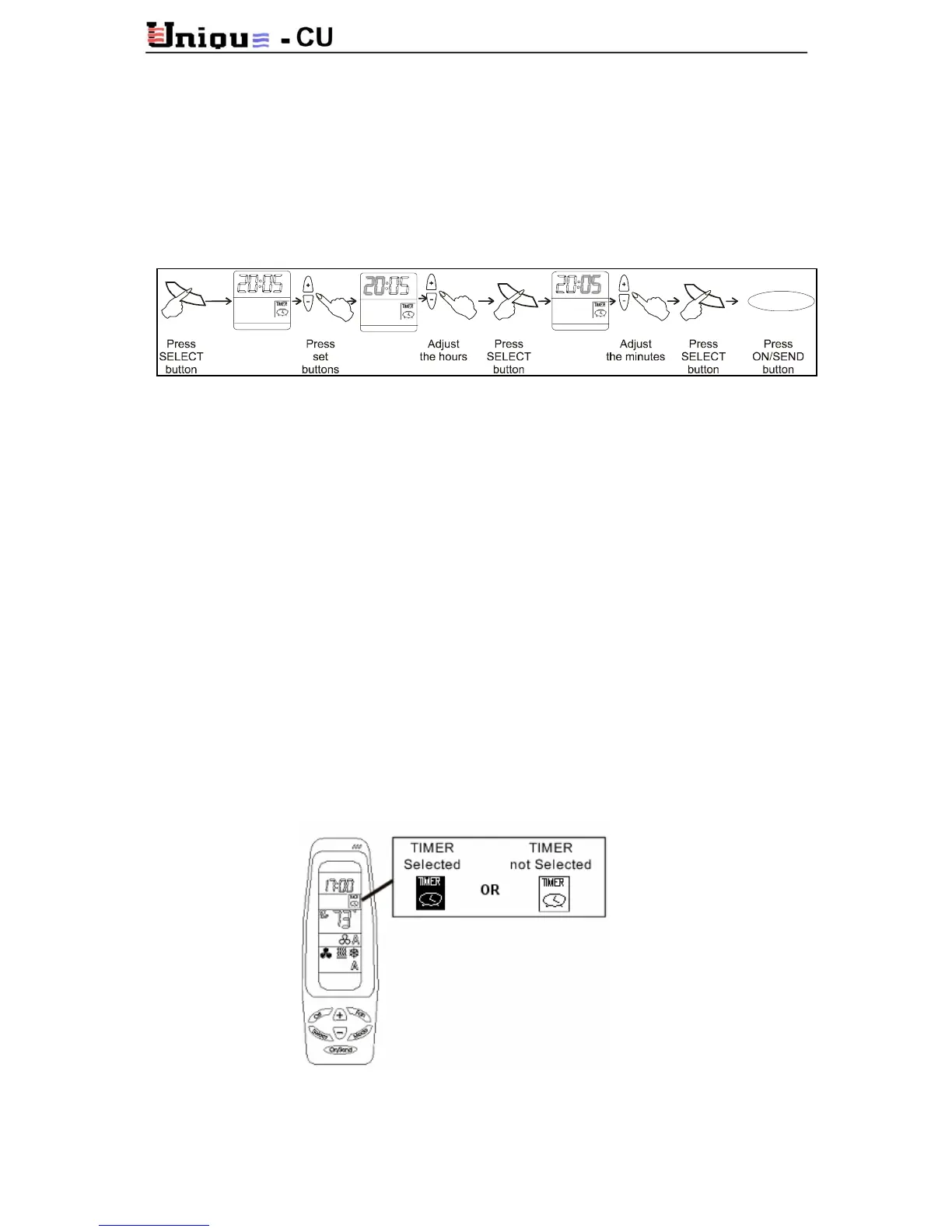
Real Time Clock:
Press SELECT button: CLOCK SET will flash. Press (+) or (-) buttons, the hours will flash.
Use the set button, press (+) to increase and (-) to decrease the hours.
Press SELECT button again, the minutes will flash. Use the set button, press (+) to increase
and (-) to decrease the minutes.
Press SELECT button again to exit from the program or press ON/SEND button to send the
information to the thermostat.
Timer:
Start time:
Press SELECT button twice. PROGRAM & START will appear flashing in the display.
Press SELECT button, the hours will flash. Press (+) to increase hours or press (-) to decrease
hours.
Press SELECT button, the minutes will flash. Press (+) to increase minutes or press (-) to
decrease minutes.
Stop time:
Press SELECT button: PROGRAM & START will appear flashing in the display.
Press SELECT button, the hours will flash. Press (+) to increase hours or press (-) to decrease
hours.
Press SELECT button, the minutes will flash. Press (+) to increase minutes or press (-) to
decrease minutes.
Press
SELECT button, the TIMER will blink; using the (+) or (-) buttons, Select TIMER ON or
OFF. If you changed between TIMER ON or TIMER OFF, the SEND will blink. Press
SEND/ON button to send the information to the thermostat. If you did not change between
them, press the
SELECT button to end programming.



 To Next Page