- 65 -
10. OPERATING INSTRUCTIONS
10.1. Operating Instructions - RT – 01 - Infra Red Remote Control Transmitter
Important Note:
The infra red remote control must be directly aimed at the thermostat (or receiver) in order to
operate.
The thermostat "beeps" every time it has received new information.
If no button is pressed for 10 seconds, the display will return to normal display mode.
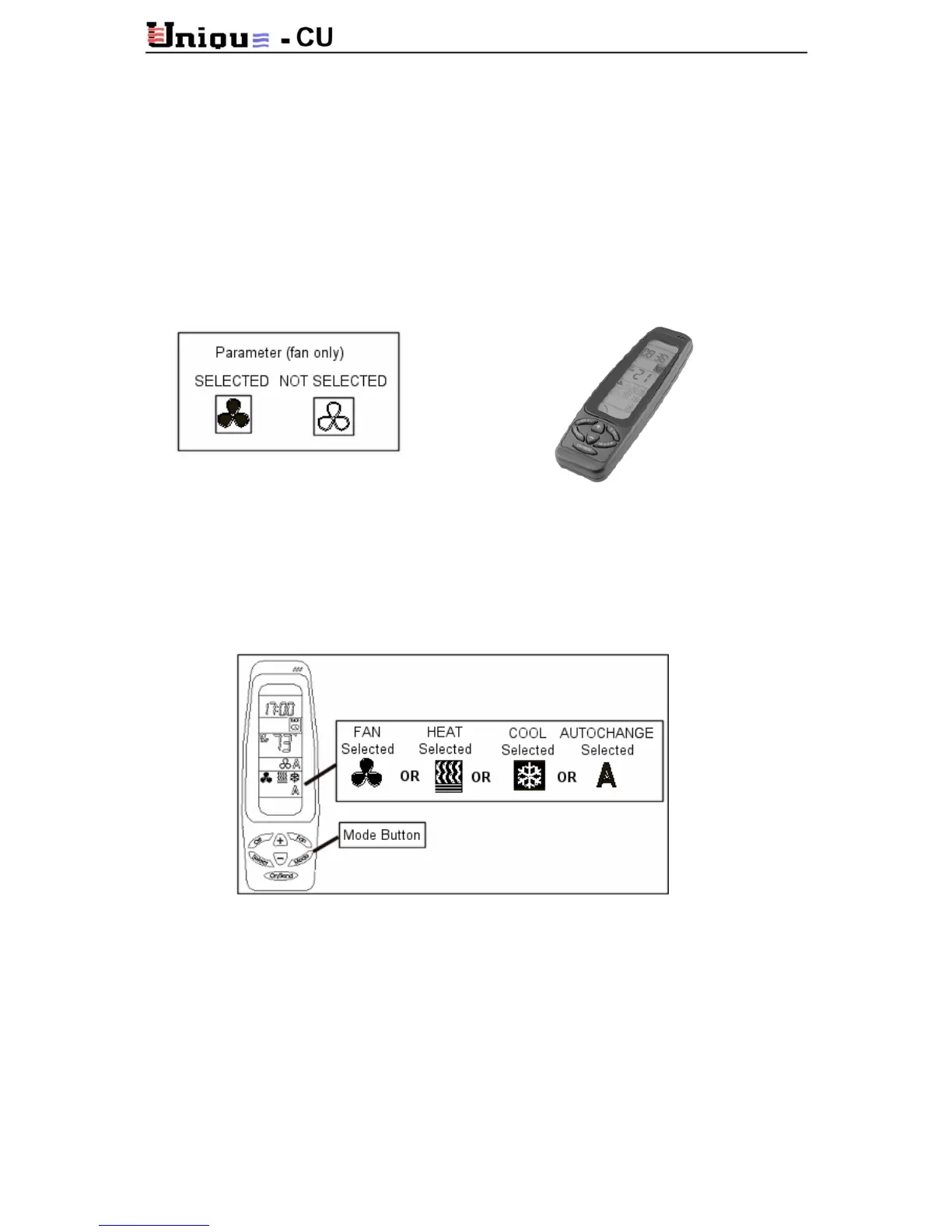
The icon of a selected feature turns dark. Not selected feature remains pale. See the following
example:
On/Send
To activate the air conditioner and/or update information press On/Send button.
Mode:
Press MODE button to change between: COOL, HEAT, AUTO CHANGE (A) and FAN ONLY.
Press ON/SEND button to send the information to the thermostat.
Fan:
Press fan button and choose between: HIGH, MEDIUM, LOW or AUTO SPEED.
Auto Speed
The fan speed changes according to the temperature difference between “Set temperature”
and “Actual ambient temperature”
The greater is the difference between “set” and “actual” - the faster is the fan-speed.
Set Temperature:
To set the desired temperature (set point): press the set buttons (+) or (-) to the desired
temperature. Press ON/SEND button to send the information to the thermostat.



 To Next Page