- 68 -
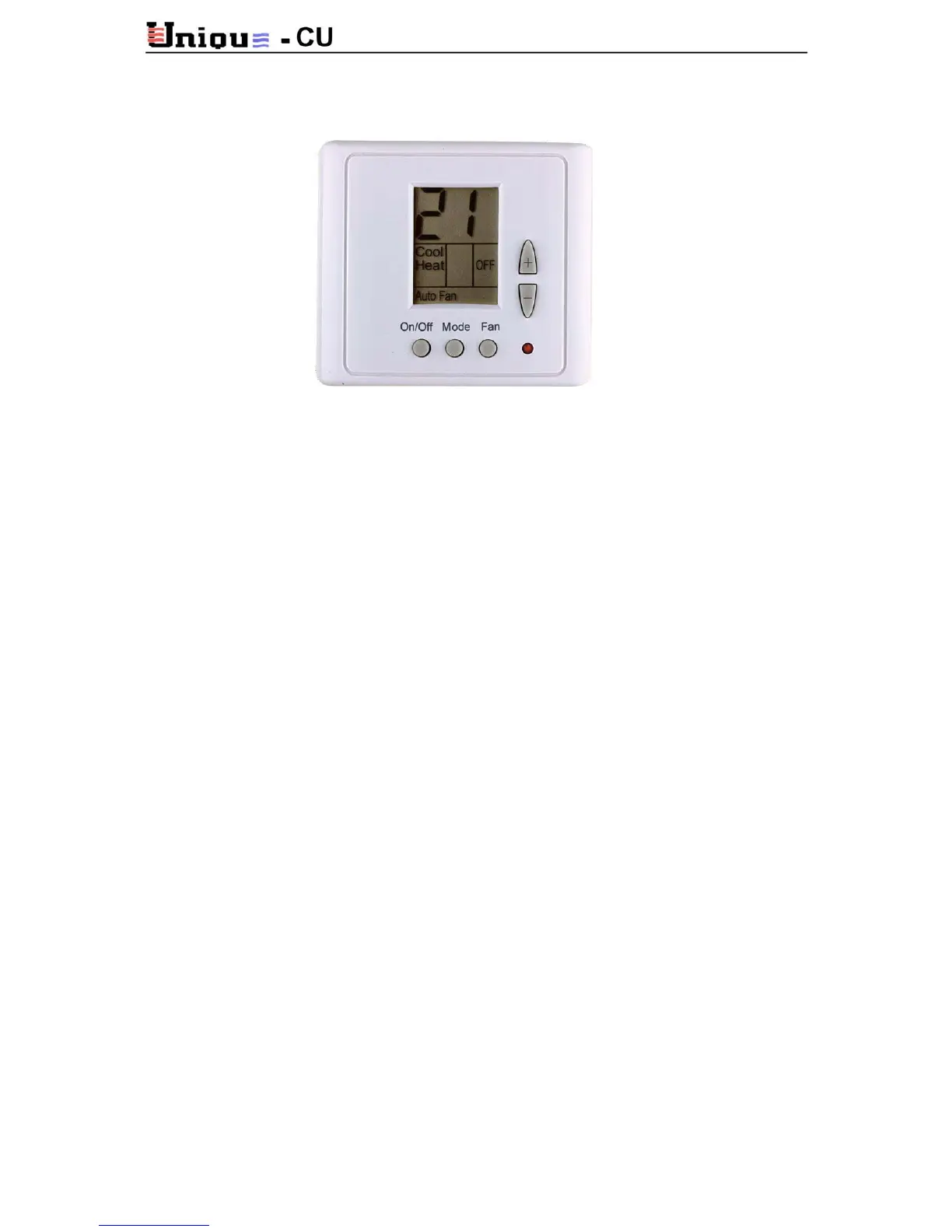
10.3. Operating Instructions – ETN1000
On/Off
Press ON/OFF button to activate the thermostat; ON led will lit.
For
OFF press ON/OFF again; OFF led will lit.
Set Temperature
Press (+) or (-) button. Temperature digit will flash. Set to the desired temperature using the
(+) or (-) buttons.
Mode
Press MODE button and adjust between:
COOL, HEAT, COOL/HEAT (Automatic cool/heat
change over) or FAN (fan only).
Fan
Press fan button and choose between: Fan high, medium, low or Auto speed (all together)
Auto speed: the fan speed change according to the difference in the temperature between “Set
temperature” and “Actual ambient temperature”. The greater the difference between “set” and
“actual” - the faster the fan-speed
Auto fan
Press and hold fan button and choose: Fan or Auto fan.
(Auto fan - fan is active only when there is demand for cooling or heating).



 To Next Page