1) Only Use Unitree Robotics authentic parts and ensure that all parts are in good working condition.
2) Ensure that the firmware has been updated to the latest version.
3) The users ensures that he or she is not operating the robot while intoxicated, under the influence of
drugs, and unable to concentrate.
4) Be familiar with the characteristics of each gait mode. Be familiar with the emergency braking method
of the robot in case of instability / loss of control.
5) Ensure that there are no foreign matters (such as water, oil, sand, soil, etc.) inside the robot and its
components.
6) Ensure that the surface of the robot's camera and LIDAR are free of dust and are not surrounded by
obstructions.
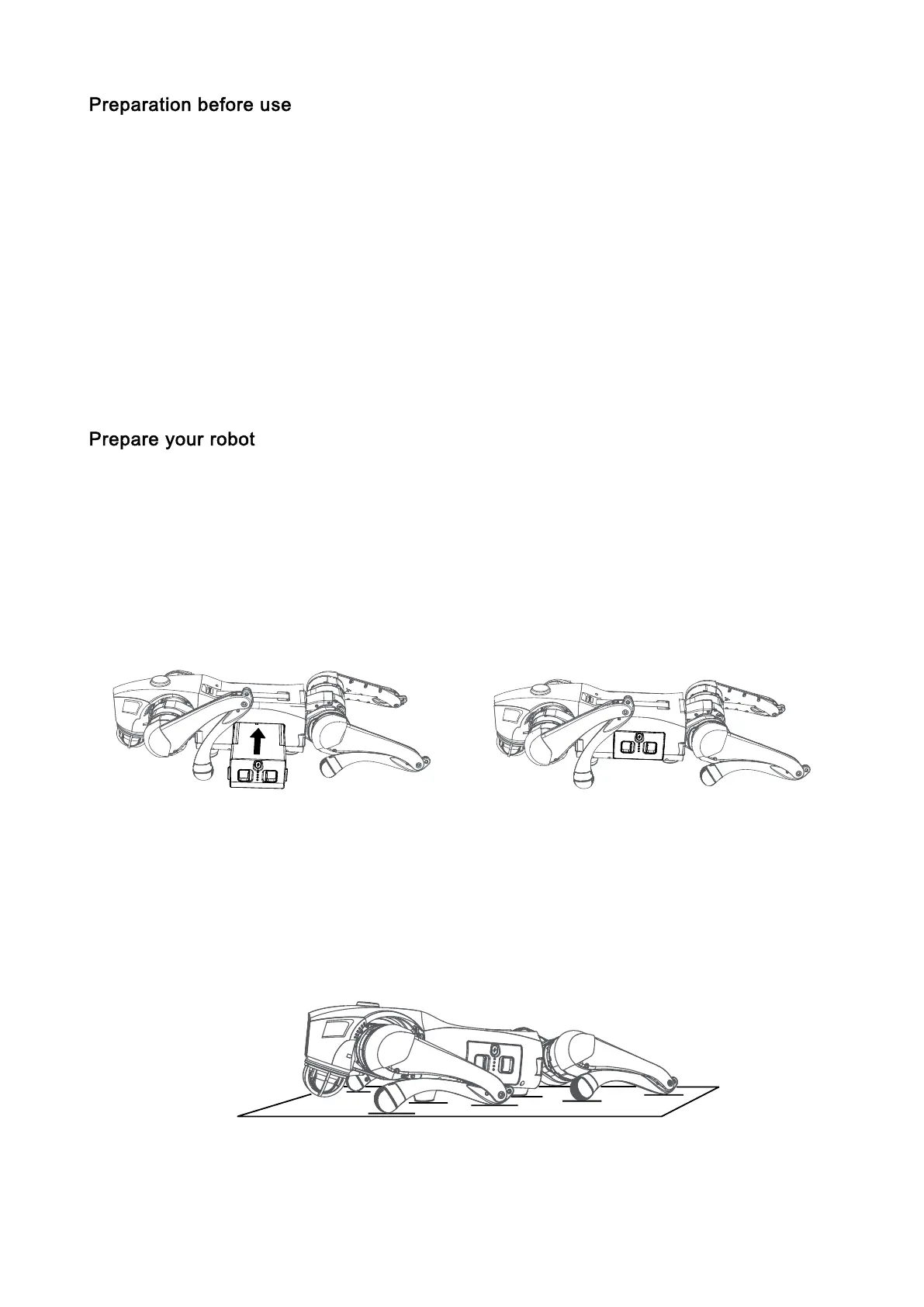
1) Installing Battery Packs
Lay Go2 on a flat surface, insert the battery pack into the battery packs from the side of the robot,
pay attention to the direction of installation, with the power switch button facing upwards.If the battery
pack cannot be fully inserted, please adjust the direction of the battery packs and do not press forcibly
to avoid damage to the battery interface and buckle.When you hear a "click" sound, the battery pack
installation is complete.
2) Body Placement (Important !)
Horizontal start-up: Please make sure that the robot is placed on a flat surface before start-up,
that the robot's abdominal support pad is flat on the ground, that the robot's body is lying on the ground
horizontally without any tilting, that the robot's lower legs are in a fully retracted state (as shown in the
picture below), and that all four joints and the ends of the feet are placed on the ground flatly to make
sure that the robot's thighs and lower legs are not pressed down by the robot's body.



 To Next Page