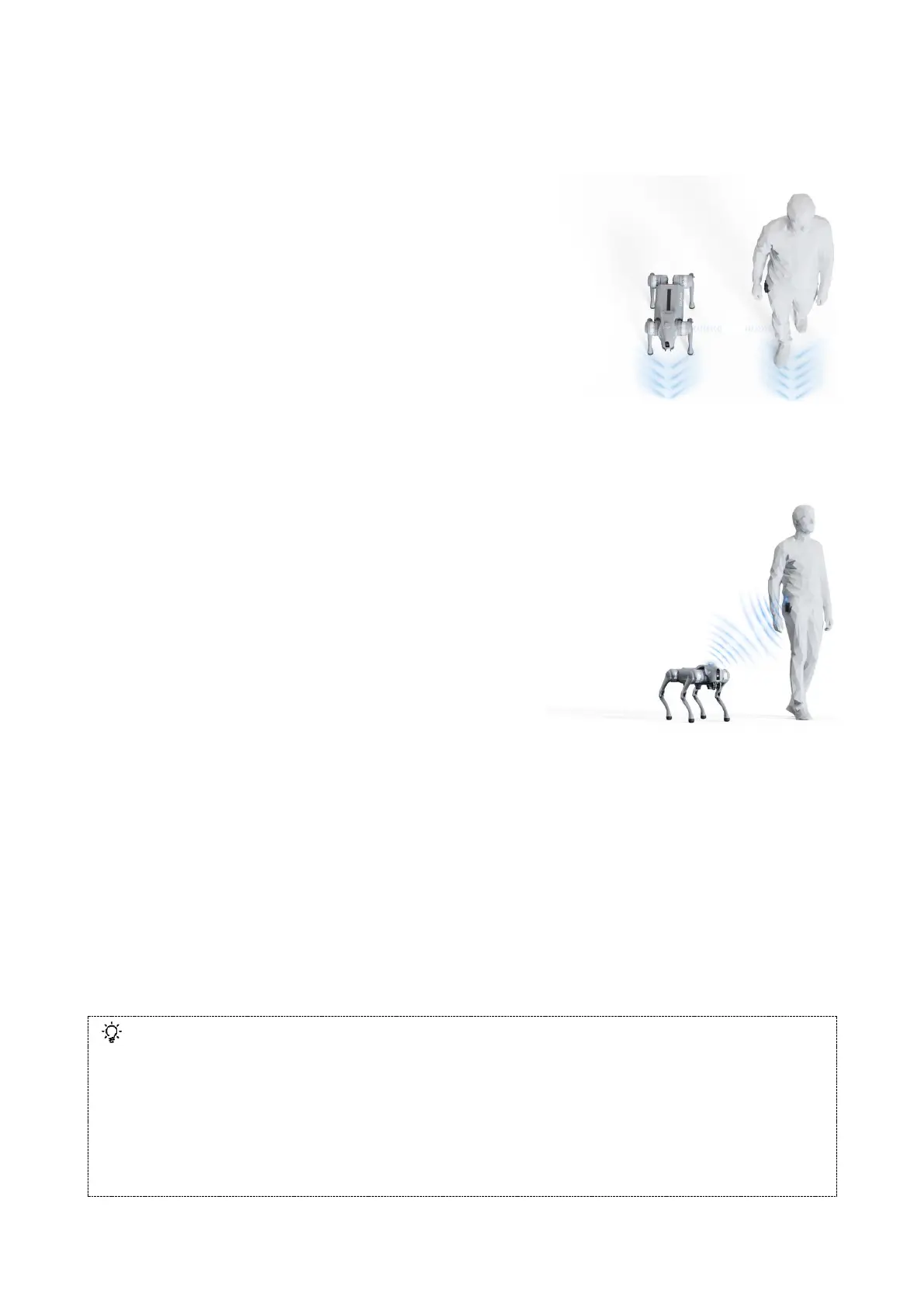
3) Use the companion remote control to control Go2
Before powering on, the companion remote control should be fixed in the position as shown in the
picture. After the robot is powered on successfully, you can use the companion remote control to
control Go2, the operation steps are as follows:
Step 1: Wear and start the companion remote control.
a) Buckle the remote control to the right side of the human
body on the belt, stand on the left side of the robot, and keep your
torso facing the same direction as the robot.
b) Short press the power button of the companion remote
control, when the indicator light is on steadily the startup is finished,
at this time the remote control is in rocker mode.
Step 2: Start the side-following mode (Important step)
a) Short press the M button twice to start the slow auto-following mode, the maximum speed at 1.5m/s.
b) In slow auto-following mode, short press M button twice to enter fast auto-following mode with
maximum speed at 3.0m/s.
Step 3: Turn on/off obstacle avoidance function
Short press L2 button twice to turn on the obstacle
avoidance; short press once to turn off the obstacle
avoidance.
Step 4: Switch off the auto-following function
a) Short press M button once: stop following and enter the
rocker control mode.
b) Switch on the rocker: Toggle the rocker to stop the follow
mode immediately and enter the rocker mode.
c) Switch off: Long press the power button of the companion remote control for 2 seconds to switch off.
d) Horizontal Placement: Place the companion remote control horizontally.
Other operating instructions (For adjusting the machine)
a) Rocker control: When the companion remote control enters the rocker mode, the robot movement can
be controlled by the rocker. Using the rocker control mode, the remote control can be taken off the belt for
control. If you need to continue to use auto-follow after the remote control is taken off, you need to put the
remote control on and then turn on the accompaniment.
b) Stand up, Down, Damped Mode:Short press P button 2 times consecutively, the robot switches
cyclically between Down, Damped and Stand up modes.
c) Side roll: When the robot rolls over on its side, press P button and hold for 1 second to resume standing.
⚫ Can not be too fast (less than 1.5m/s in slow mode, less than 3.0m/s in fast mode).
⚫ The companion remote control can not be placed too high (within about -10cm~120cm height difference from
the robot's head).
⚫ When conditions allow, choose a more open route to minimise the triggering of the robot's own autonomous
avoidance function.
⚫ App can not control the robot at the same time with the companion remote control, if you need to use the
companion remote control, please do not use the app to control the robot.
⚫ When using, please keep the robot in the line of sight control, with make the robot to maintain a safe distance
of at least 2 metres.



 To Next Page