© 2023 All rights reserved, Unitree Robotics 13
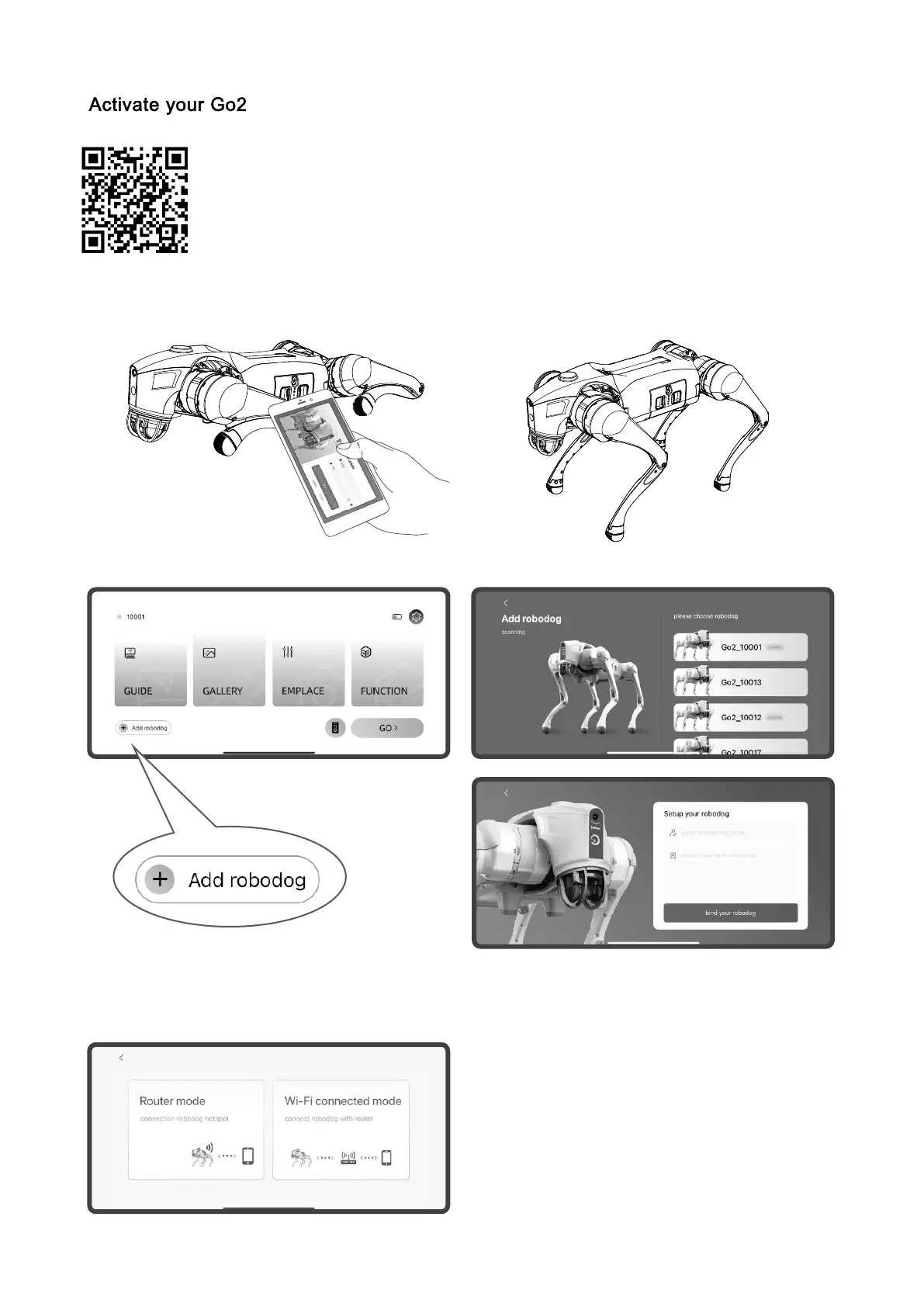
The robot requires activation for first time use, please scan the QR code on the
left side to install Unitree Go App, and follow the App prompts to activate Go2 and
complete the inbuilt teaching. During the activation process, please turn on your
bluetooth on your mobile phone and bring your phone close to Go2 to ensure real-
time bluetooth communication. After successful bonding, you can start to use the robot.
1) Please sign up / log in after installing the App
2) Start up Go2: head indicator green perma-
nently, body parallel to the ground
3) Add robot: Home page -add robot-open Bluetooth to connect your Go2-set robot information.
4) Bind the robot: you can choose AP router mode and Wi-Fi connection mode to connect, you can
learn the built-in tutorial to quickly master the operation skills after successful connection .



 To Next Page