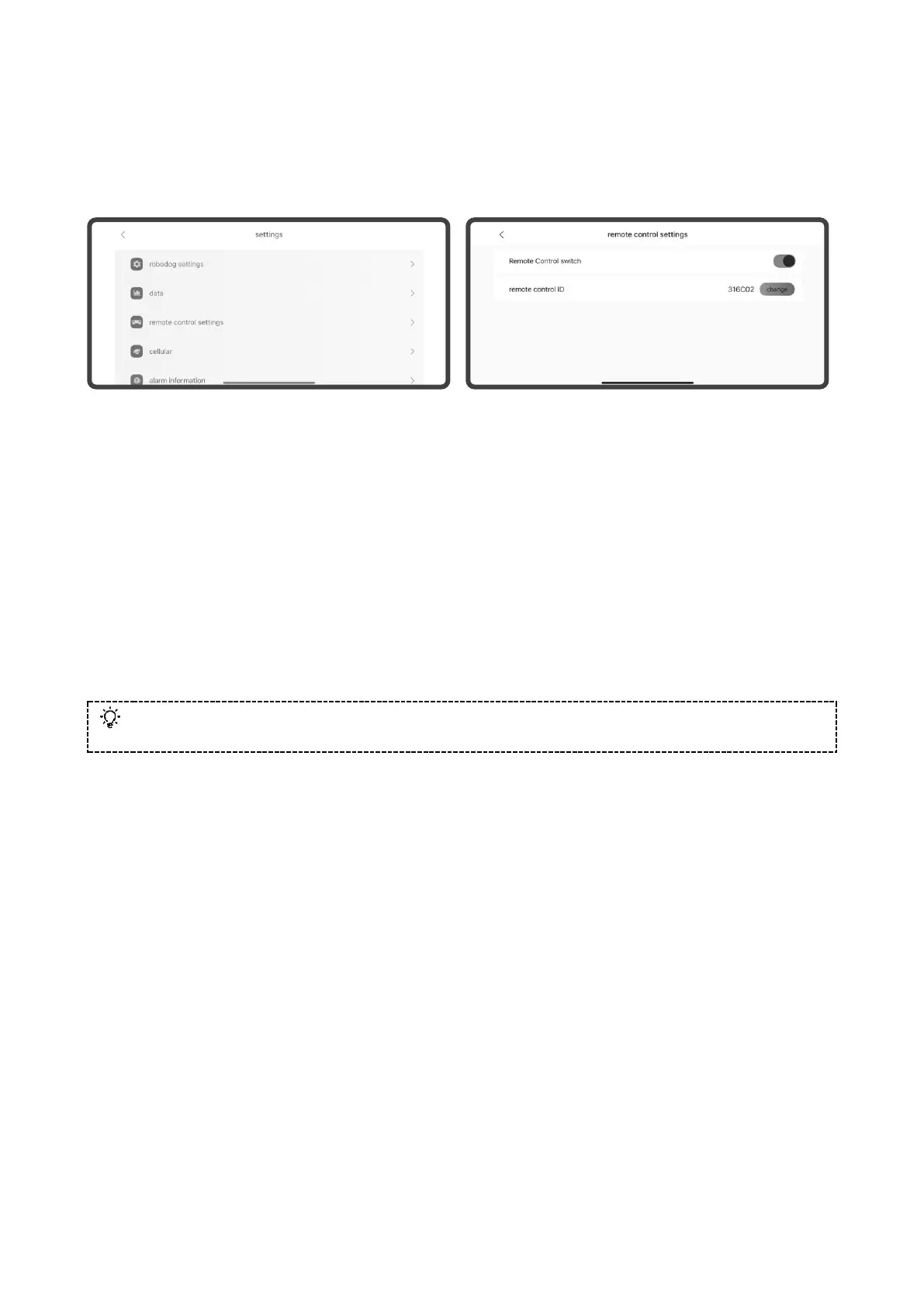
4) Use handheld remote control to control Go2
For the first time to use handheld remote control, you need to bind it on Unitree Go App, [Settings]
-> [Remote Control Settings] - turn on the remote control switch, enter the corresponding remote
control code, and then you can bind it with the digital transmission module on the robot dog.
The digital signal lights on the left side of the two-handed remote control are all on, which means
that the connection is successful. Then you can use the remote control to control the robot dog to
complete the corresponding action. When using the official control program of Unitree, the operating
instructions provided by the official correspond to the actions of the robot dog. When users run their
own programs in the developer mode: the remote control commands are still valid in the high level
(application level) programming. Remote control commands are invalid during low level programming.
If the high level API commands and the remote control commands are sent to the robot dog together,
both commands will be executed by the robot dog, which may lead to the instability of the robot dog.
Please make sure that whether you need to use the remote control control or not based on the running
situations of the robot dog.Remote control commands are invalid during low level programming.
To obtain the latest instructions for your handheld remote control, simply access the Unitree Go App! Please visit
Unitree Go App to trigger more athletic modes!



 To Next Page