2.2. Maximum Payload
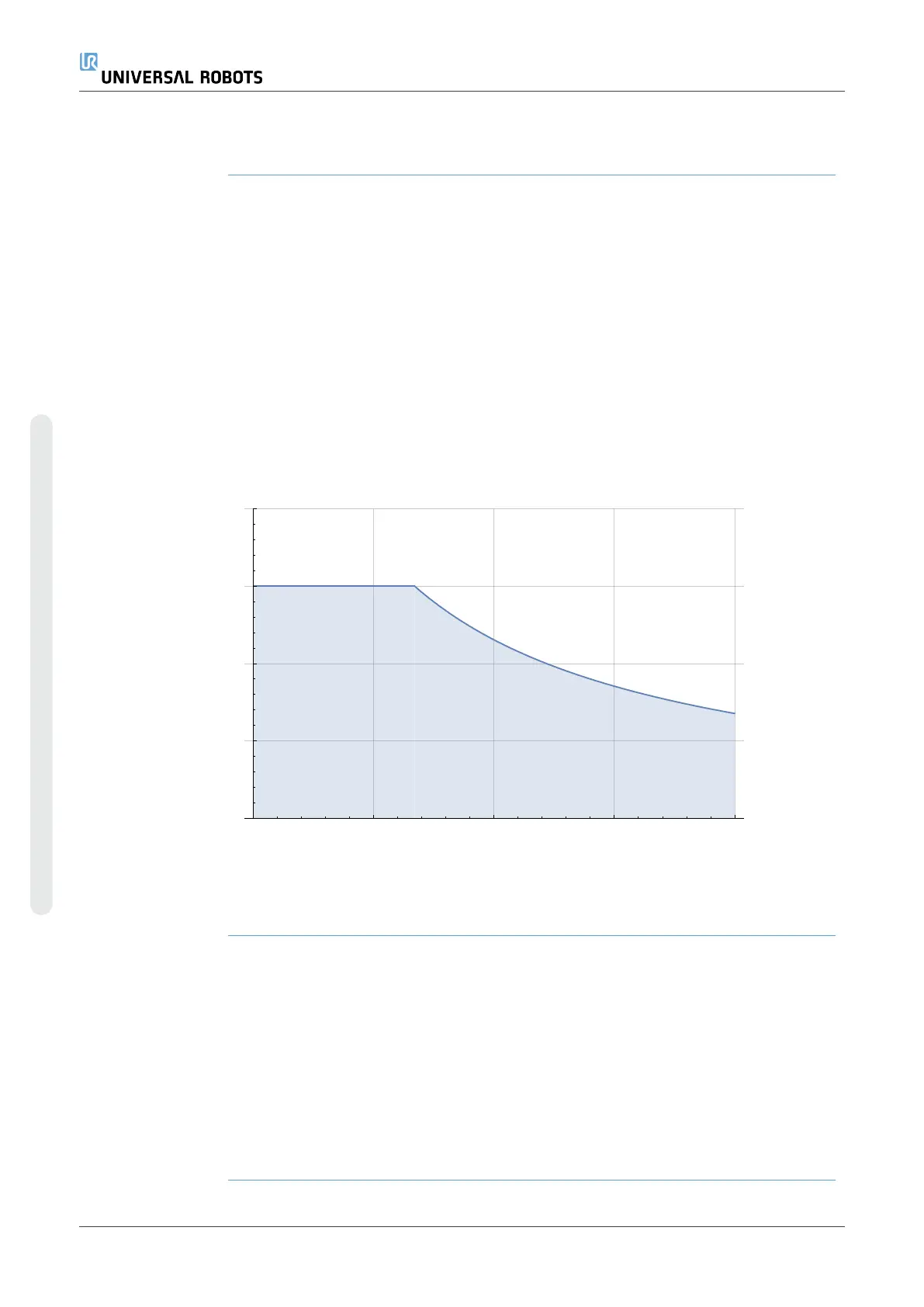
Description The rated robot arm payload depends on the center of gravity (CoG) offset of the
payload, as shown below. The CoG offset is defined as the distance from the center of
the tool flange to the center of gravity of the attached payload.
The robot arm can accommodate a long center of gravity offset, if the payload is
placed below the tool flange. For example when computing the payload mass in a pick
and place application, consider both the gripper and the workpiece.
The robot's capacity to accelerate can be reduced if the payload CoG exceeds the
robot's reach and payload. You can verify the reach and payload of your robot in the
Technical Specifications.
Payload [kg]
Center of gravity offset [mm]
The relationship between the rated payload and the center of gravity offset.
Payload inertia You can configure high inertia payloads, if the payload is set correctly.
The controller software automatically adjusts accelerations when the following
parameters are correclty configured:
•
Payload mass
•
Center of gravity
•
Inertia
You can use the URSim to evaluate the accelerations and cycle times of the robot
motions with a specific payload.
UR3e PolyScope X 18 User Manual
2.Your Robot
Copyright © 2009–2024 by UniversalRobotsA/S. All rights reserved.










 To Next Page