2.3. PolyScope X Overview
PolyScope X is the Graphical User Interface (GUI) installed on the Teach Pendant that operates the robot arm
via a touch screen. The PolyScope X interface allows you to create, load and execute programs.
Screen Layout
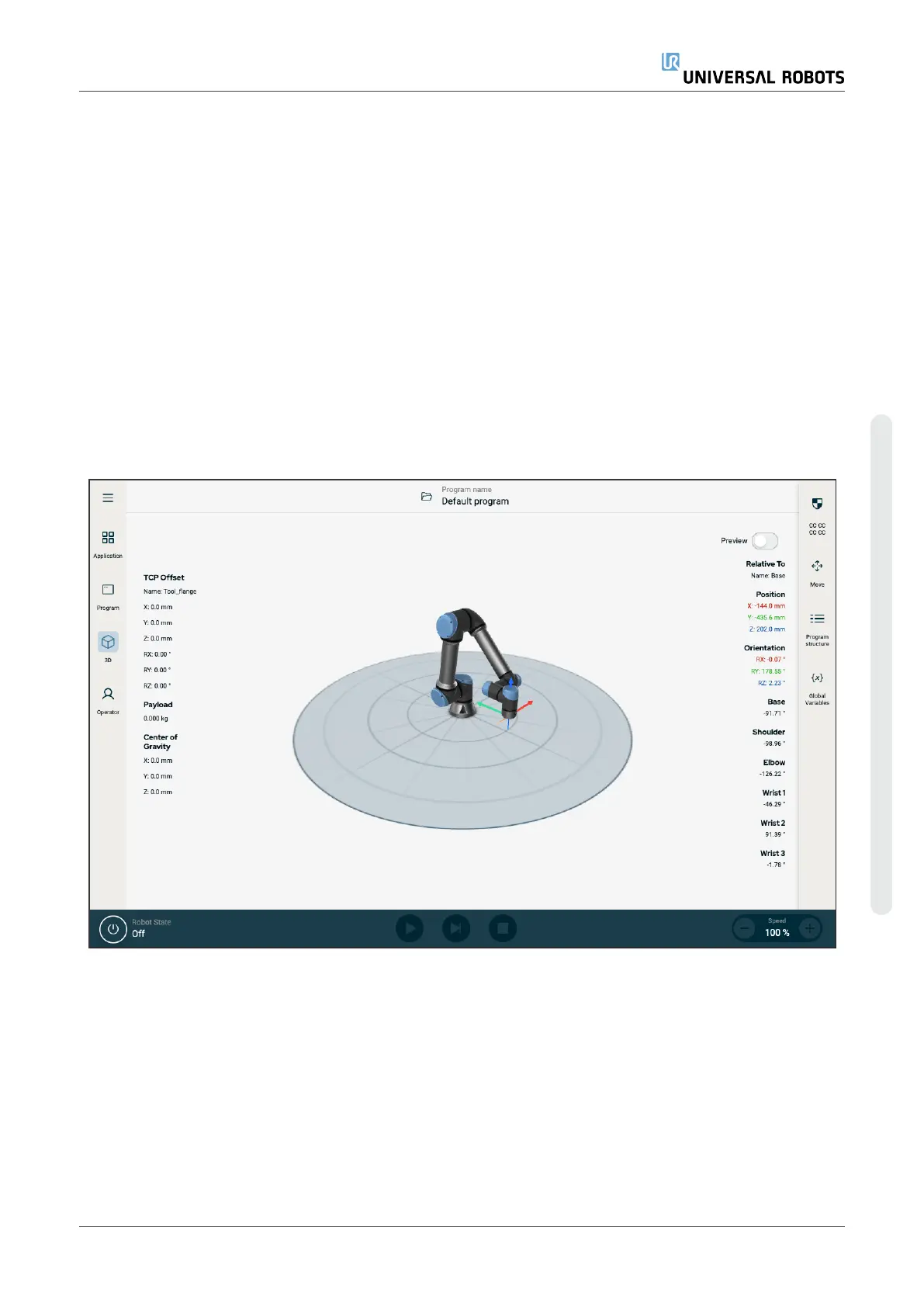
The interface is divided as shown in the following illustration:
•
Header - with button to load or create programs and access program modules.
•
Left Header - with icons/tabs to select a main screen.
•
Right Header - with icons/tabs to select a multitask screen.
•
Footer - with buttons to control robot power and your loaded program.
Figure1.2:
Main screen
Screen Combinations
The main screen and the multitask screen make up the operating screen combination for the robot.
The multitask screen is independent of the main screen, so you can do separate tasks. For example, you can
configure a program in the main screen, while moving the robot arm in the multitask screen. You also can hide
the multitask screen if it is not needed.
User Manual 19 UR3e PolyScope X
2.Your Robot
Copyright © 2009–2024 by UniversalRobotsA/S. All rights reserved.










 To Next Page