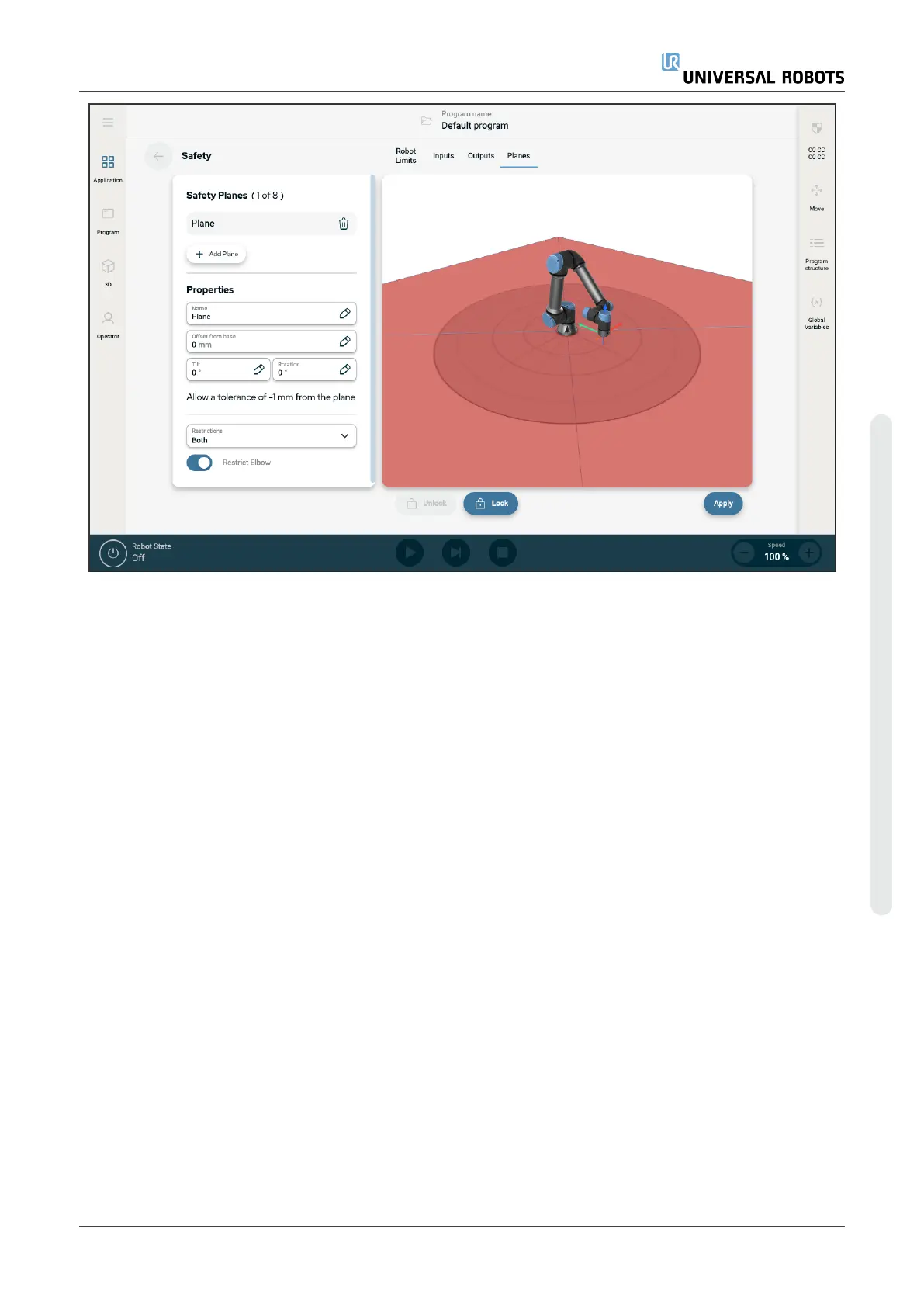
Figure1.4:
PolyScope X screen displaying safety planes.
•
Disabled: The safety plane is never active in this state.
•
Normal: When the safety system is in Normal mode, a normal plane is active and it acts as a strict limit
on the position.
•
Reduced: When the safety system is in Reduced mode, a reduced mode plane is active and it acts as a
strict limit on the position.
•
Normal & Reduced: When the safety system is either in Normal or Reduced mode, a normal and
reduced mode plane is active and acts as a strict limit on the position.
•
Trigger Reduced Mode: The safety plane causes the safety system to switch to Reduced mode if the
robot Tool or Elbow is positioned beyond it.
Configuring a safety plane
You can configure safety planes with the properties listed below:
•
Name This is the name used to identify the safety plane.
•
Offset from base This is the height of the plane from the base, measured in the -Y direction.
•
Tilt This is the tilt of the plane, measured from the power cord.
•
Rotation This is the rotation of the plane, measured clockwise.
You can configure each plane with the restrictions listed below:
•
Normal When the safety system is in Normal mode, a normal plane is active and it acts as a strict limit
on the position.
•
Reduced When the safety system is in Reduced mode, a reduced mode plane is active and it acts as a
strict limit on the position.
•
Both When the safety system is either in Normal or Reduced mode, a normal and reduced mode plane
User Manual 31 UR3e PolyScope X
3.Safety
Copyright © 2009–2024 by UniversalRobotsA/S. All rights reserved.










 To Next Page