7.7.4. Remote ON/OFF control
Description Use remote ON/OFF control to turn the Control Box on and off without using the Teach
Pendant. It is typically used:
•
When the Teach Pendant is inaccessible.
•
When a PLC system must have full control.
•
When several robots must be turned on or off at the same time.
Remote Control The remote ON/OFF control provides a auxiliary 12V supply, kept active when the
Control Box is turned off. The ON input is intended only for short time activation and
works in the same way as the POWER button. The OFF input can be held down as
desired. Use a software feature to load and start programs automatically (see partPart
II PolyScope Manual).
The electrical specifications are shown below.
Terminals Parameter Min Typ Max Unit
[12V - GND]
Voltage 10 12 13 V
[12V - GND]
Current - - 100 mA
[ON / OFF]
Inactive voltage 0 - 0.5 V
[ON / OFF]
Active voltage 5 - 12 V
[ON / OFF]
Input current - 1 - mA
[ON]
Activation time 200 - 600 ms
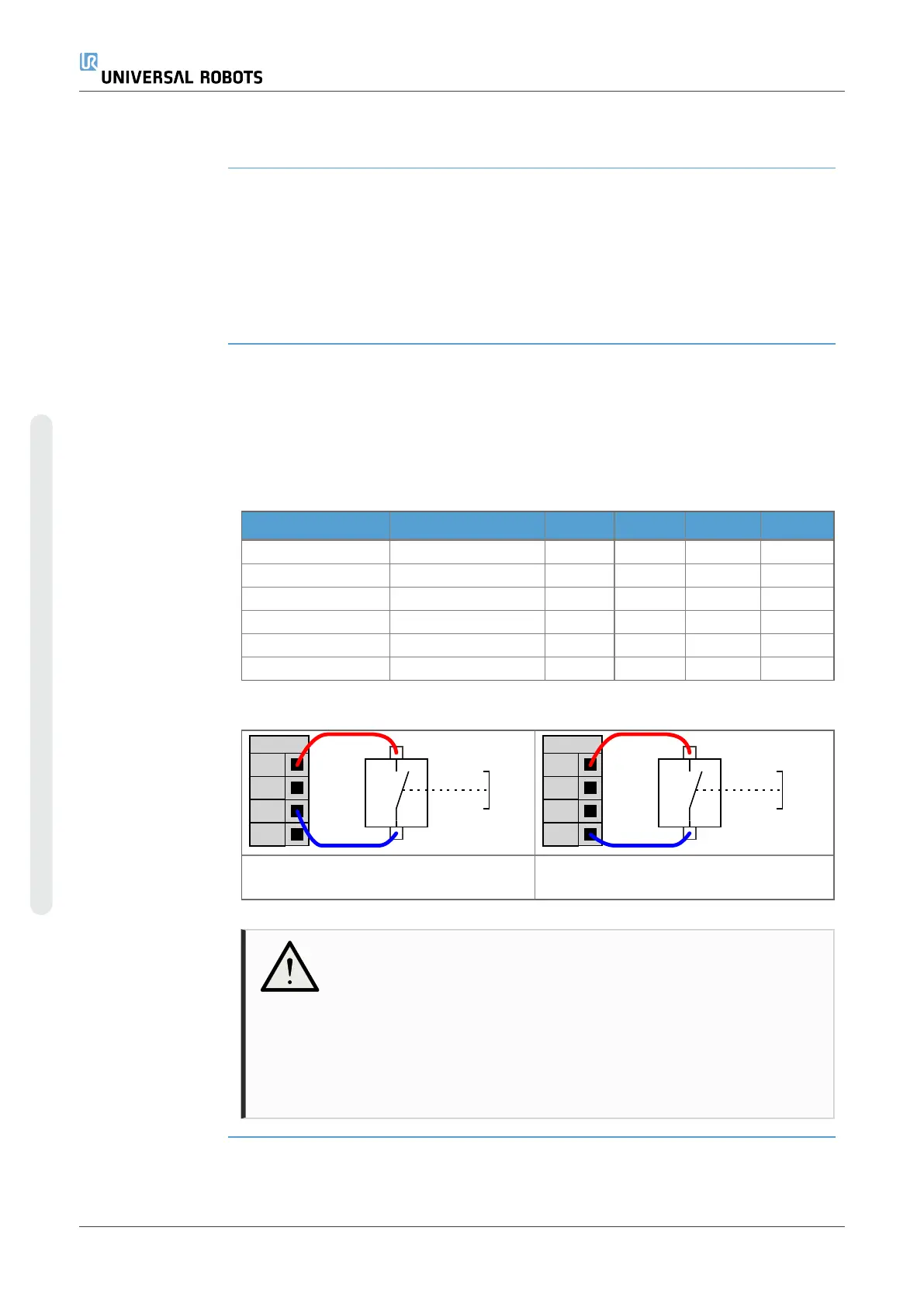
This example illustrates connecting a
remote ON button.
This example illustrates connecting a
remote OFF button.
CAUTION
Maintaining a press and hold on the power button switches the
Control Box OFF without saving.
•
Do not press and hold the ON input or the POWER button
without saving.
•
Use the OFF input for remote off control to allow the Control
Box to save open files and shut down correctly.
UR3e PolyScope X 74 User Manual
7.Installation
Copyright © 2009–2024 by UniversalRobotsA/S. All rights reserved.










 To Next Page