7.2. Safety I/O
Safety I/O This section describes dedicated safety input (Yellow terminal with red text) and
configurable I/O (Yellow terminals with black text) when configured as safety I/O.
Safety devices and equipment must be installed according to the safety instructions and
the risk assessment in chapterSafety.
All safety I/O are paired (redundant), so a single fault does not cause loss of the safety
function. However, the safety I/Omust be kept as two separate branches.
The permanent safety input types are:
•
Robot Emergency Stop for emergency stop equipment only
•
Safeguard Stop for protective devices
•
3PE Stop for protective devices
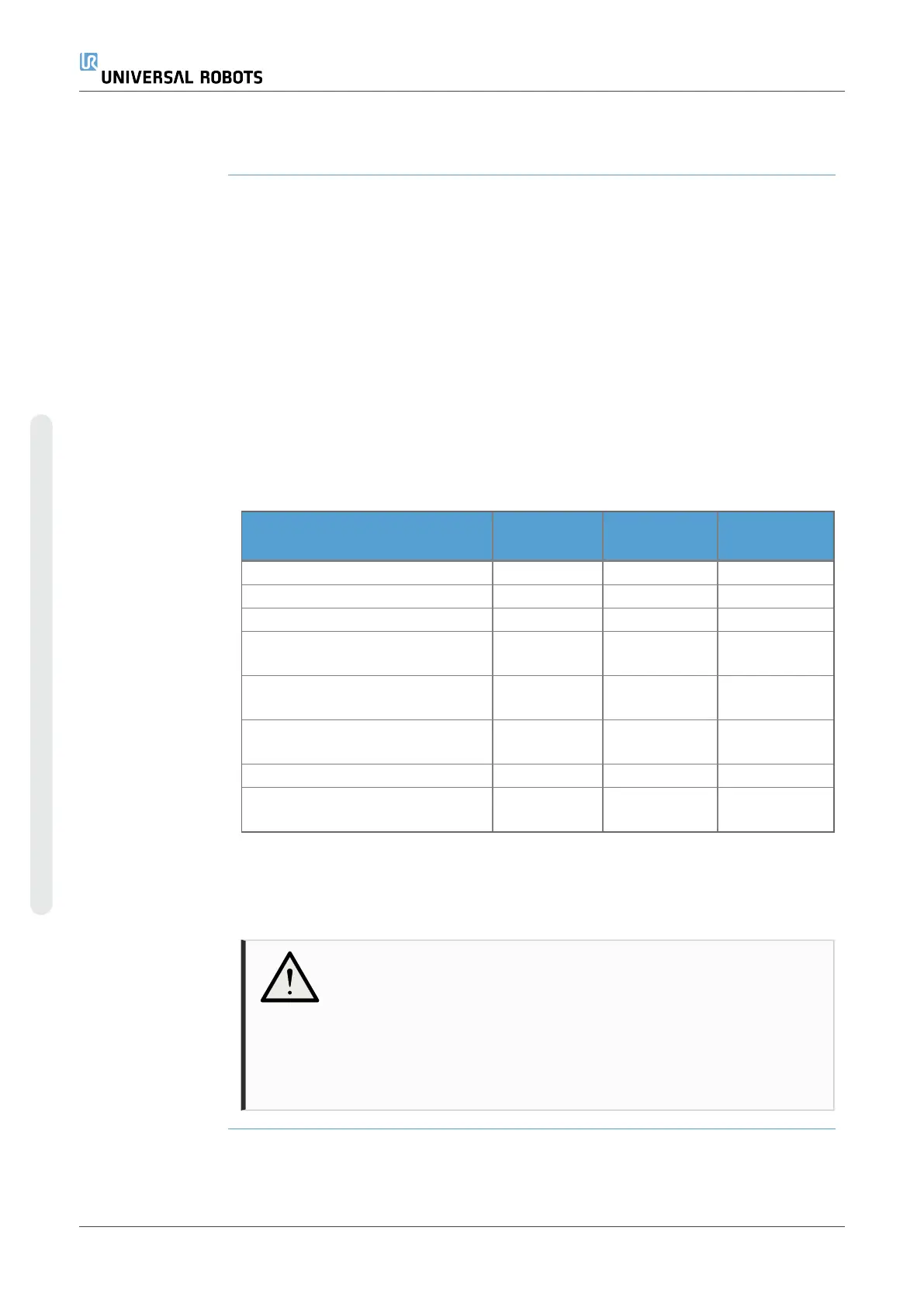
Table The functional difference is shown below.
Emergency
Stop
Safeguard
Stop
3PE Stop
Robot stops moving Yes Yes Yes
Program execution Pauses Pauses Pauses
Drive power Off On On
Reset Manual
Automatic or
manual
Automatic or
manual
Frequency of use Infrequent
Every cycle to
infrequent
Every cycle to
infrequent
Requires re-initialization
Brake release
only
No No
Stop Category (IEC60204-1) 1 2 2
Performance level of monitoring
function (ISO13849-1)
PLd PLd PLd
Safety caution Use the configurable I/O to set up additional safety I/O functionality, e.g. Emergency
Stop Output. Use the PolyScope interface to define a set of configurable I/O for safety
functions.
CAUTION
Failure to verify and test the safety functions regularly can lead to
hazardous situations.
•
Safety functions shall be verified before putting the robot into
operation.
•
Safety functions shall be tested regularly.
UR3e PolyScope X 52 User Manual
7.Installation
Copyright © 2009–2024 by UniversalRobotsA/S. All rights reserved.










 To Next Page