EasyManua.ls Logo

US Robotics COURIER - Remote Digital Loopback Tests (&T6, &T7)

US Robotics COURIER
216 pages
Print Icon
To Next Page IconTo Next Page
To Previous Page IconTo Previous Page
Loading...
-
-
I
,_
-
-
-
-
&T4,
&T5
COURIER HIGH SPEED MODEMS
2.
Bring
the
modem
back
to
Command
mode
with
the
+++
escape code.
Then
send
it
the
AT&T3
command.
The
modem
enters DL
mode
and
the
MR
status
light
flashes.
3.
The
remote
user
should
type
a
short
message.
It
will
be
looped
back
by
your
modem's
transmitter
for verification
on
the
remote
screen. You will
not
see the
message
or
any
other
data.
4.
When
the
remote
user
has
completed
the test, issue the
AT &
TO
command
to
end
the
test.
Or
send
either
ATH
or
the
command
that
resets the
modem,
ATZ. The
latter
two
commands
end
the
test
and
hang
up
the
modem.
The
modem
responds
OK.
If
the
modem
sends
an
ERROR
message,
you
have
issued
an
invalid
command.
5.
Reset DIP
switch
9 OFF if
you
normally
use
the
factory
default. Reset
the
modem
to &M4 unless
you
used
the
reset
command,
A TZ.
The &T4
option
causes the
modem
to
grant
a
remote
modem's
request
for a Remote Digital Loopback test.
The
&TS
option
cancels &T4,
and
the
modem
fails
to
recognize
such
a request. This is
the
default
so
that
your
modem
isn't
subject to
another
user
calling
and
tying
up
your
modem
without
your
permission.
REMOTE DIGITAL
LOOPBACK-&T6,
&T7
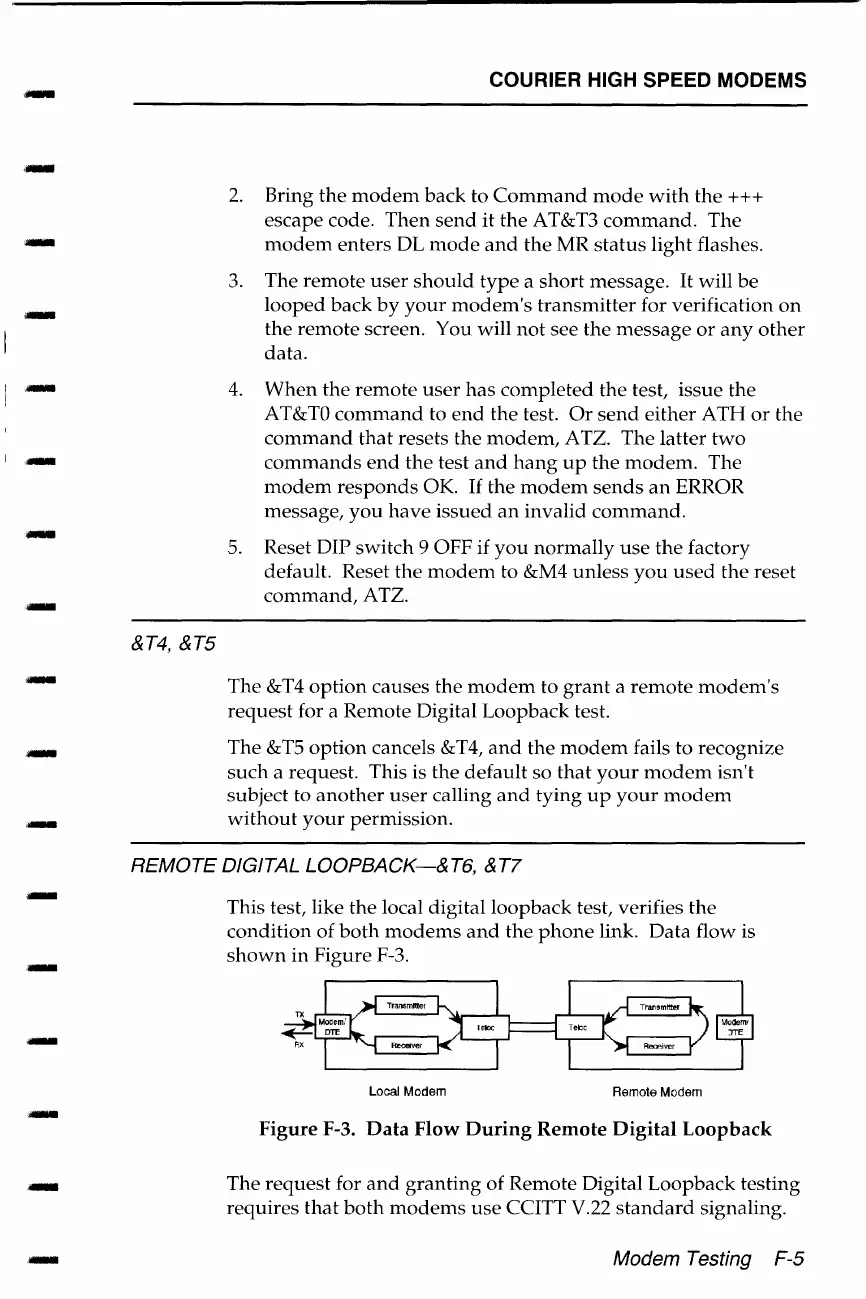
This test, like
the
local digital loopback test, verifies
the
condition
of
both
modems
and
the
phone
link.
Data
flow is
shown
in
Figure F-3.
Local Modem
Remote Modem
Figure
F-3.
Data
Flow
During
Remote
Digital
Loopback
The
request
for
and
granting
of Remote Digital
Loopback
testing
requires
that
both
modems
use
CCITT V.22
standard
signaling.
Modem Testing F-5

Table of Contents

Related product manuals