COURIER HIGH SPEED MODEMS
Setting the Transmission Rate
Setting
your
terminal
or
software to 57.6K, 38.4K
or
19.2K
bps
ensures
that
the
Courier
can
operate
at
its
highest
speed.
The
modem
detects
the
rate
from
the
AT
command
and
operates
accordingly.
It
also detects
your
terminal/software
settings for
the
data
formats
shown
below
in
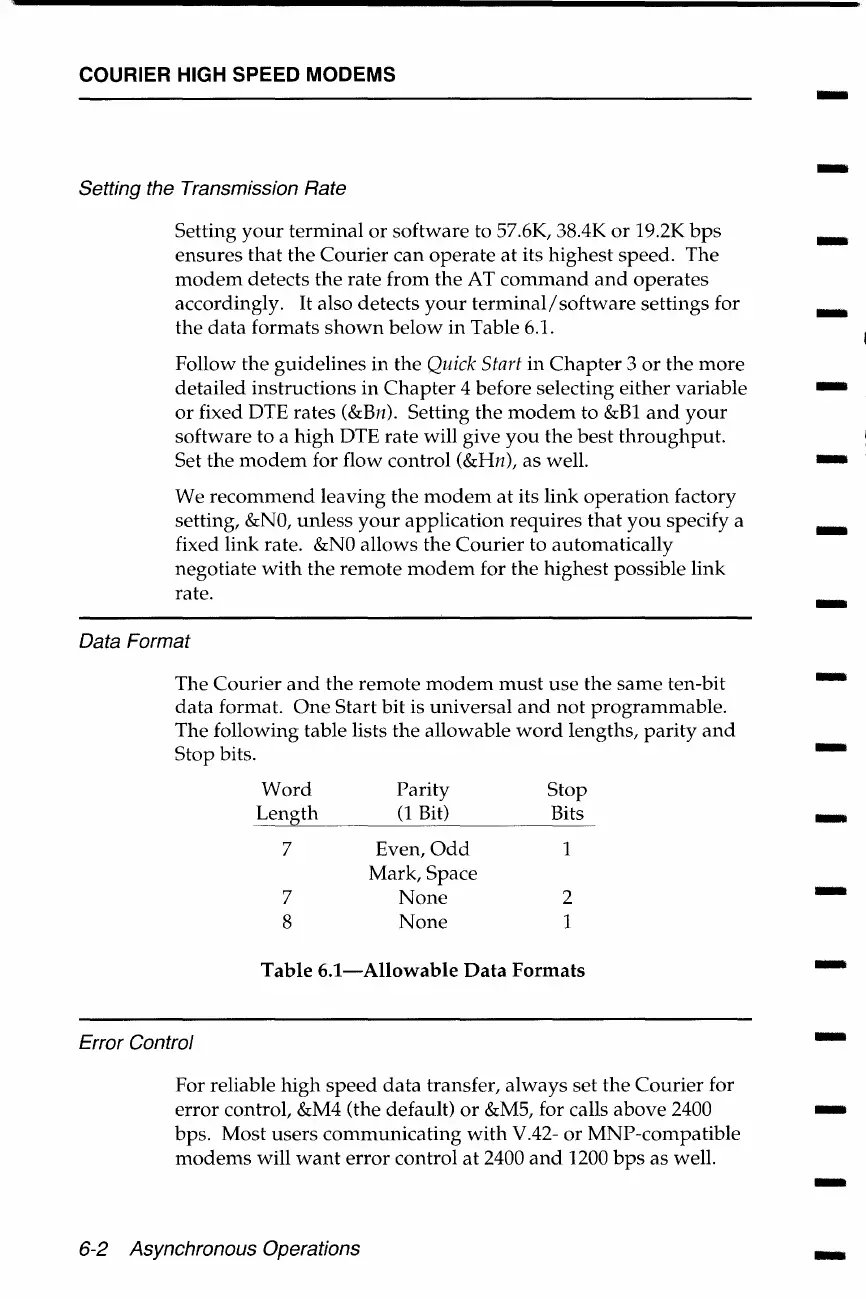
Table 6.1.
Follow the guidelines in the Quick Start
in
Chapter
3
or
the
more
detailed instructions
in
Chapter
4 before selecting either variable
or
fixed DTE rates (&Bn). Setting the
modem
to &Bl
and
your
software to a
high
DTE rate will give
you
the
best
throughput.
Set the
modem
for flow control (&Hn), as well.
We
recommend
leaving the
modem
at
its
link
operation
factory
setting,
&NO,
unless
your
application requires
that
you
specify a
fixed link rate.
&NO
allows the
Courier
to automatically
negotiate
with
the
remote
modem
for
the
highest
possible
link
rate.
Data Format
The
Courier
and
the
remote
modem
must
use
the
same
ten-bit
data
format.
One
Start bit is
universal
and
not
programmable.
The following table lists
the
allowable
word
lengths,
parity
and
Stop
bits.
Word
Parity
Stop
Length
(1
Bit)
Bits
7
Even,
Odd
1
Mark, Space
7
None
2
8
None
1
Table
6.1-Allowable
Data
Formats
Error Control
For reliable
high
speed
data
transfer,
always
set
the
Courier
for
error
control, &M4 (the default)
or
&MS, for calls
above
2400
bps.
Most
users
communicating
with
V.42-
or
MNP-compatible
modems
will
want
error
control
at
2400
and
1200
bps
as well.
6-2 Asynchronous Operations
-
-
-
-
-
-
-
-
-
-
-
-
-
-
-
-
-















 To Next Page