EasyManua.ls Logo

US Robotics COURIER - Page 26

US Robotics COURIER
216 pages
Print Icon
To Next Page IconTo Next Page
To Previous Page IconTo Previous Page
Loading...
-
-
-
-
-
-
-
-
-
-
-
COURIER HIGH SPEED MODEMS
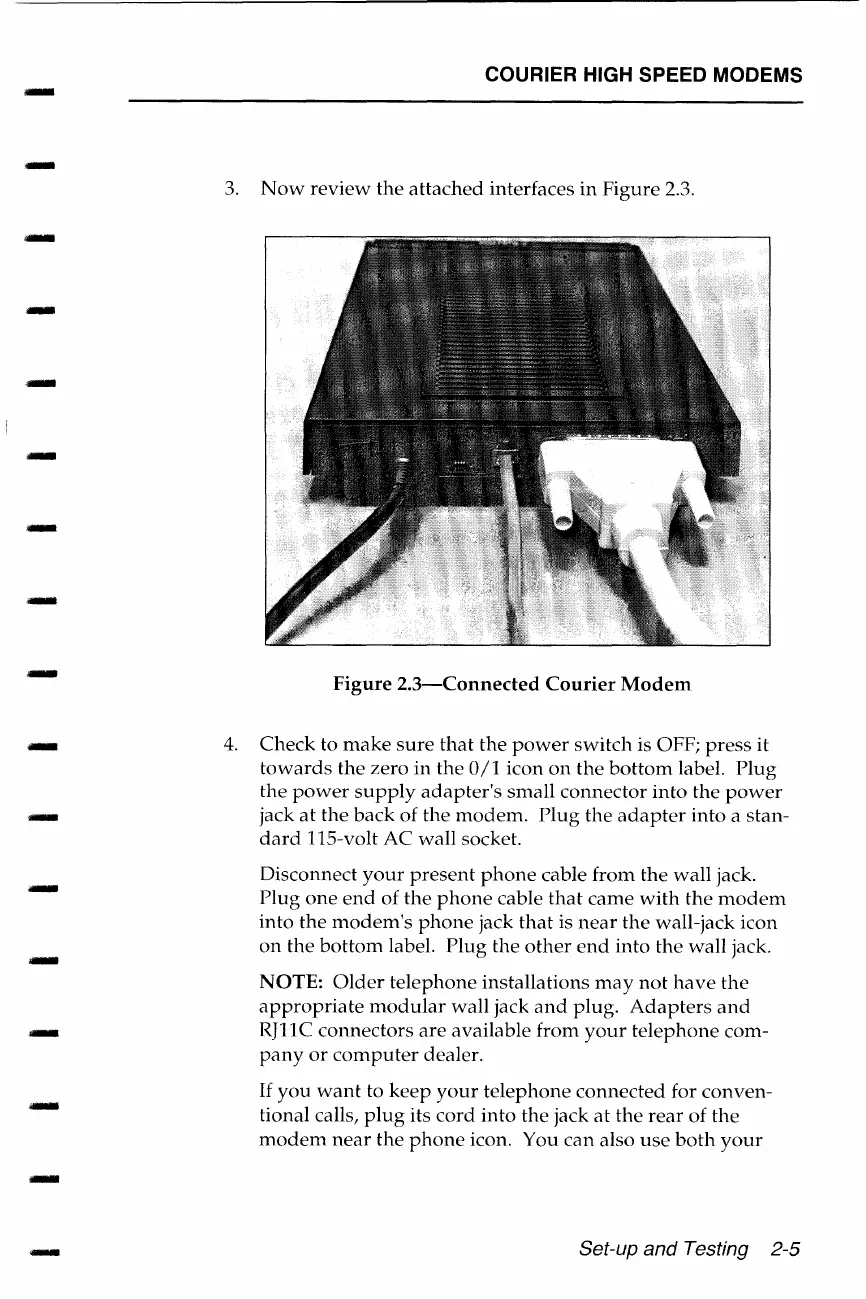
3.
Now
review
the
attached
interfaces
in
Figure
2.3.
Figure
2.3-Connected
Courier
Modem
4.
Check
to
make
sure
that
the
power
switch
is OFF;
press
it
towards
the
zero
in
the
0/1
icon
on
the
bottom
label.
Plug
the
power
supply
adapter's
small
connector
into
the
power
jack
at
the
back
of
the
modem.
Plug
the
adapter
into
a stan-
dard
115-volt
AC
wall
socket.
Disconnect
your
present
phone
cable
from
the
wall
jack.
Plug
one
end
of
the
phone
cable
that
came
with
the
modem
into
the
modem's
phone
jack
that
is
near
the
wall-jack icon
on
the
bottom
label.
Plug
the
other
end
into
the
wall
jack.
NOTE:
Older
telephone
installations
may
not
have
the
appropriate
modular
wall jack
and
plug.
Adapters
and
RJl 1 C connectors
are
available
from
your
telephone
com-
pany
or
computer
dealer.
If
you
want
to
keep
your
telephone
connected
for
conven-
tional calls,
plug
its
cord
into
the
jack
at
the
rear
of
the
modem
near
the
phone
icon. You
can
also
use
both
your
Set-up and Testing 2-5

Table of Contents

Related product manuals