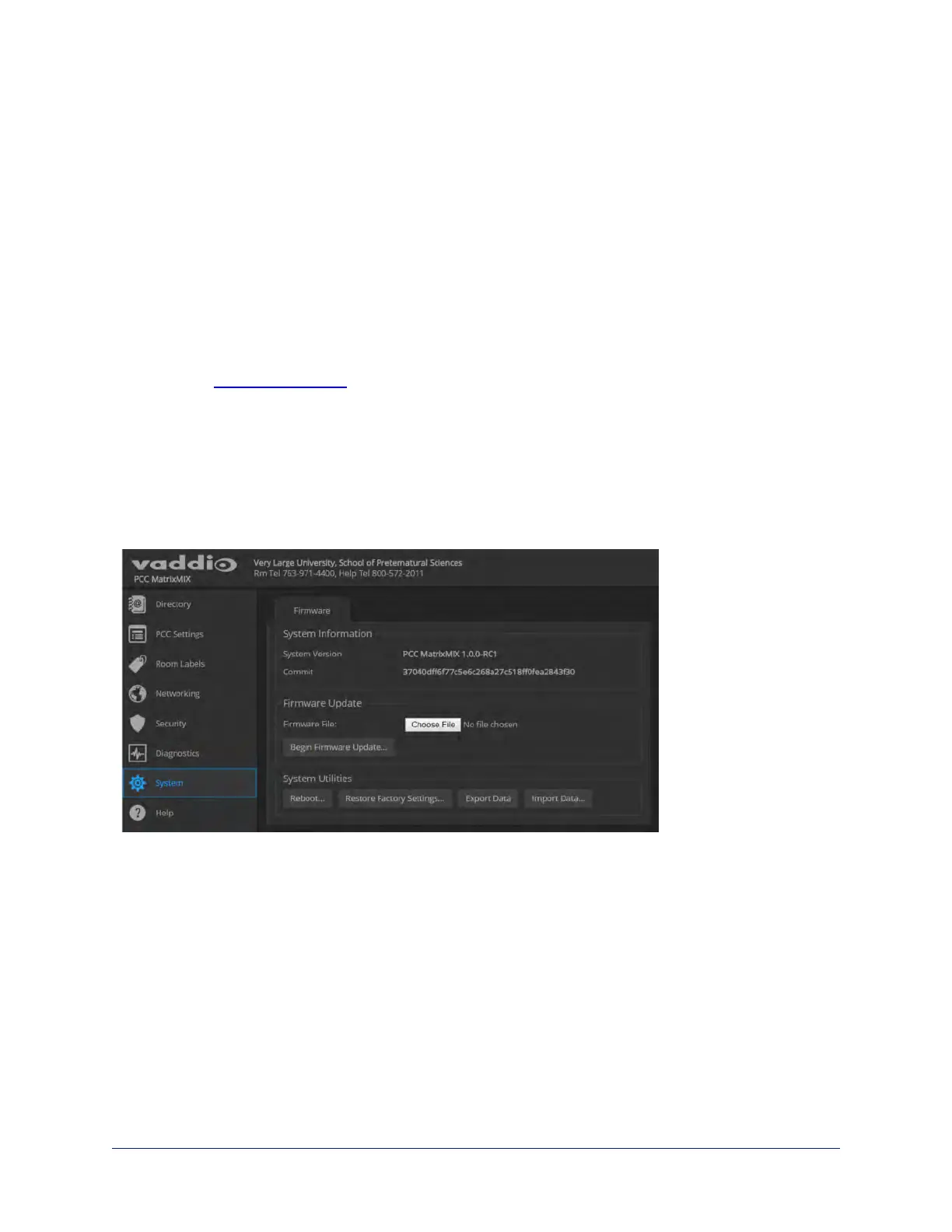
Updating the Firmware
SYSTEM PAGE
From time to time, we issue new firmware to introduce new features and other product improvements, and
to fix issues that turn up. We recommend keeping all your Vaddio products up to date, to get the most out of
them.
Firmware updates do not change the configuration or password.
Note
It is rare for an update to generate errors. If this happens, please read them carefully and record them.
Screen shots of the error message may be very helpful in troubleshooting the problem. If the update does
not finish successfully, contact Vaddio technical support immediately.
1. In a separate browser tab or window, go to the appropriate product page, or to the software updates
section of support.vaddio.com and download the appropriate update file.
2. In the Firmware Update pane, select Choose File. Then browse to the update file and select it.
3. Select Begin Firmware Update.
4. READ the information in the Confirm dialog box and be sure you understand it.
5. When you are ready to start the update, select Continue. The device reboots as the last step in the
update process.
We recommend checking for firmware updates for your Vaddio cameras when you update other products
that work with them.
16
Integrator's Complete Guide to the PCC MatrixMIX Live Production Controller



 To Next Page