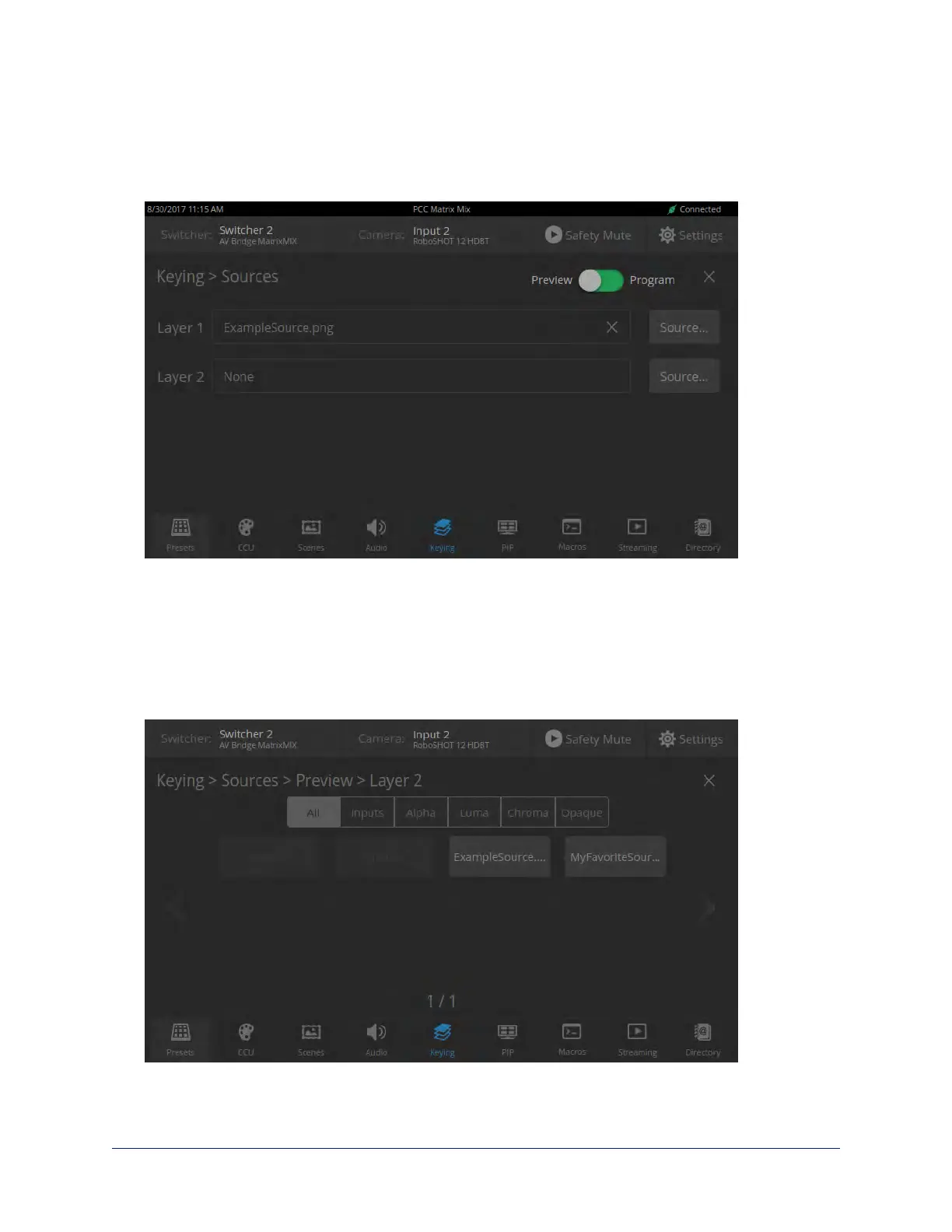
To associate a graphic with a layer:
1. Select Sources. The Keying >Sources screen displays the filename of the graphic (if any) associated
with each layer.
2. To delete a graphic from a layer, select the X to the right of the filename.
3. To add a graphic or change the graphic associated with a layer, select the Source button associated
with the layer. This displays the library of available graphics files and sources.
4. Optional:Select one of the file search filters to display only the graphics of the desired mask type or
source. If there are more graphics files and sources than will fit on the screen, the left and right
navigation arrows become active.
5. Select the desired graphics file or source. This takes you back to the Keying > Sources screen.
6. Select the X in the upper right corner to return to the main Keying screen.
35
Integrator's Complete Guide to the PCC MatrixMIX Live Production Controller



 To Next Page