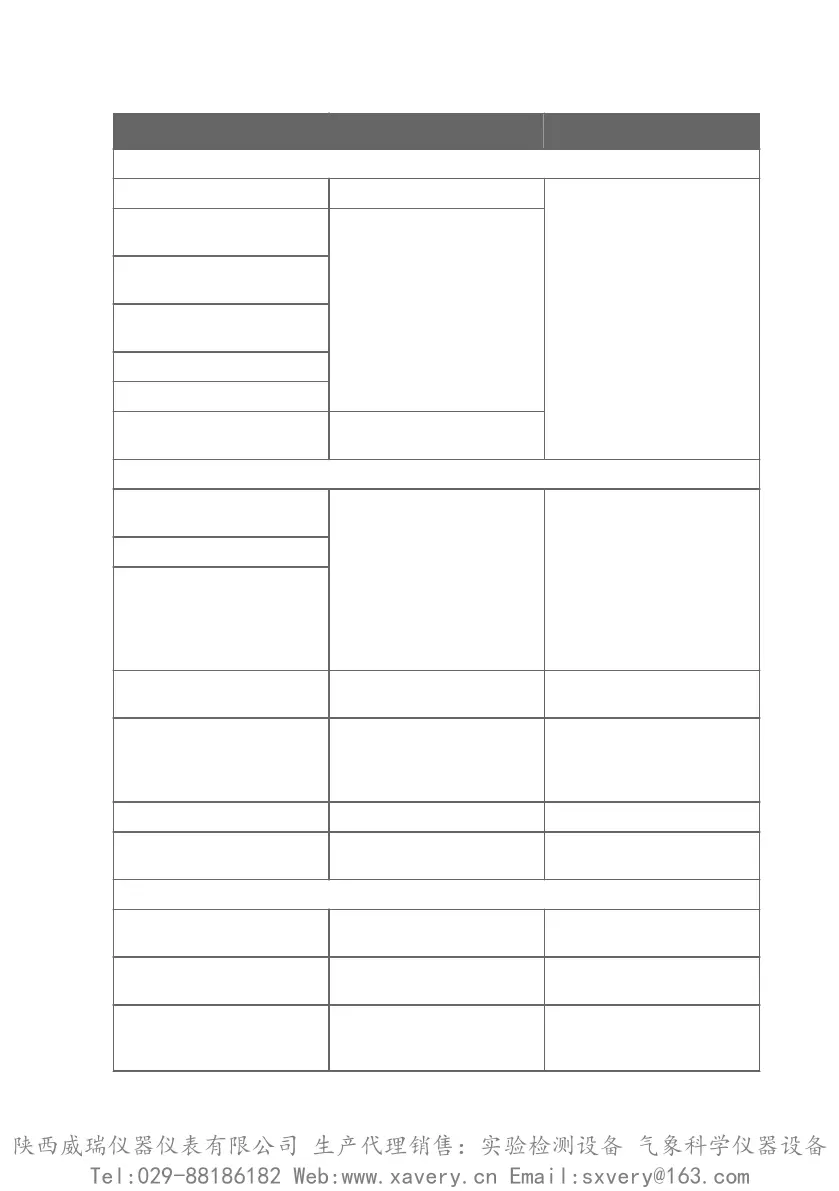
Error message Description Recommended action
Critical errors
Firmware checksum mismatch Firmware is corrupted Contact Vaisala technical
support
Factory default settings
corrupted
Parameter memory is
corrupted
Main configuration settings
corrupted
Additional configuration
settings corrupted
Device settings corrupted
Sensor coecients corrupted
Non-volatile memory read
write failure
Hardware fault
Errors
Temperature measurement
error
Readings from sensors missing
or out of range
Inspect probe head and
sensors visually. If the probe is
completely wet, allow it to dry
out.
If the sensors are damaged or
missing and the error
message(s) stay active, contact
Vaisala to have the probe
repaired.
Humidity measurement error
Humidity sensor failure
Capacitance reference error Hardware fault Contact Vaisala technical
support
Ambient temperature out of
range
Probe body too hot or cold Relocate the probe body so
that its ambient temperature is
within the specified operating
range
Supply voltage out of range Supply voltage too high or low Check supply voltage
Sensor heater failure Hardware fault Contact Vaisala technical
support
Warnings
Calibration certificate
checksum mismatch
Certificate stored in the probe
has an invalid checksum
Contact Vaisala technical
support
Calibration has expired Shown by calibration reminder
functionality
Calibrate the probe and update
the calibration date information
Supply voltage too low for
probe heating
Probe heating enabled but
supply voltage is too low to use
it
Check supply voltage
Chapter 7 – Troubleshooting
47
陕西威瑞仪器仪表有限公司 生产代理销售:实验检测设备 气象科学仪器设备
Tel:029-88186182 Web:www.xavery.cn Email:sxvery@163.com







 To Next Page