7. Troubleshooting
7.1 Problem situations
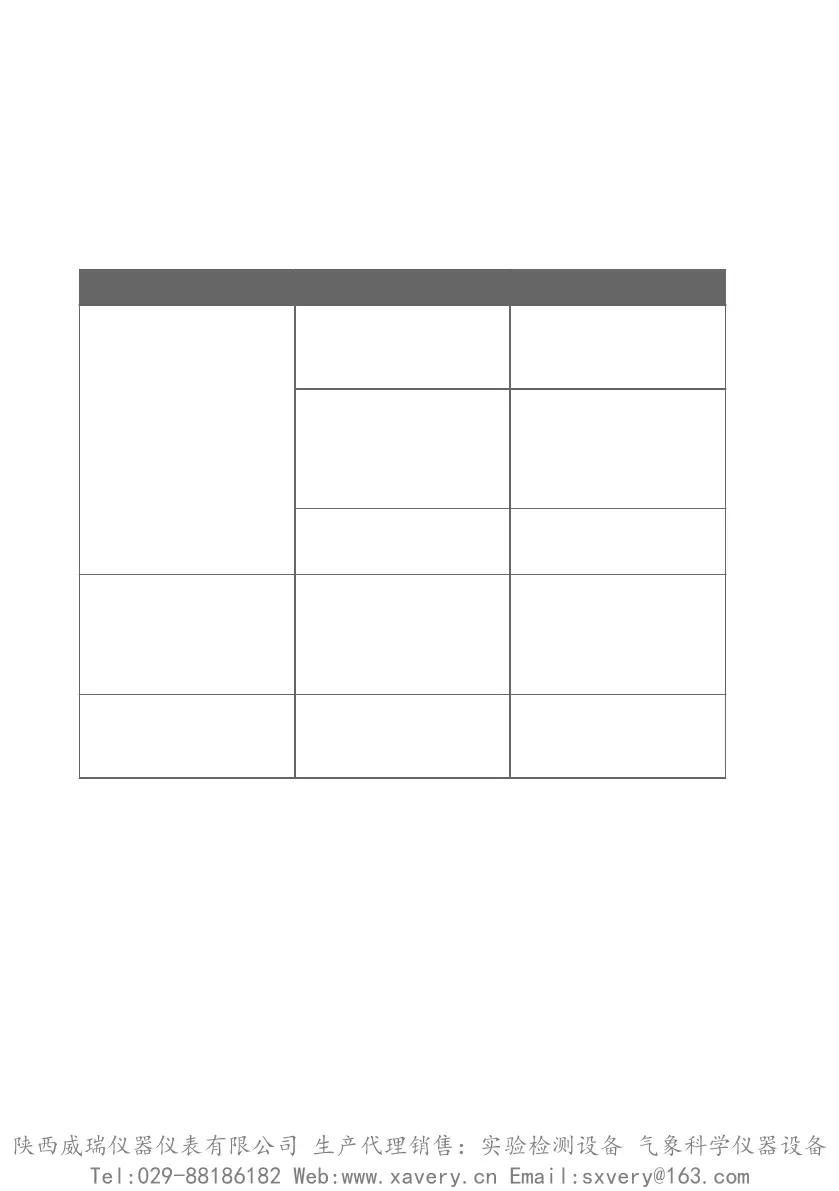
Table 5 Troubleshooting table
Problem Possible cause Solution
Measurement output seems
incorrect
Installation location is not
representative of actual
conditions you want to
measure
Verify the installation location
and relocate the probe if
necessary.
Heat conduction along probe
head and cable is interfering
with measurement accuracy
Follow the installation
recommendations for cases
when temperature of measured
environment diers greatly
from ambient. See Installation
(page 14).
Probe is in need of adjustment Calibrate and adjust the probe.
See Calibration and adjustment
(page 39).
Probe status indicator LED is
red
Probe is in error state Connect the probe to Insight
software or an Indigo
transmitter and read the error
message(s). See Vaisala Insight
software (page 27) and Error
messages (page 46).
Values of measurement
parameters stop changing for a
few minutes
Probe is performing a sensor
heating function such as
chemical purge or waiting for
the sensor to cool down
Wait for the function to
complete and measurement
parameters to be available
again
7.2 Error messages
The error messages are categorized according to the severity of the status:
• Critical errors are fatal to the operation of the device. It may not be able to respond to
communication at all, and will not measure correctly.
• Errors prevent normal operation of the device. Depending on the problem, errors may
resolve themselves. For example, a completely wet humidity sensor may cause a humidity
measurement error.
• Warnings do not prevent normal operation but may indicate possible problems.
• Status indicates a known state of the unit.
HMP3, HMP4, HMP5, HMP7, HMP8, HMP9, MMP8, TMP1 User Guide M212022EN-D
46
陕西威瑞仪器仪表有限公司 生产代理销售:实验检测设备 气象科学仪器设备
Tel:029-88186182 Web:www.xavery.cn Email:sxvery@163.com







 To Next Page