Pax-i3D Smart(PHT-30LFO) Installation Manual
62
4 Installing the Equipment: Floor Standing (Optional)
4.6
Removing the Transportation Safety Bolts
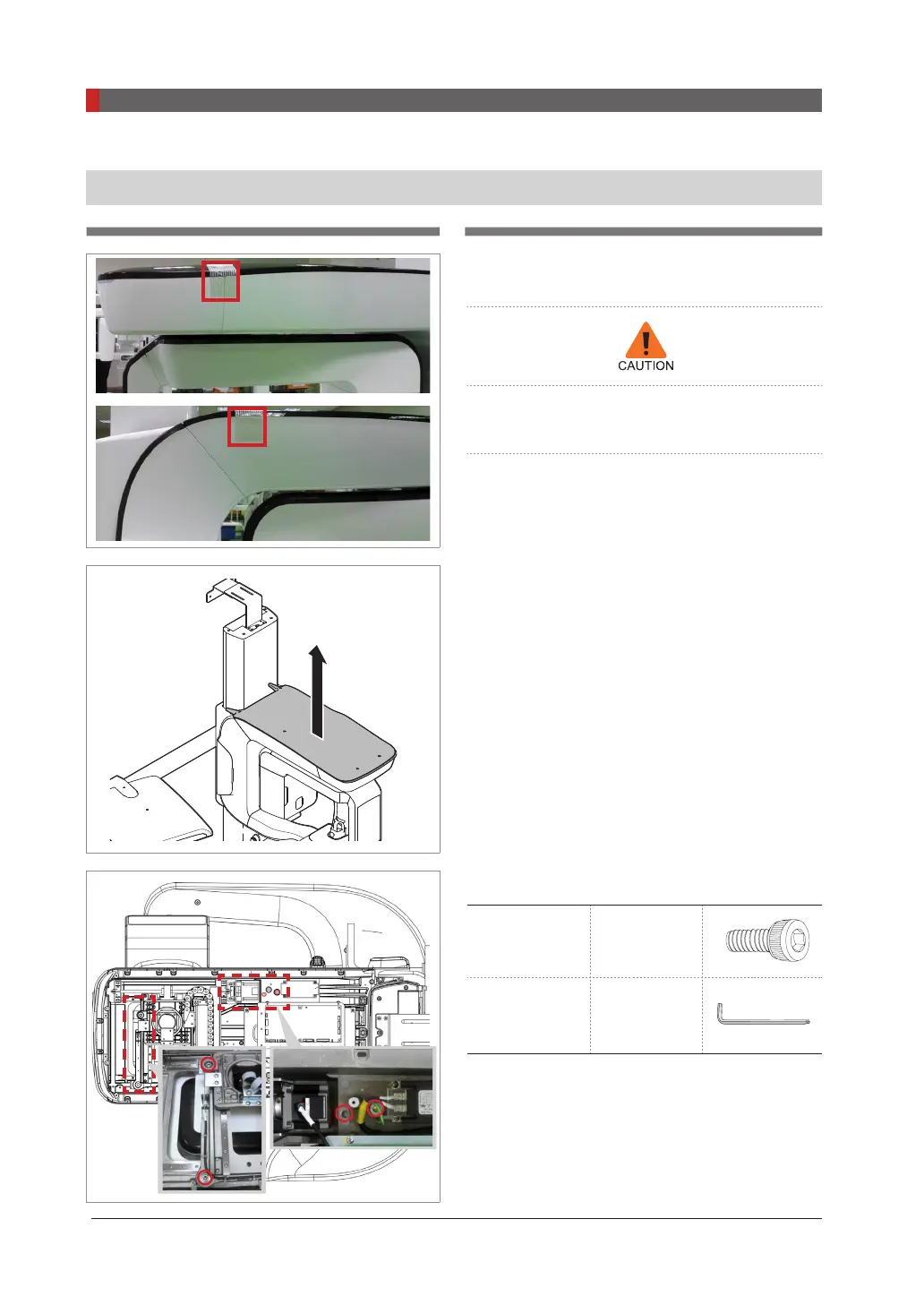
1.
Remove the semi-clear tape on the both
sides
Be careful not to scratch the cover.
2.
Remove the vertical frame cover.
3.
Remove four safety bolts.
Wrench bolts M 8
Allen wrench 6 mm/0.24”



 To Next Page
 Loading...








