Pax-i3D Smart(PHT-30LFO) Installation Manual
68
5 Completing Miscellaneous Works
5.1 Assembling Various Covers
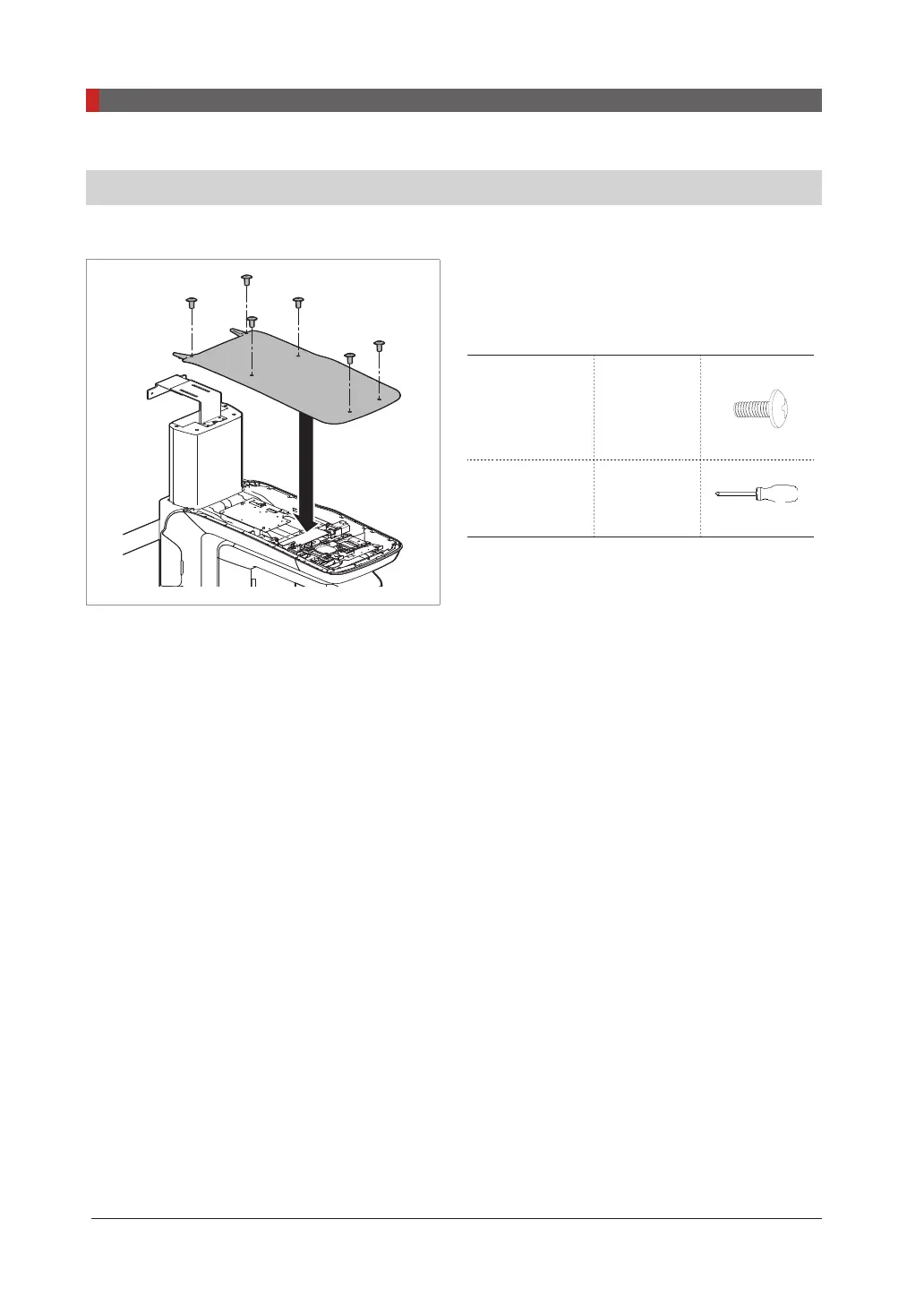
Vertical frame cover
1.
Assemble the vertical frame cover and fix it
with six truss bolts (Part No.: 27).
Truss Bolts
M4 x 8
Part NO . :
27
6 PCS
Cross head
screw driver w/
magnetic tip
L=200
mm/7.9
2.
Put the six hole caps on the vertical frame
cover holes(Part No.:16).












 To Next Page